
Help4 Builder Suite
A free WordPress website builder for pages, templates and the tools behind them. Edit supported content in the real draft preview, design responsive layouts and keep SEO, forms, fields and commerce in one modular workspace.
Stable download. WordPress 6.5+ and PHP 8.1+ per the public release manifest. Test on a staging copy before changing an existing site.
A visual workspace with the page at its center
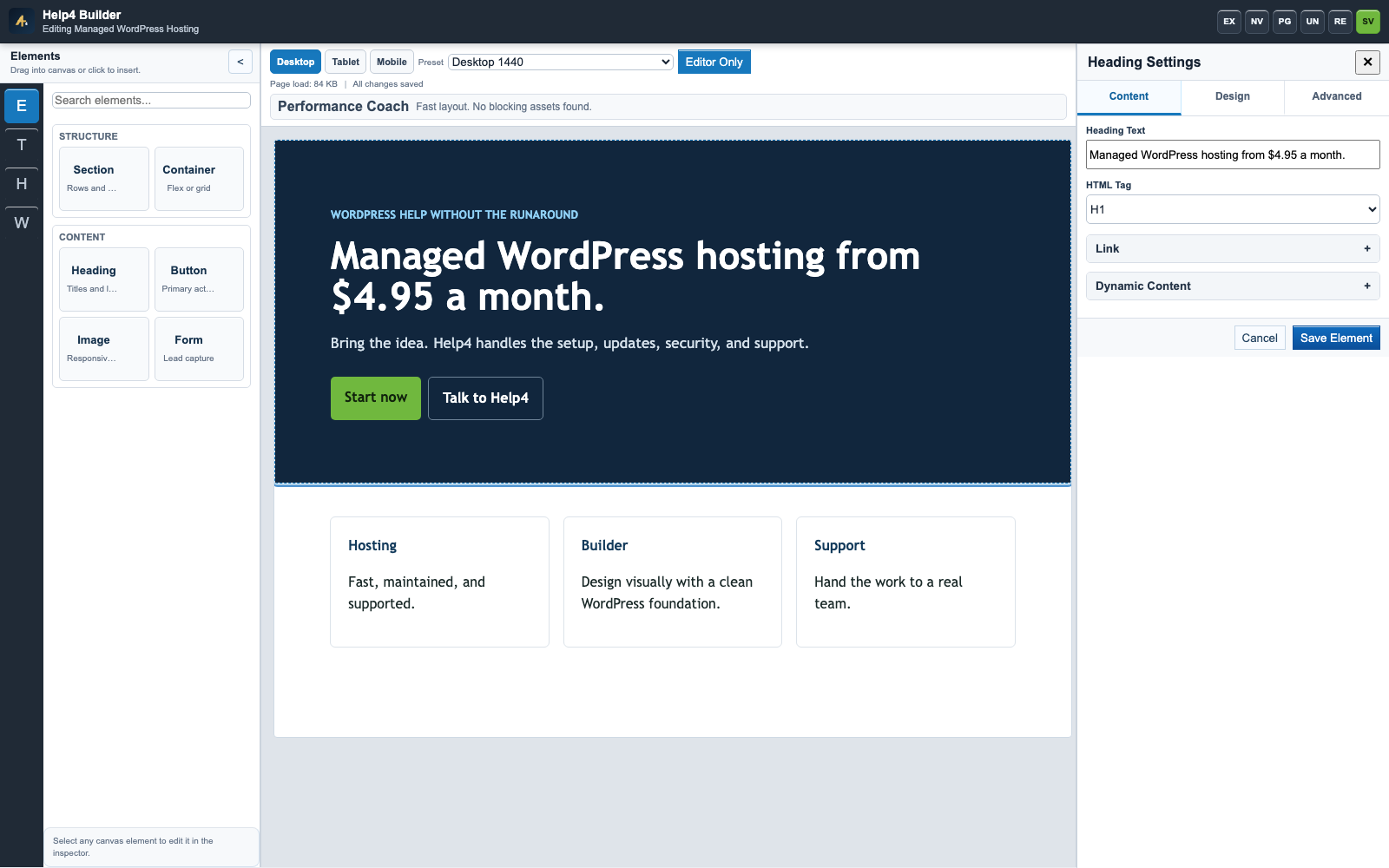
Make a page without starting from scratch
Choose a starter, replace its content and use responsive controls to shape the result. Native sections and modules remain editable rather than turning the whole page into a single image.
- Choose page, section and template starting points.
- Edit headings, text, buttons, media and spacing.
- Inspect layers with Navigator when an element is hard to select.
- Check desktop, tablet and mobile before publishing.
Build once. Reuse across the site.
Shared headers, footers and templates keep a site consistent. Display conditions decide where a template belongs; the clean Blank theme supplies the shell when you choose it.
- Use shared templates for repeated site structure.
- Apply the right template to pages and content types.
- Keep the plugin and companion theme as separate installs.
- Review the actual page after saving, not only the editor canvas.
Tools for the site behind the design
Metadata, sitemaps, social previews and structured-data helpers stay close to the content workflow.
Sell with native commerce
Manage a native catalog, variations and customer input, then test the payment and order path.
Make content useful
Forms, structured fields, sliders and reusable modules turn a design into a working website.
Your first install, step by step
Keep a recoverable copy of an existing site. Install the plugin before deciding whether to change the theme.
- 1. Download the stable Builder ZIP.
- 2. Open Plugins > Add New > Upload Plugin. Install and activate.
- 3. Enable the modules you need and open a test page in Studio.
- 4. Add Help4 Blank through Appearance > Themes only if you want the clean shell.
- 5. Save the page, check its public URL and test menus, forms and mobile views.
Questions before you start
Do I have to buy a Pro version for the Builder?
The public Builder Suite package is free. Paid Help4 services and specialist commercial plugins are separate from this download.
Does it replace WordPress?
No. It runs inside self-hosted WordPress and uses WordPress pages, media, users and the normal plugin/theme installation system.
Can every item be edited directly on the canvas?
The public release supports direct editing for supported native content and safe simple migrated HTML. Advanced, nested or addon-owned output may require its inspector or source workspace so the data is not damaged.
Will it automatically convert my old builder site?
Do not assume an existing site will be converted automatically. Work on a staging copy, inspect the old templates and test the migrated pages before replacing the live design.
Do all modules load on every page?
Builder Suite has module controls and conditional frontend assets. Enable only the features you use, then measure the actual page; performance also depends on hosting, media, content and third-party extensions.
Can Help4 build the website for me?
Yes. Send your page goals, content, logo and design references through the contact page. We will scope the build or migration separately from the free plugin.
Keep the freedom. Get help when you need it.
Start free and use the step-by-step guides. For a custom build or a difficult migration, we can help turn your design into a maintained WordPress website.