
Help4 Theme Builder
Design the parts that repeat across a WordPress website: headers, footers and reusable page templates. Build the structure once, decide where it belongs and keep the page-specific content separate.
Theme Builder is included in Builder Suite. Help4 Blank is a separate free companion theme, not a pre-built client website.
Choose the reusable part, then design it
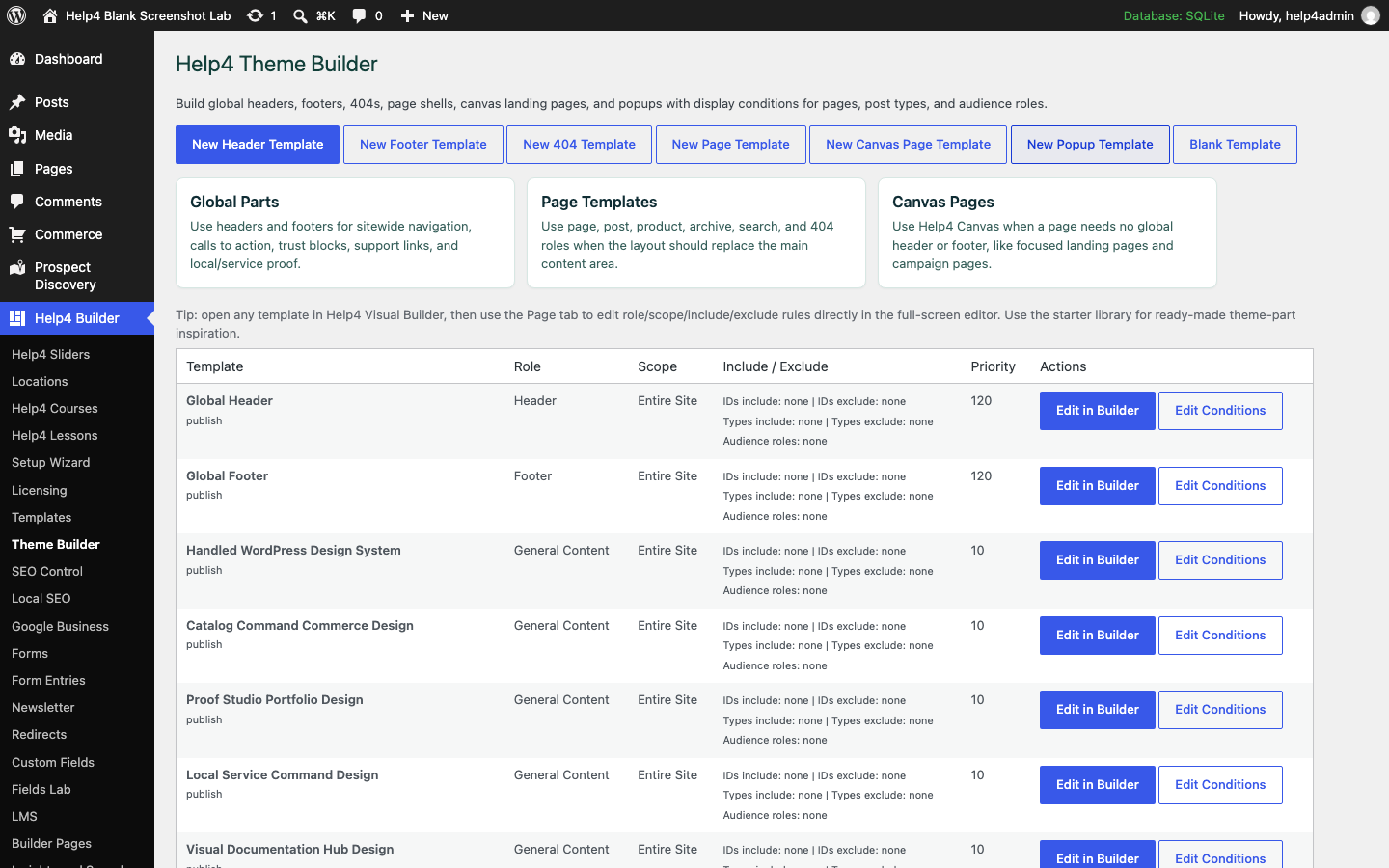
Real documentation examples show the template workspace and starter library. The current download may use newer labels; the linked guides explain the setup path.
Headers, footers and display rules
A starter you can make your own
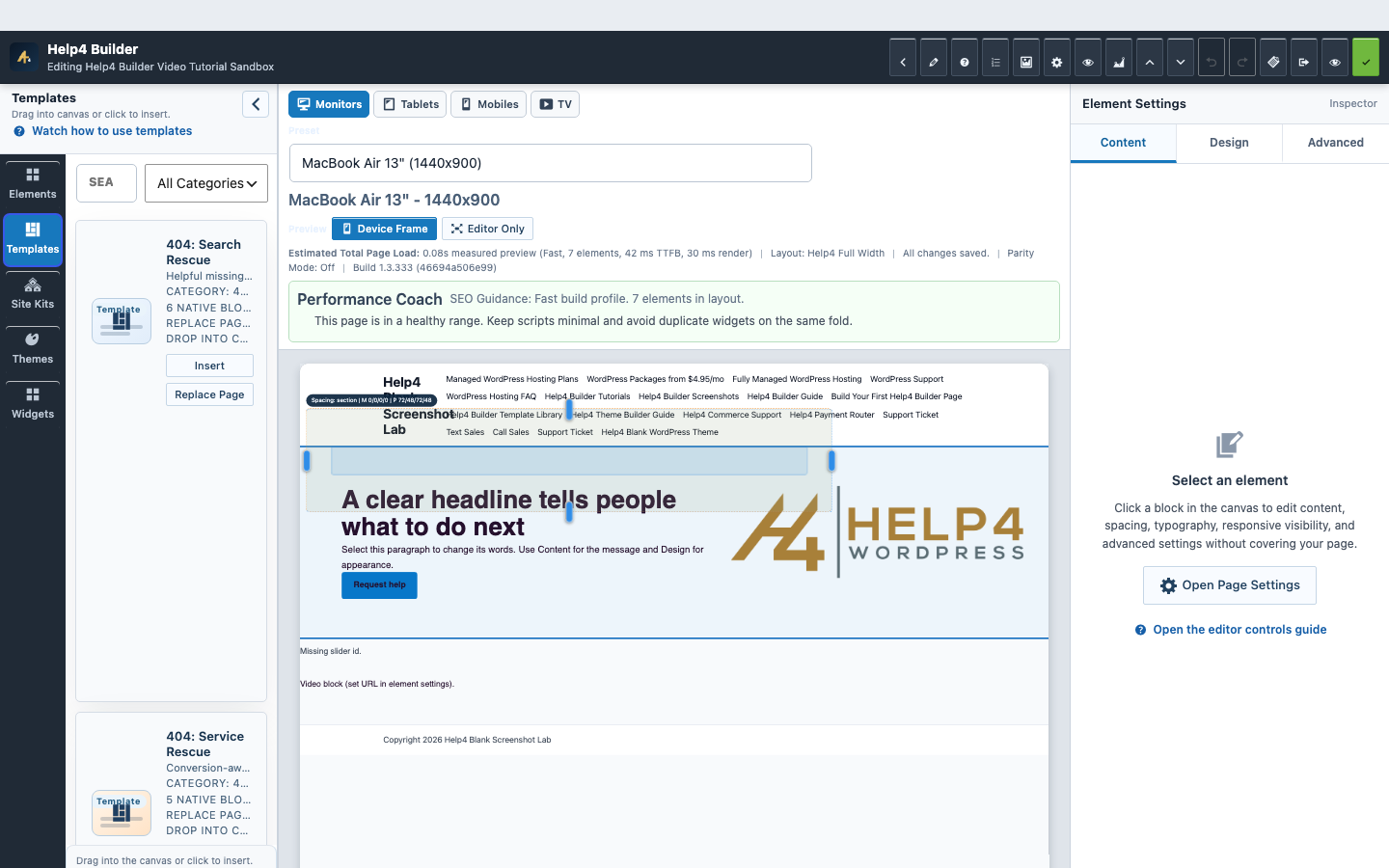
Build shared structure without repeated edits
A shared template keeps repeated content in one place. Update it deliberately because every matching page can inherit the change.
- Header: logo, primary navigation and useful contact/action links.
- Footer: business details, support links and secondary navigation.
- Page/post shell: a reusable frame around changing content.
- Search and 404: help visitors find a useful next page.
Make display conditions specific
Choose role, scope, included content and exclusions before increasing priority. Test a matching page and an unrelated page so a template does not appear in the wrong place.
- Start with the smallest intended scope.
- Check the content types that should use the template.
- Exclude routes that need a different shell.
- Review competing priorities instead of stacking duplicates.
- Verify archive, search and 404 output where relevant.
Use the clean theme when you want the clean shell
The Blank theme and Builder plugin install in different WordPress screens. Your design comes from your own pages, templates and content.
- Install Builder through Plugins > Add New.
- Install Blank through Appearance > Themes.
- Keep the current theme available during a migration.
- Check menus, ordinary posts and mobile output before switching live.
Watch the recorded walkthrough
These recordings use an earlier Help4 interface. They explain the workflow; follow the linked written guide for current labels and setup checks.
Theme Builder Conditions and Reuse
Create a reusable part, assign its conditions and check the public page.
Questions before you start
Is Theme Builder a separate paid plugin?
No. Theme Builder is included in the free Help4 Builder Suite. The companion Blank theme is a separate theme download.
Will changing a header change every page?
It can change every page matched by that header template. Review its conditions and test representative pages before saving a sitewide change.
Can I keep my existing WordPress theme?
Yes. Test Builder templates with the current theme first. Check theme-specific headers, footers, menus and styling before deciding to switch.
What should I do if two headers appear?
Review the active theme output and template assignments. Confirm one system owns each shared part, narrow the display conditions and retest the public page.
Keep the brand. Simplify the repeated work.
Bring the existing site and the reusable parts you need. We can help map templates, navigation and a safe migration without replacing your brand with sample content.