
WordPress plugins. Less friction.
Build your site, manage search visibility and sell products with tools that belong together. Start with the free Help4 Builder Suite, add the clean Blank theme when you want it, or choose a specialist tool for a specific job.
Free Builder plugin and Blank theme. Hosting, specialist products and hands-on services are separate.
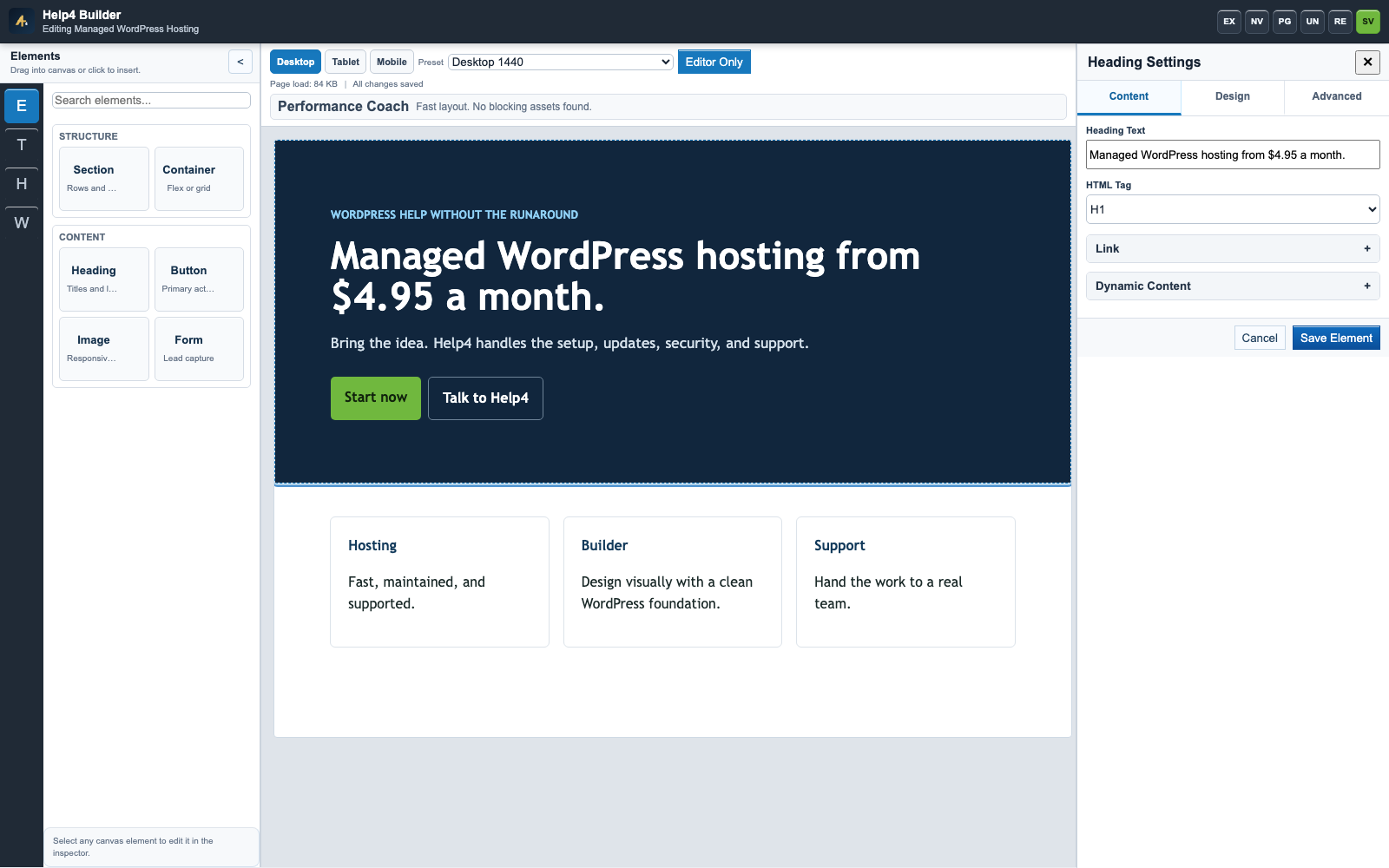
See the workspace, not just a feature list
Help4 Builder Suite
The free modular plugin for visual pages, reusable site templates, forms, structured fields, SEO and native Help4 Commerce.
- Start with a template or a blank page.
- Edit supported content directly in the accurate draft view.
- Reuse headers and footers instead of rebuilding each page.
- Enable only the modules your site needs.
Help4 Blank
A clean companion WordPress theme, not a pre-designed customer site. Your pages, menus, styles and templates come from your Builder design.
- Download and install it separately from the plugin.
- Keep your current theme while testing a migration.
- Check headers, menus, forms and mobile pages before activating.
- Use the setup guide if you are new to theme installation.
Payment Router for Stripe
A specialist paid plugin for WooCommerce stores that need to choose between Stripe accounts using product and geographic rules.
- Compare the published Pro and Enterprise plans.
- Plan account ownership and rule priority first.
- Test matching carts, non-matching carts and webhooks.
- Native Help4 Commerce routing is a different Builder module.
Help4 Personalizer & Engraving
Explore the separate visual product-personalization project for photo products, engraving previews and pre-sliced filament quote workflows.
- Try the published interactive demonstration.
- Read the current development and checkout boundaries.
- Review customer proofs before production.
- Use the specialist tutorials for shop configuration.
Choose by the job you need done
Already know what your site needs? These guides connect the feature to the setup path.
Build a storefront
Understand native products, variations, customer fields and launch testing before accepting orders.
Learn the editor
Follow the first-page tutorial, then move into templates, responsive design and safe editing.
Questions before you start
Do I need every Help4 tool?
No. Start with the job your site needs. Builder Suite is modular; the Blank theme and specialist plugins are separate choices.
Is the Builder free?
The public Help4 Builder Suite download and Blank theme are free. Hosting, professional setup, SEO services and specialist commercial products have their own terms and pricing.
Can I keep my existing theme?
Yes. Test the Builder with your current theme first. Switching themes can change menus, widgets and template output, so check a staging copy before changing a live site.
Where is the current download?
The Builder download button points to the stable latest.zip alias. The public manifest records the release version, package checksum and requirements. Do not use old version labels copied from a tutorial as the release authority.
Prefer a website that is handled for you?
The tools are available for do-it-yourself work. If you want the design, migration or configuration done for you, bring your logo, page goals and content and we will scope the work.