
Recent WordPress Work
Brands and organizations we help
Different missions need different website systems.
The strongest Help4 work is not a repeated demo with a new logo. The Builder, data, search, conversion, and support layers are shaped around the organization's actual customers and operating needs.
Realtors and real estate
Real-estate websites built to market properties and win qualified clients.
Property discovery, seller and buyer lead paths, listing data, local visibility, performance, and ongoing technical ownership can stay under one Help4 engagement.
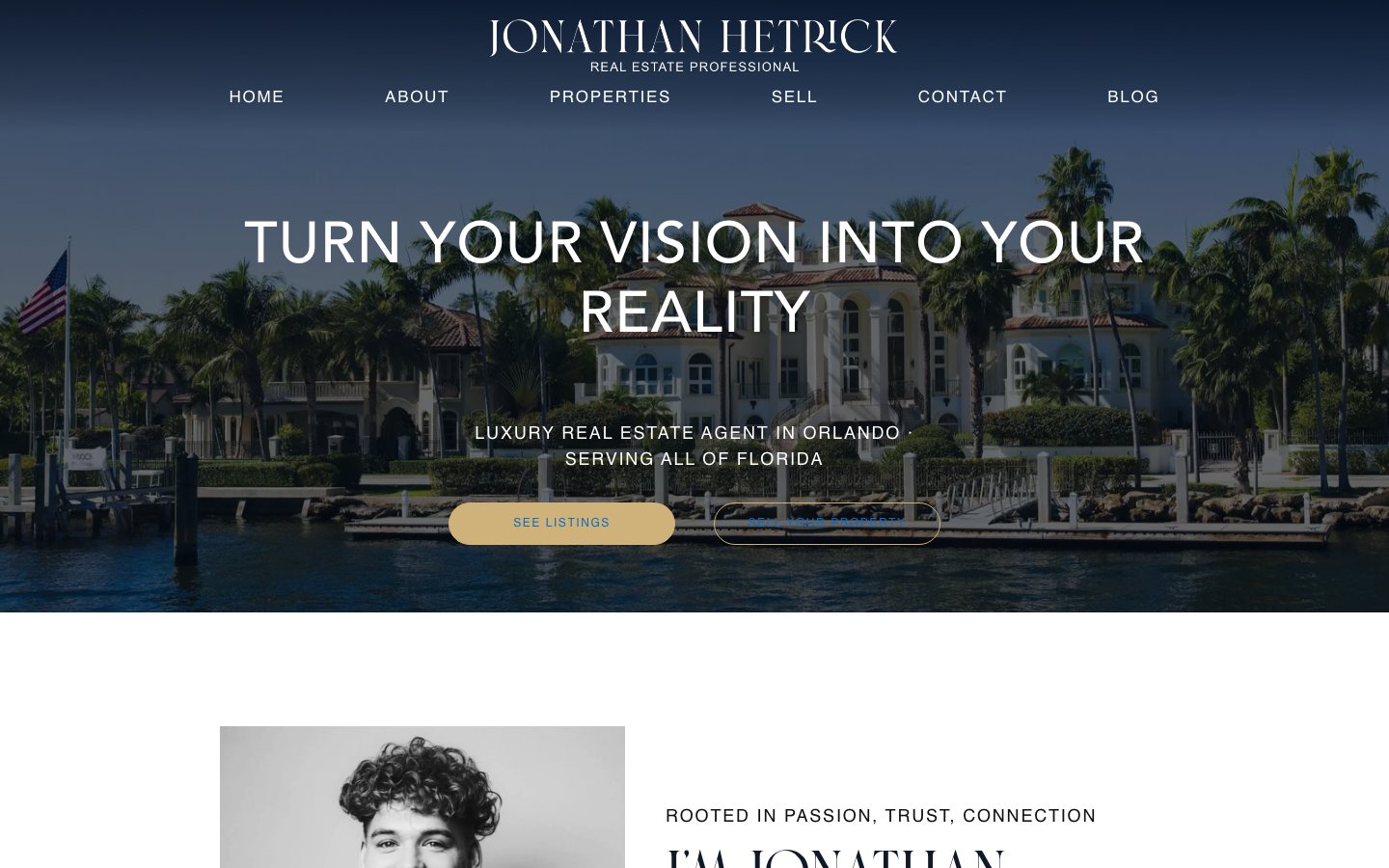
Full-service Realtor website
Jonathan Hetrick Realty
A custom luxury real-estate website showing how Help4 Builder and managed services can work as one system. The engagement connects branded design, property discovery, seller and buyer conversion paths, publishing, real-estate search data, technical SEO, and ongoing operations.
- Responsive Help4 Builder implementation
- Property listings and lead-generation paths
- Real-estate schema, sitemap, social, and IndexNow support
- Managed performance, updates, and technical support
Nonprofits
Mission-first websites that make action easier.
Programs, donations, events, volunteers, and community stories need a clear public path and an editing workflow the organization can continue using.
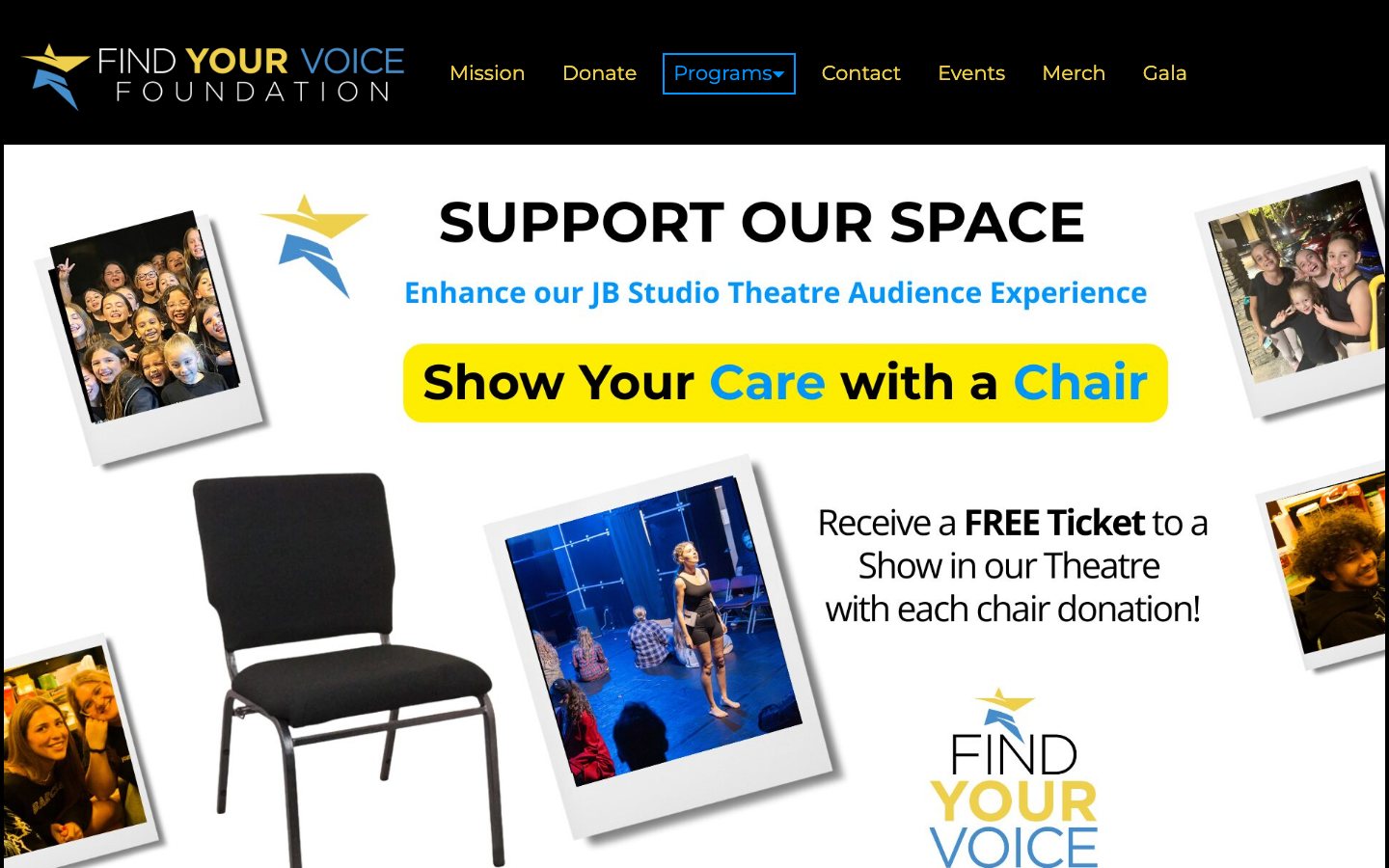
Nonprofit Builder rebuild
Find Your Voice Foundation
A nonprofit rebuild centered on mission clarity and community action. Help4 Builder supports the organization's programs, donations, events, scholarship information, responsive navigation, and performing and healing arts story without making the team maintain a developer-only theme.
- Mission, program, and community storytelling
- Donation, event, scholarship, and contact routes
- Responsive navigation and accessible content structure
- Builder-controlled pages for easier nonprofit updates
More client work
Brands across services, commerce, publishing, organizations, and the arts.
Each website links to the live public result and uses Help4 Builder Website Snapshot for current visual proof.
Service brand

ZQ Creations
Visual-first service presentation with direct contact paths, clear proof, and a structure local customers can understand quickly.
Migration service

Migration Monkey
Migration-focused positioning and action paths for customers who need a WordPress move handled without sorting through the technical details.
Commerce and content

Live & Signed
Commerce and event-style content where brand proof, catalog movement, and checkout confidence have to work together.
Regional storefront

Live & Signed US
Regional storefront presentation with a shared brand system, useful content rhythm, and a supportable operating model.
Organization site

BADPD
Community and organizational site work shaped around clear navigation, trust, security, and reliable delivery.
Events and arts

Barclay Performing Arts
Arts and events work where schedules, trust, imagery, and conversion paths need polish without becoming difficult to manage.
Publisher site

AK Vape News
Content-heavy WordPress work with publishing flow, topical structure, and room to grow without turning the reading experience into clutter.
Your website path
Bring the business outcome, not a list of plugin names.
Help4 can start from an existing website, a supplied design, screenshots, brand files, a migration, or a blank installation. The work can stop at hosting or expand into a complete build and long-term managed operation.
Build it
Turn designs, requirements, content, products, listings, programs, and forms into a responsive Help4 Builder website.
Improve it
Repair mobile behavior, performance, search metadata, schema, accessibility, conversion paths, and content structure.
Run it
Keep hosting, updates, security, monitoring, support, and future website changes connected to the same team.
Real website implementation examples
What these WordPress website examples prove
A useful WordPress website portfolio shows more than a polished home page. Review whether the live site communicates the organization quickly, works on mobile, exposes clear next actions, and supports the listings, forms, donations, publishing, catalog, events, or support workflow the organization actually needs.
Help4 projects can begin with an existing site, supplied design files, a migration request, a performance problem, or a blank Builder installation. The live website captures here show real-estate and nonprofit work, while each engagement can combine design implementation, content structure, hosting, maintenance, speed, security, SEO, integrations, and ongoing support.
- Compare live mobile behavior, navigation, calls to action, accessibility, and content clarity.
- Use a design handoff when the visual direction exists but the WordPress build does not.
- Use a complete managed engagement when the website, search visibility, operations, and support need one accountable team.