
Help4 Blank WordPress Theme
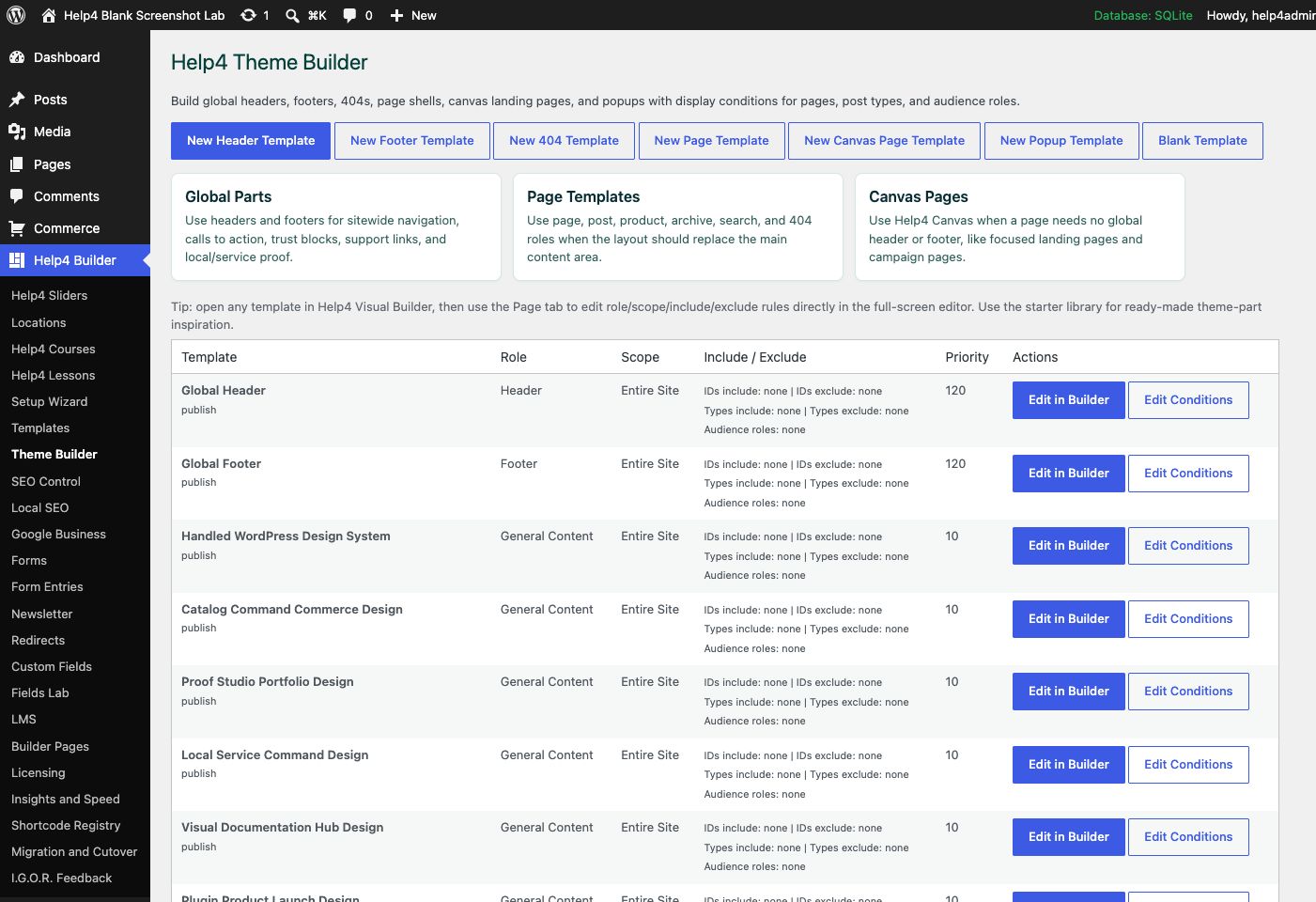
Build the site shell
Create and assign headers, footers, page shells, archives, and 404 layouts without inherited theme styling controlling the result.
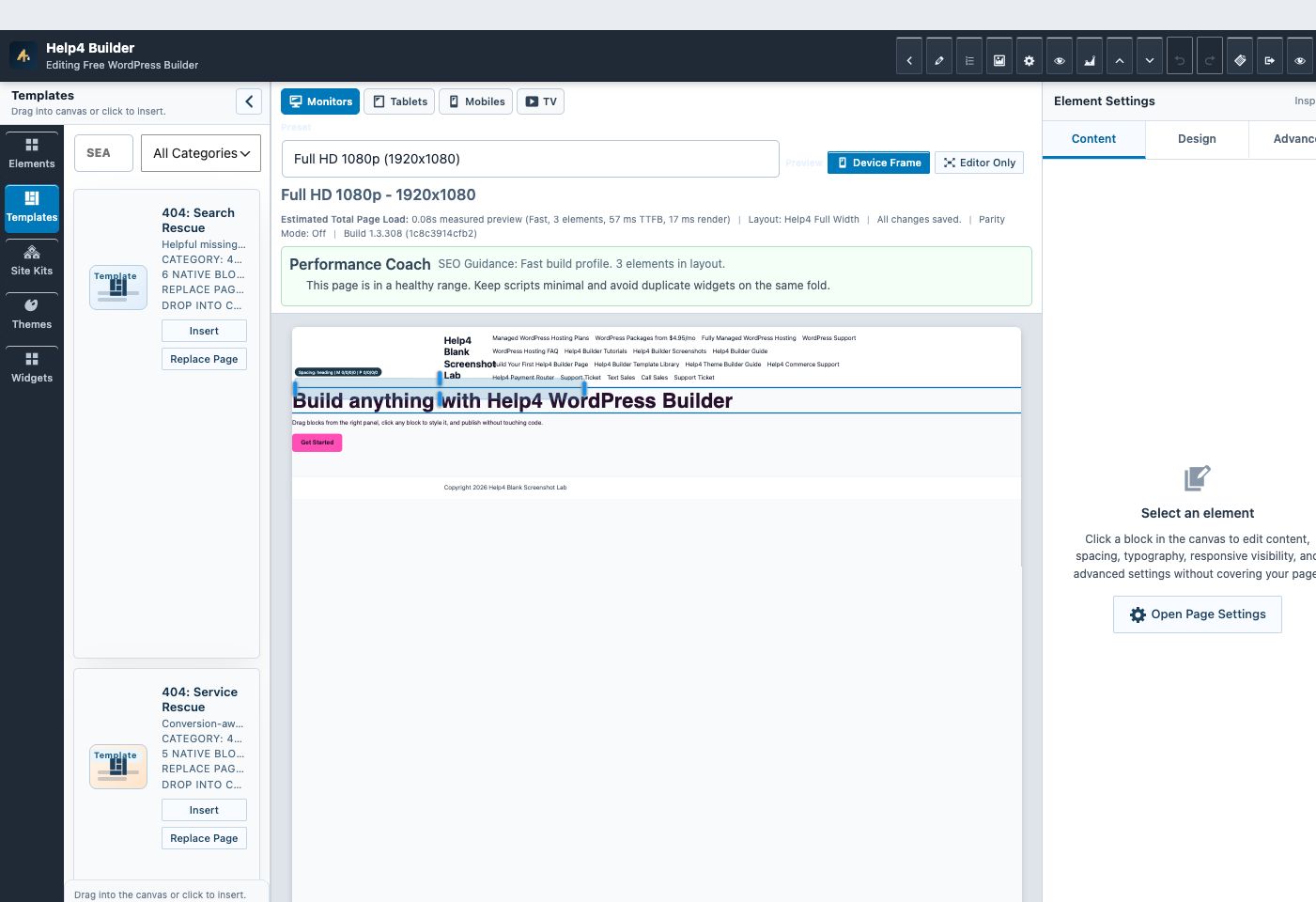
Edit the real layout
Use Builder Studio for content, design, responsive settings, dynamic fields, and reusable sections while Help4 Blank stays out of the way.
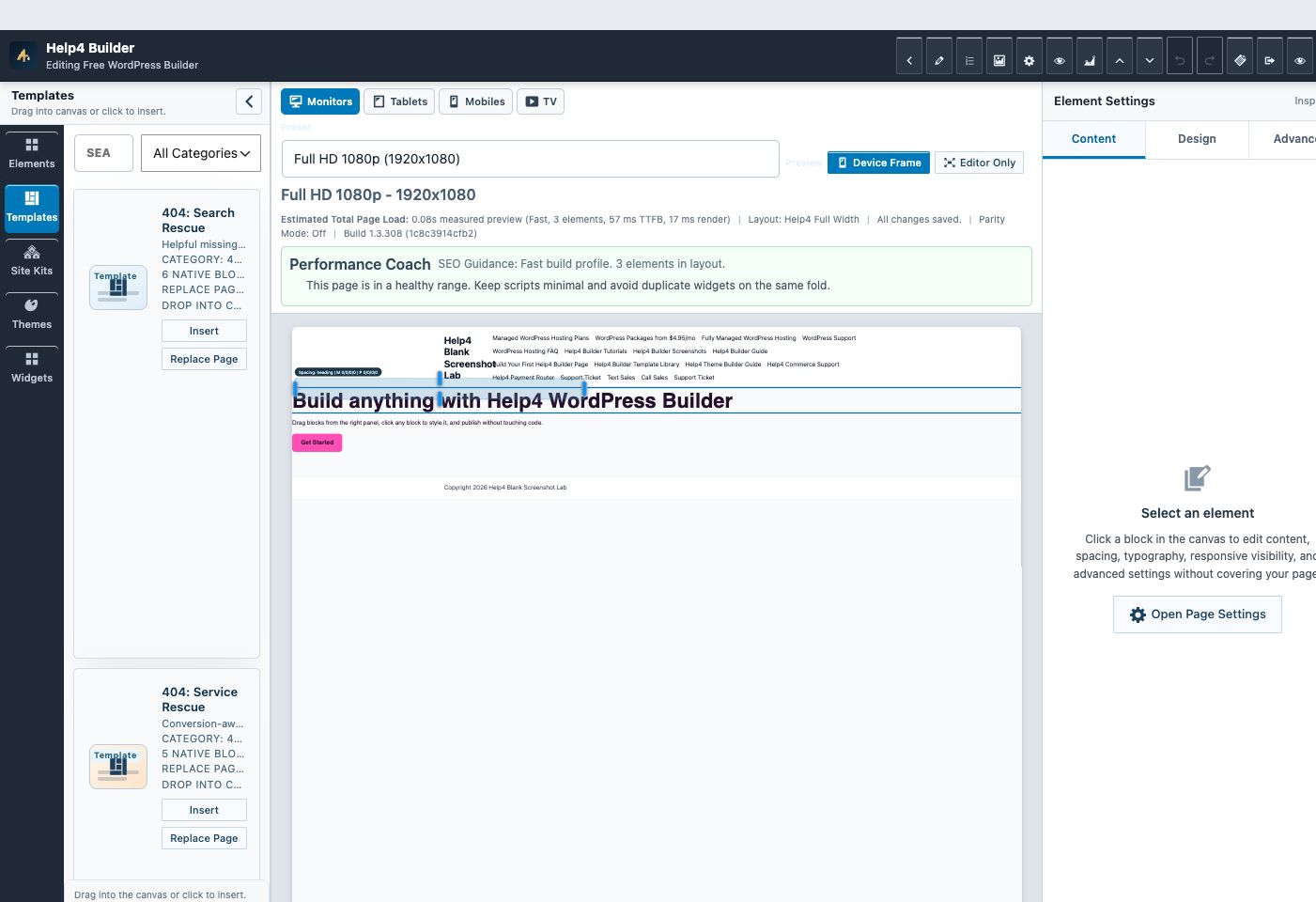
Start with a template
Choose a header, footer, page, section, archive, 404, or complete site-pack direction instead of beginning from an empty screen.
Why use a blank theme
The theme handles WordPress compatibility. Builder Suite handles the design system.
A clean theme reduces conflicts from duplicate headers, forced container widths, inherited typography, unexplained padding, store styles, and mobile overflow. The plugin remains usable with other themes, but Help4 Blank is the recommended base for new Builder-controlled sites.
Neutral by default
No Help4 WordPress marketing pages, customer logos, staging behavior, or finished-site customizations ship in the public theme.
Responsive foundation
The theme supplies broad containment guards for pages, media, embeds, tables, and common full-viewport layouts without replacing deliberate site-specific fixes.
Normal WordPress updates
The theme stays a separate package because WordPress plugins and themes have different installation and directory rules.
Step 1
Download the theme ZIP
Use the stable latest.zip route. Do not unzip it before uploading through WordPress.
Step 2
Upload under Appearance
Open Appearance > Themes > Add New > Upload Theme, select the ZIP, and install it.
Step 3
Activate intentionally
Activate Help4 Blank when you are ready for Builder templates to control the public shell. Existing sites can keep their current theme during testing.
Step 4
Verify every viewport
Check the homepage, navigation, global templates, forms, 404 output, desktop, tablet, 390px, and 360px before replacing a production design.
| Situation | Recommended theme path | Reason |
|---|---|---|
| New Builder site | Install Help4 Blank | Begin from a predictable shell with no inherited design system. |
| Existing production site | Keep the current theme while testing | Avoid replacing working public templates until Builder output is verified. |
| Complete redesign | Build on staging with Help4 Blank | Move headers, footers, pages, archives, and responsive rules together. |
| Theme-dependent integration | Confirm compatibility before switching | Some plugins or custom code may expect hooks or templates from the current theme. |
Watch the real workflow
Watch the clicks before making the change.
Use the narrated walkthrough first, then follow the written steps and verification checks on this page.
Lesson 33
Theme Catalog and Companion Theme Setup
Install the clean Help4 Blank companion, understand theme and plugin boundaries, and apply a Builder design direction safely.
Read the complete transcript
- Understand the Two Packages
Help4 Builder Suite is the plugin that owns visual building, templates, styles, modules, and content tools. Help4 Blank is the separate WordPress theme package that provides a quiet standards-based shell. Keeping them separate preserves normal WordPress update and review boundaries while allowing Builder to work with other themes.
- Open the Theme Catalog
Open Appearance, then Help4 Theme Catalog. Review the compatible theme directions and the current active theme before changing anything. A catalog direction is inspiration and setup guidance, while the companion theme remains intentionally clean instead of shipping one customer site or Help4 marketing design.
- Install Without Losing Recovery
Before switching an established site, keep a database recovery point, the current theme package, and a record of menus, widgets, templates, and custom code. Install Help4 Blank, preview where supported, and activate only during an approved test window. Theme activation should not delete Builder layouts or media.
- Apply the Site Design in Builder
Return to Builder Studio and apply an appropriate style pack or site kit. Set the real site name, logo, typography, colors, buttons, forms, header, footer, and templates. Remove sample branding and verify ordinary non-Builder WordPress content still receives a readable theme layout.
Ready for the clean Builder path?
Download Help4 Blank and Builder Suite as separate WordPress packages.
Upload the theme under Appearance and the plugin under Plugins. Activate each only after testing the target site or staging copy.