
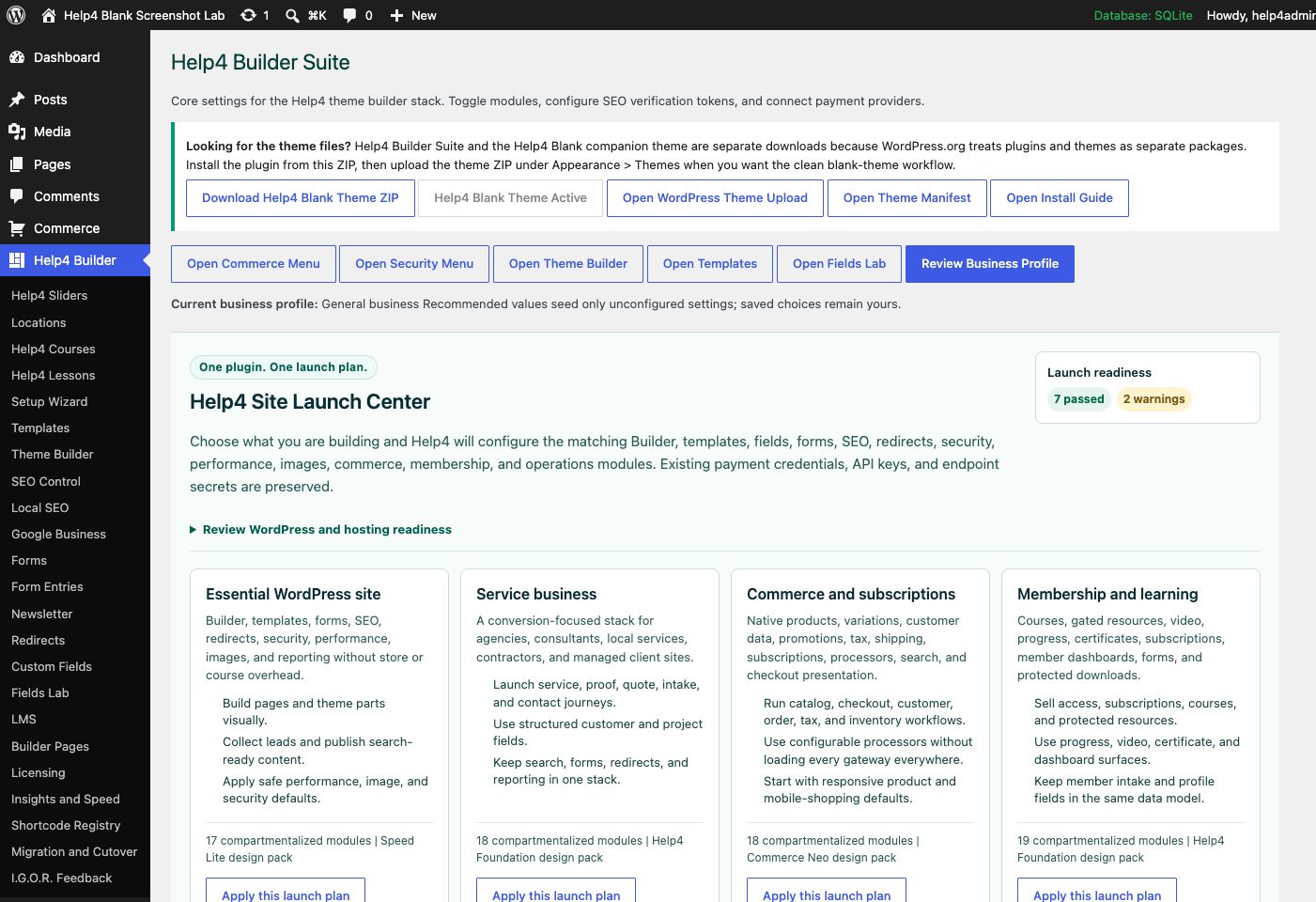
Guided setup
Choose the kind of site you are building and start from sensible module, design, SEO, and business defaults that remain editable.
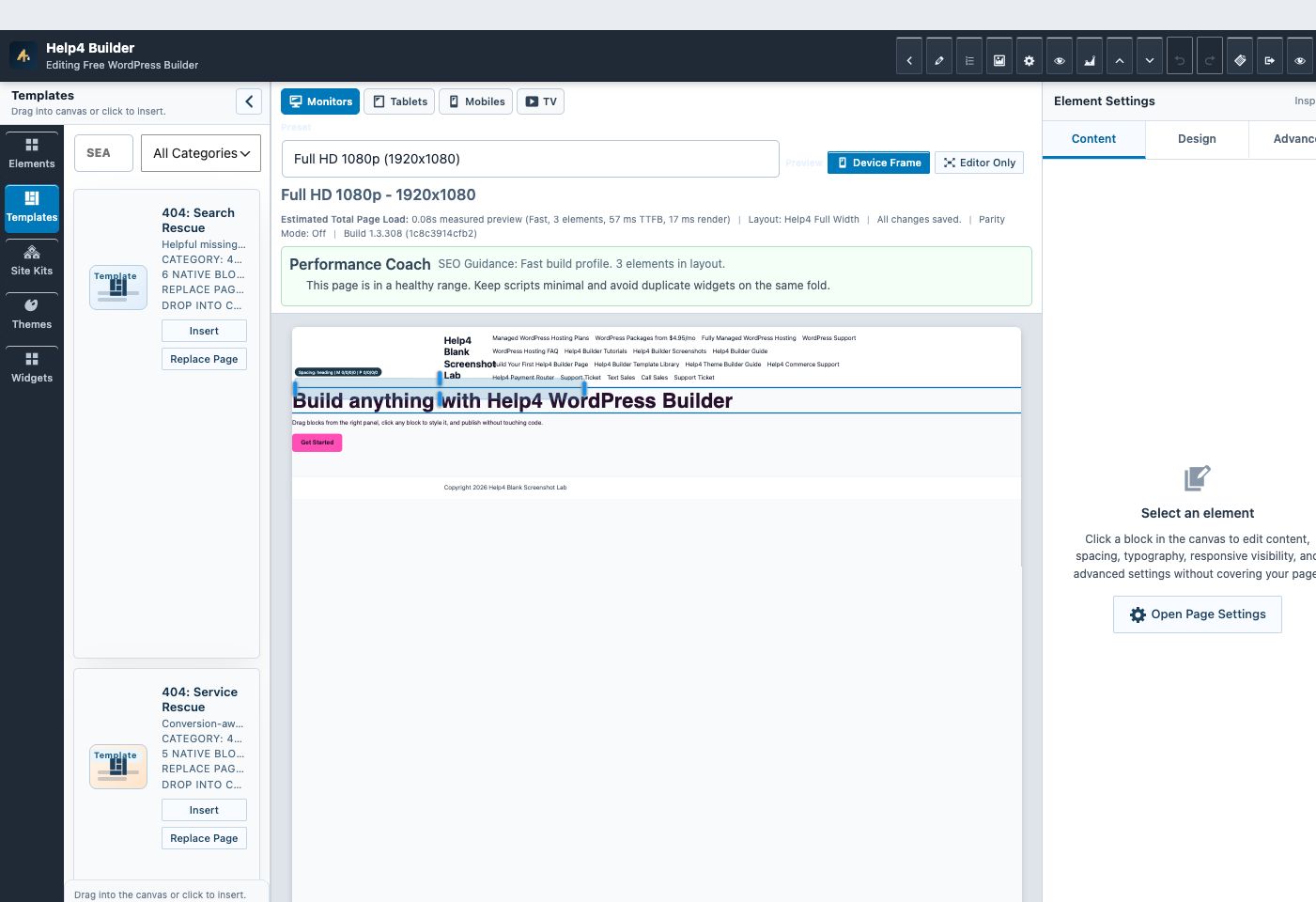
Live Builder Studio
Select an element, change its content or design controls, and review the page in the same editing workspace before saving.
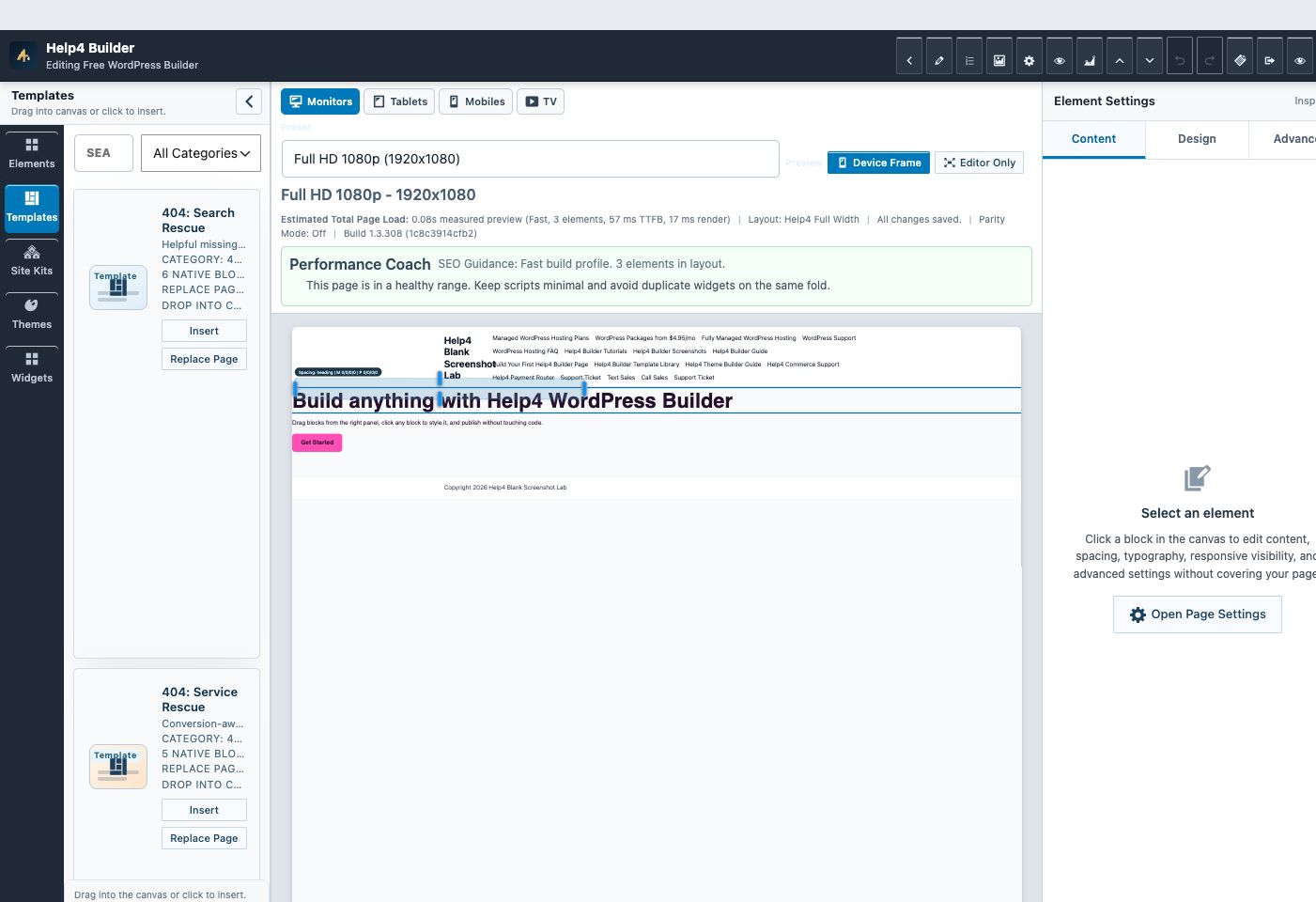
Starter structure
Begin with a page job, section, header, footer, archive, 404, or site-pack direction instead of staring at an empty canvas.
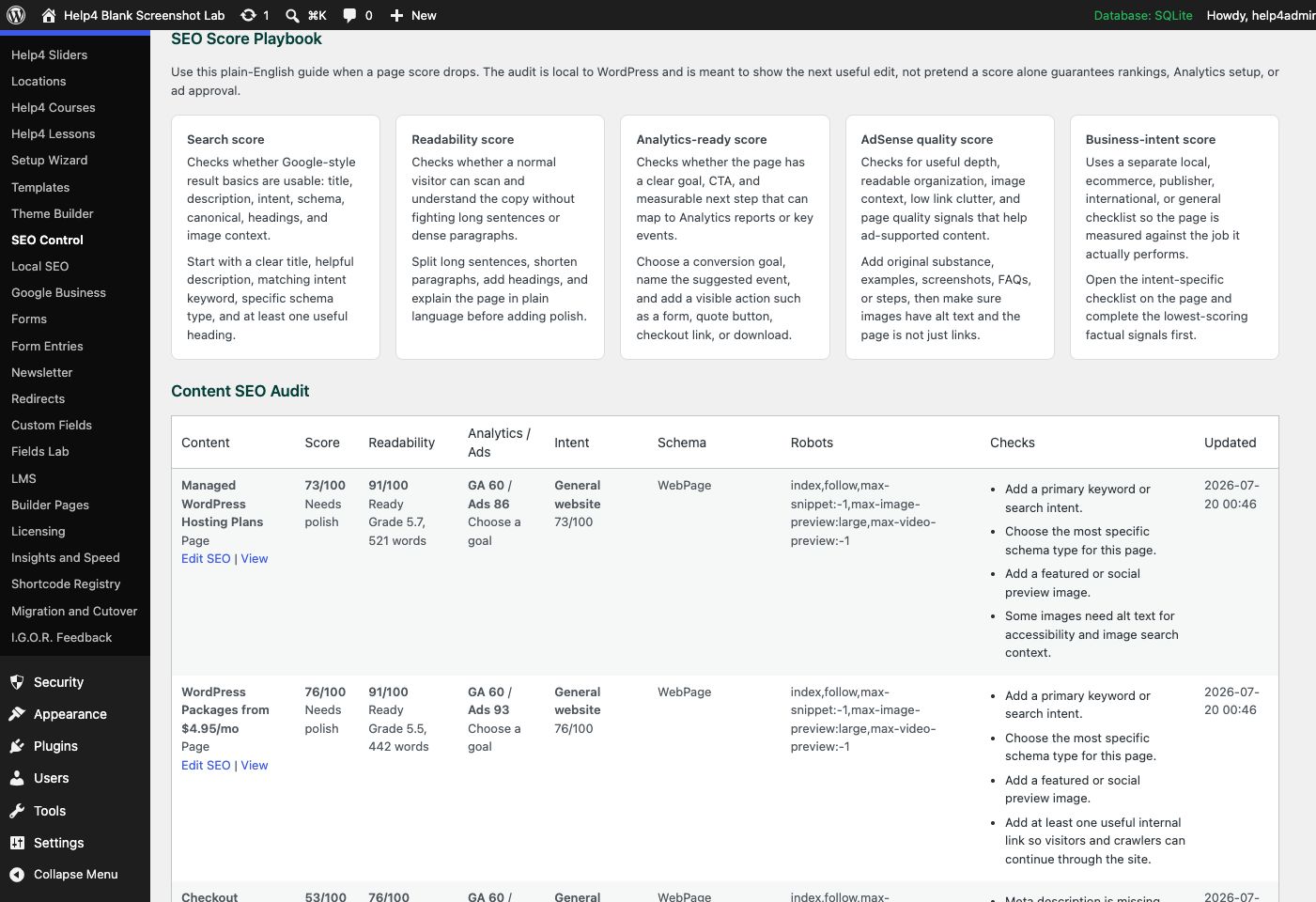
Launch checks
Review search, readability, analytics-readiness, content quality, schema, and page-specific actions before publishing.
One install, modular responsibilities
Turn on the capabilities the site needs and leave the rest quiet.
Builder Suite is broad by design, but its modules are compartmentalized. A brochure site can use the visual builder, templates, forms, SEO, and security without loading commerce or slider assets on every page. A store or membership project can enable the deeper layers when the data model calls for them.
Visual building
Create sections, containers, columns, content elements, menus, forms, galleries, sliders, dynamic data, and reusable templates with responsive values for real breakpoints.
Site design system
Control global colors, typography, spacing, buttons, fields, container width, motion, headers, footers, archives, single-content shells, and 404 output.
Structured content
Create field groups, repeaters, relationships, galleries, calculated values, product data, and dynamic bindings for pages that need more than a block of text.
Site operations
Use launch checks, metadata, schema, international discovery, local SEO, redirects, image tools, performance controls, hardening, update channels, and feedback reporting.
Start clean
Use Help4 Blank
Install the separate blank companion theme when you want Builder templates to control the site shell without inherited theme design fighting every decision.
Understand the split
Theme setup and compatibility
See why WordPress requires separate theme and plugin packages, what Help4 Blank contains, and how to switch an existing site safely.
Start guided
Choose a starter
Pick a starter by the page job or business need, then replace the sample copy, media, proof, navigation, forms, and calls to action.
Build deliberately
Learn the editor
Follow screenshot-based guides for installation, the first page, responsive editing, template assignment, structured fields, sliders, forms, commerce, SEO, and updates.
Go beyond DIY
Hand Help4 the build
Send the existing site, design file, screenshot, rough notes, or business goal when you want the finished WordPress implementation handled for you.
| Job | Builder Suite approach | Before publishing |
|---|---|---|
| Build a landing page | Use canvas layout, reusable sections, responsive spacing, forms, and one clear conversion path. | Verify the real public URL at desktop, tablet, 390px, and 360px. |
| Replace the theme shell | Assign Builder headers, footers, archives, single templates, and 404 output through explicit conditions. | Check representative routes and confirm navigation works by pointer, keyboard, and touch. |
| Create dynamic content | Model fields and relationships first, then bind elements to the saved values. | Test empty, normal, long, and permission-restricted values. |
| Launch search-ready content | Set the page intent, title, description, canonical, schema, social image, internal links, and readable copy. | Confirm sitemap status and rendered metadata; no tool can promise rankings or ad approval. |
| Sell products or subscriptions | Enable Help4 Commerce, define product and customer data, then configure checkout and processor routing. | Use test credentials and validate orders, webhooks, retries, refunds, email, and failure messages. |
What free does and does not mean
The public ZIP is a real starting point, not a substitute for launch judgment.
You can download and use the current public Builder Suite package without buying a Help4 hosting plan. Hosting, custom implementation, migration, managed maintenance, emergency work, and account-specific support are separate services. The builder provides controls and checks; the website owner still decides what is truthful, lawful, accessible, secure, and ready to publish.
No forced theme lock-in
Builder Suite is designed to work with properly coded WordPress themes. Help4 Blank is recommended when you want the cleanest Builder-owned canvas.
No ranking promises
SEO tools report implementation signals and opportunities. Search engines decide crawling, indexing, display, and ranking.
No hidden live credentials
Payment keys, customer records, and private service data belong in protected settings and processor workflows, never page templates or support screenshots.
Ready to build?
Download Builder Suite and its optional blank companion theme.
Install the plugin on a staging copy or backed-up WordPress site, add Help4 Blank when you want the clean theme path, and verify responsive output before replacing an existing production design.