Help4 Builder Template Library
Screenshot walkthrough
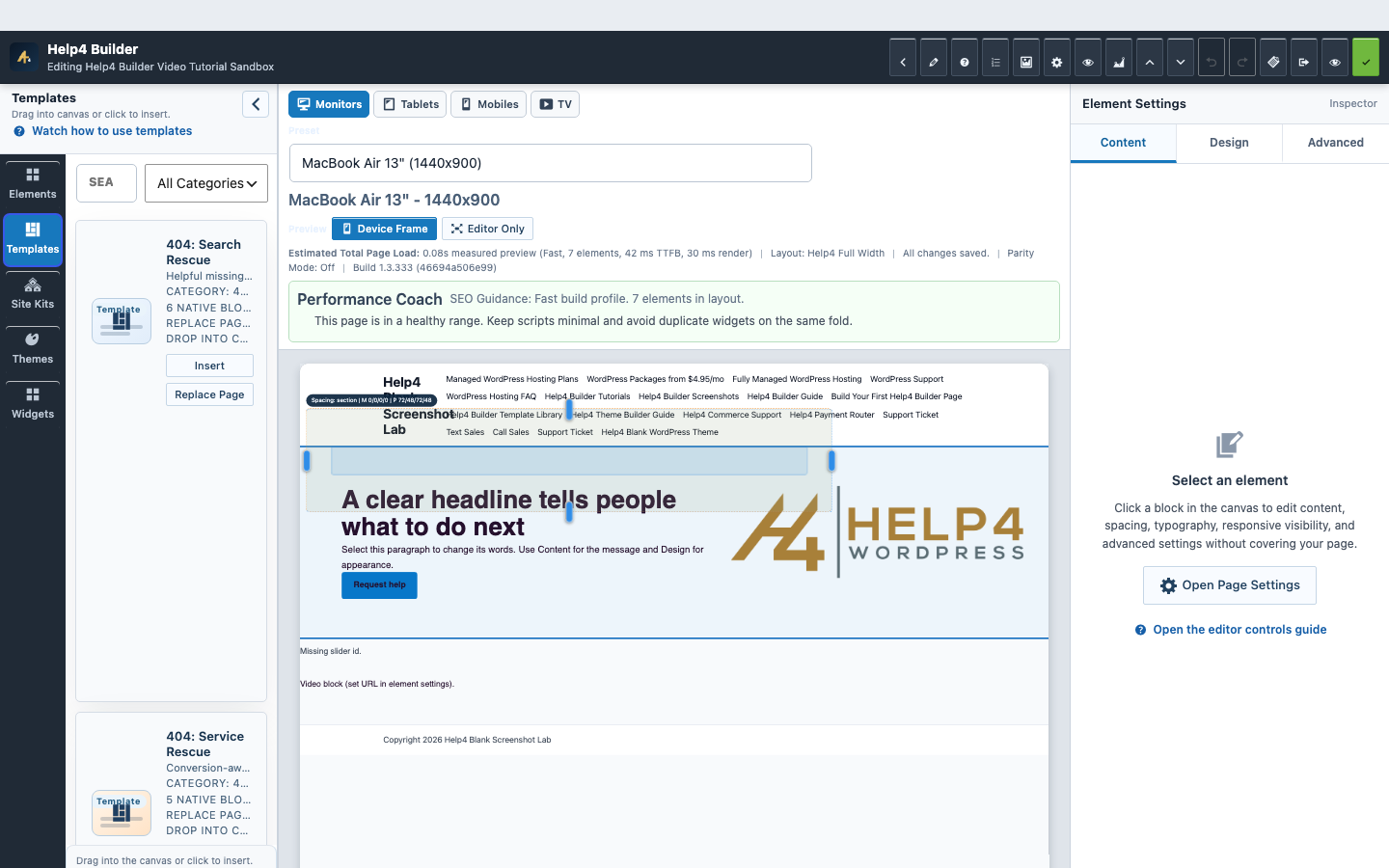
Pick the starter by job, then open it where pages are built.
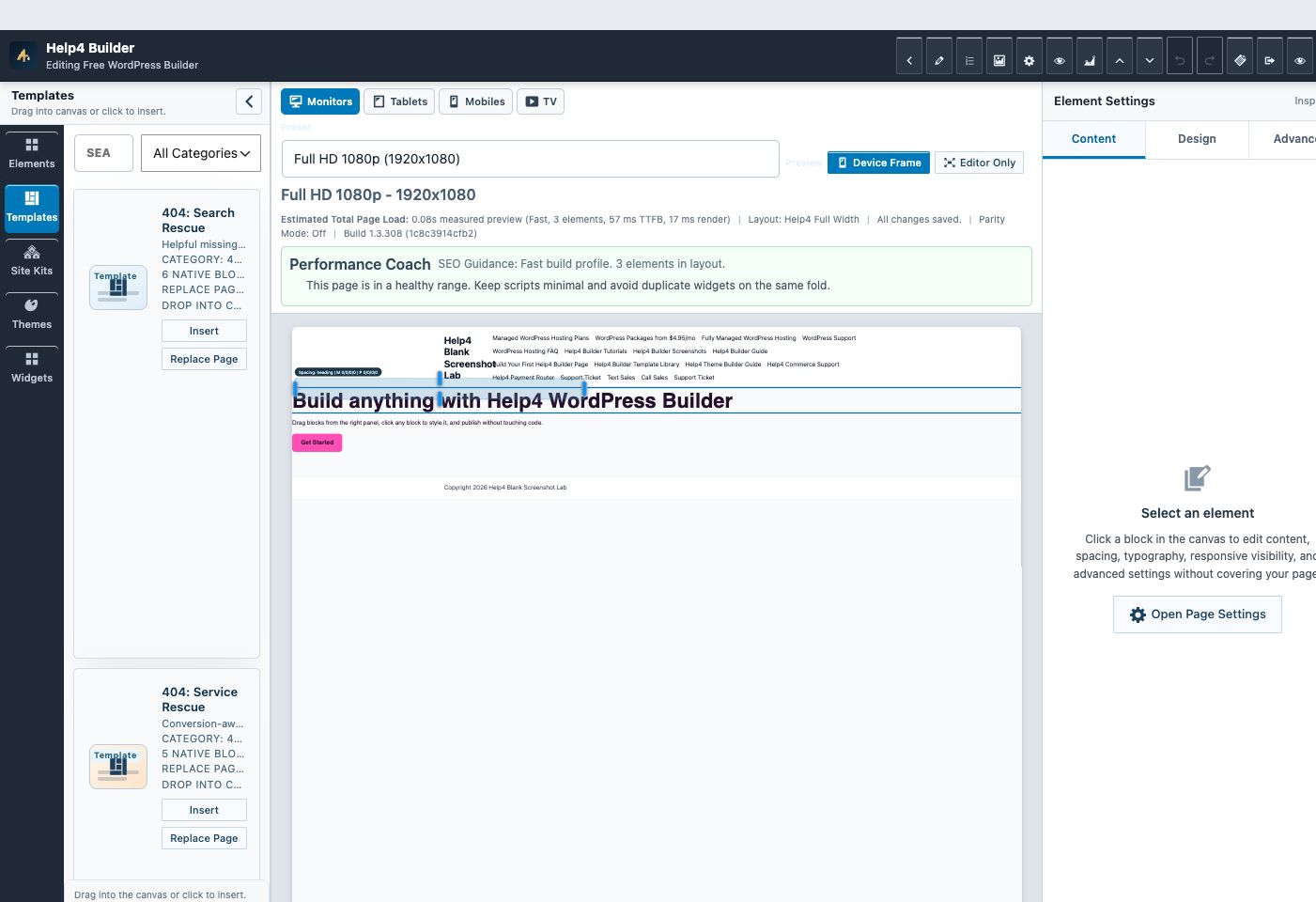
The template library gives customers a practical starting point, but the real work happens when the starter is edited in Builder Studio.

Setup wizard
Choose the modules the site really needs so beginners do not start with a crowded toolbox.

Settings dashboard
Confirm modules, support links, release channel, and the site setup path before building.

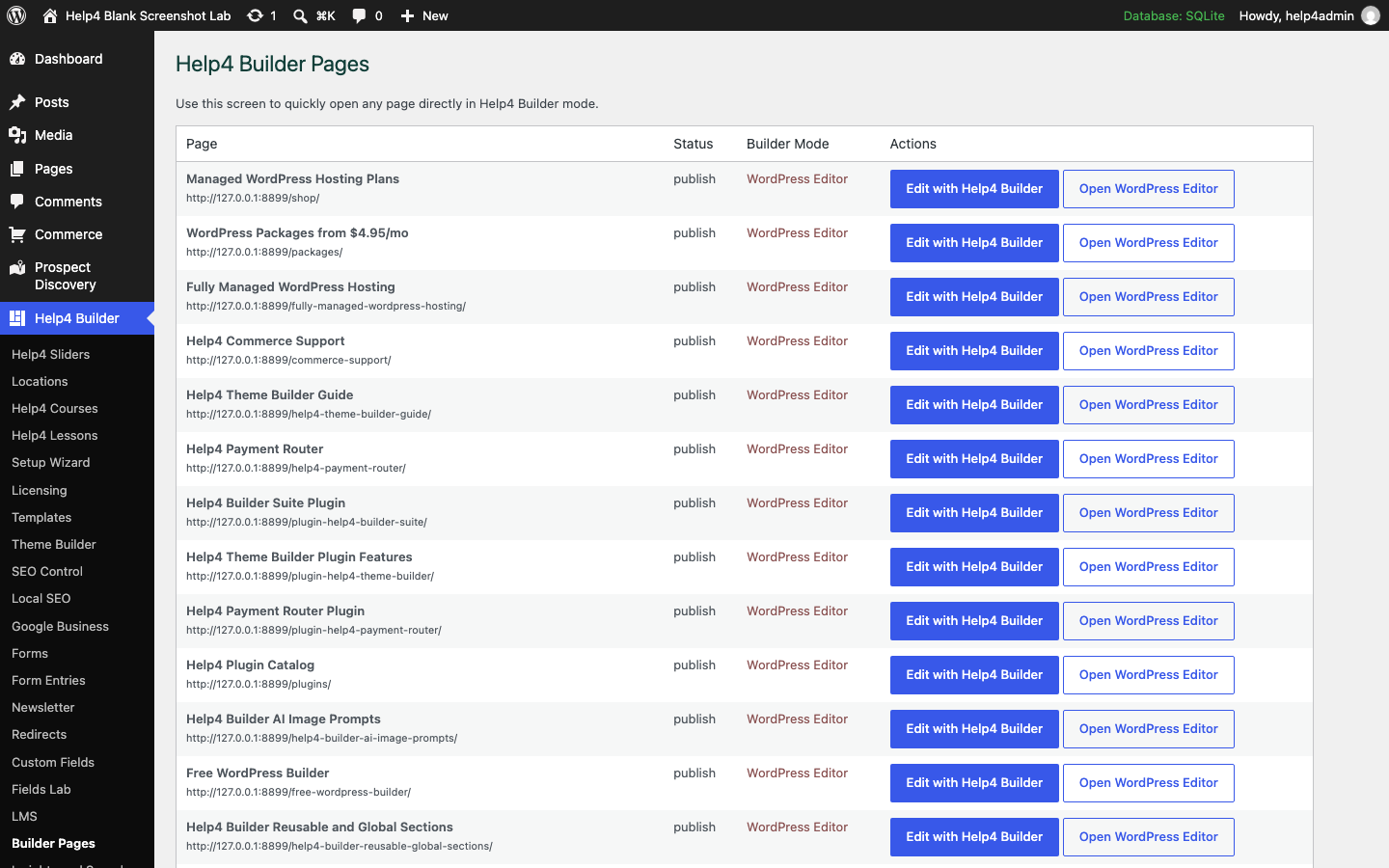
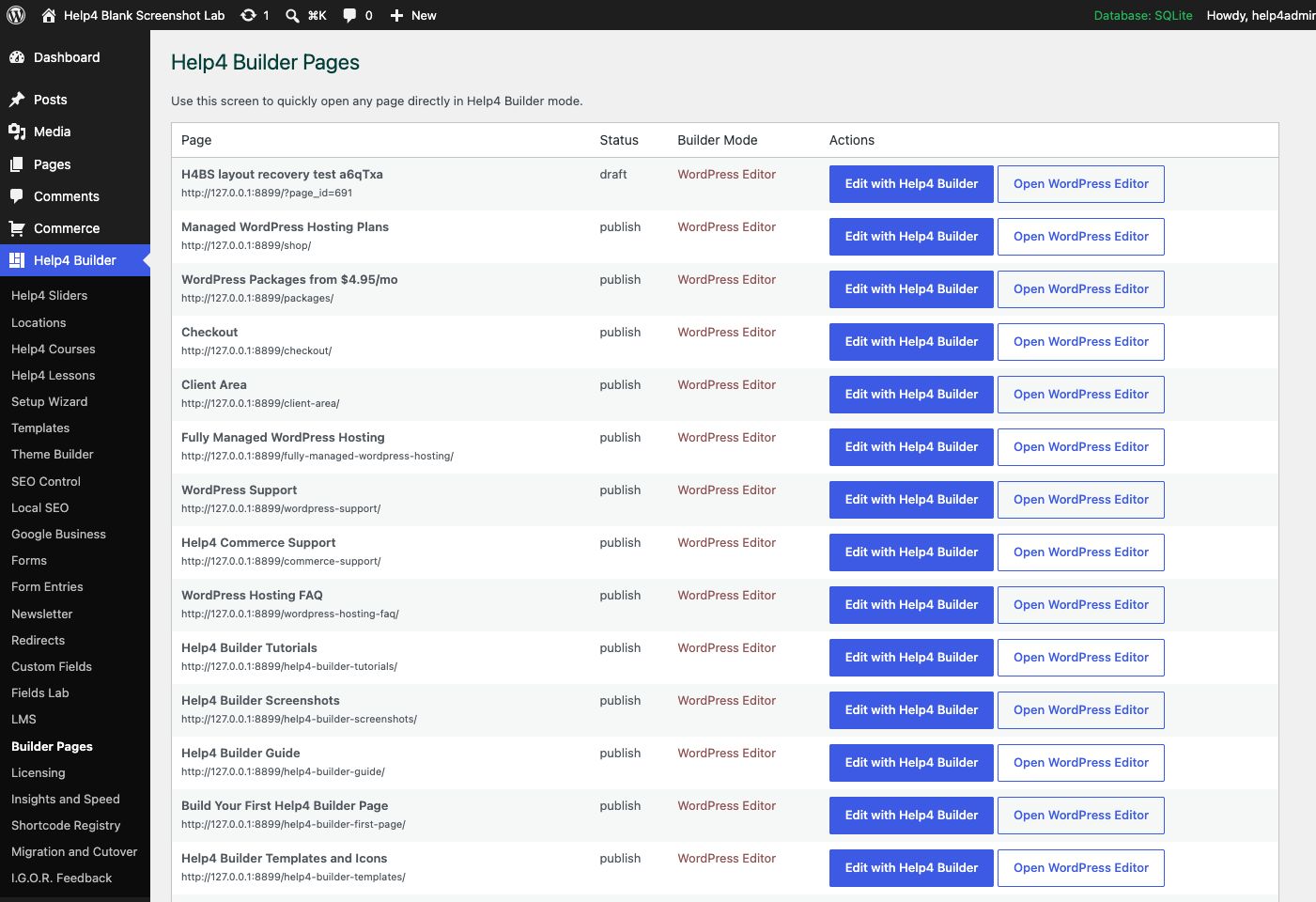
Builder Pages
Find the page, open Builder Studio, and keep page-building work out of random admin corners.

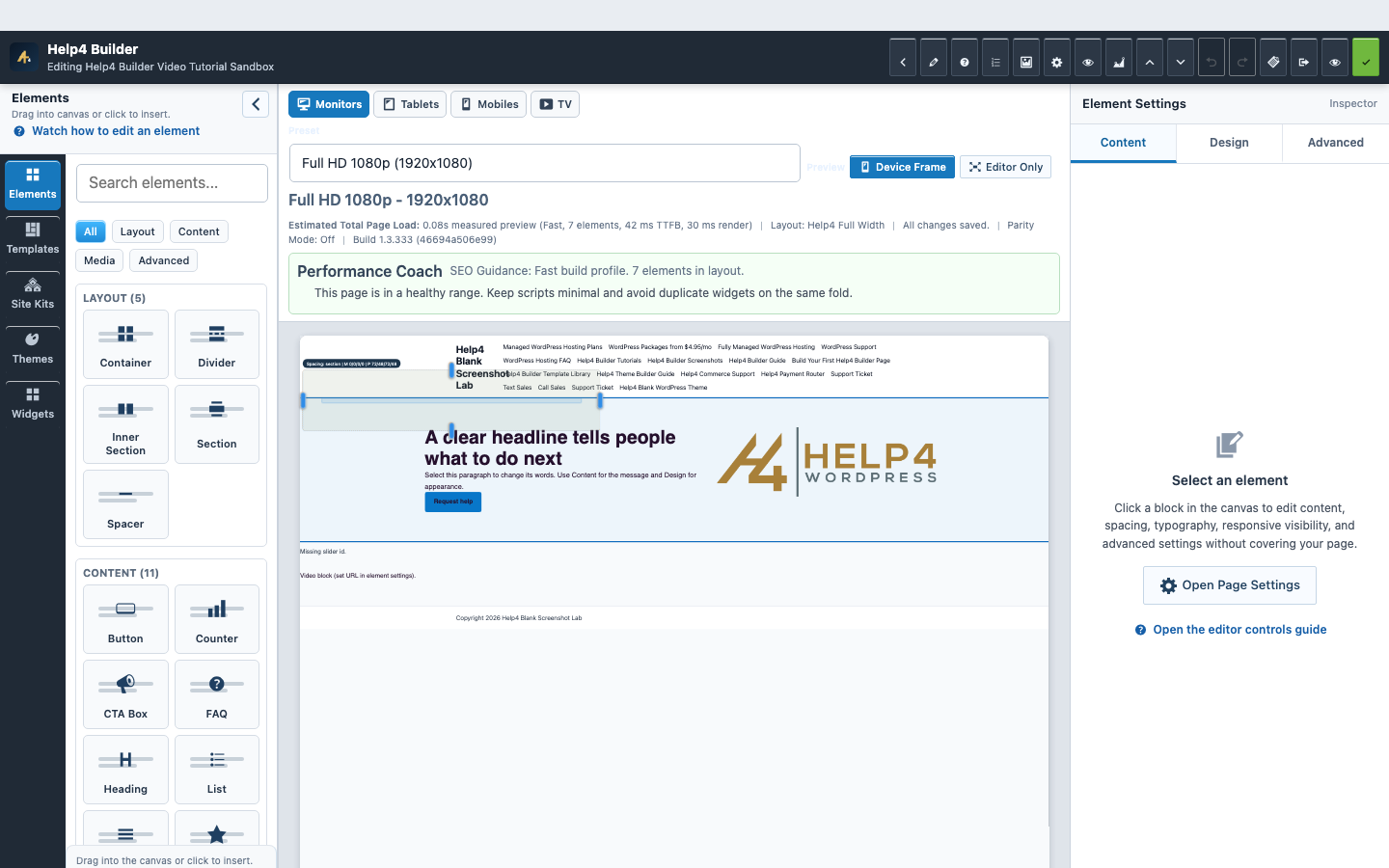
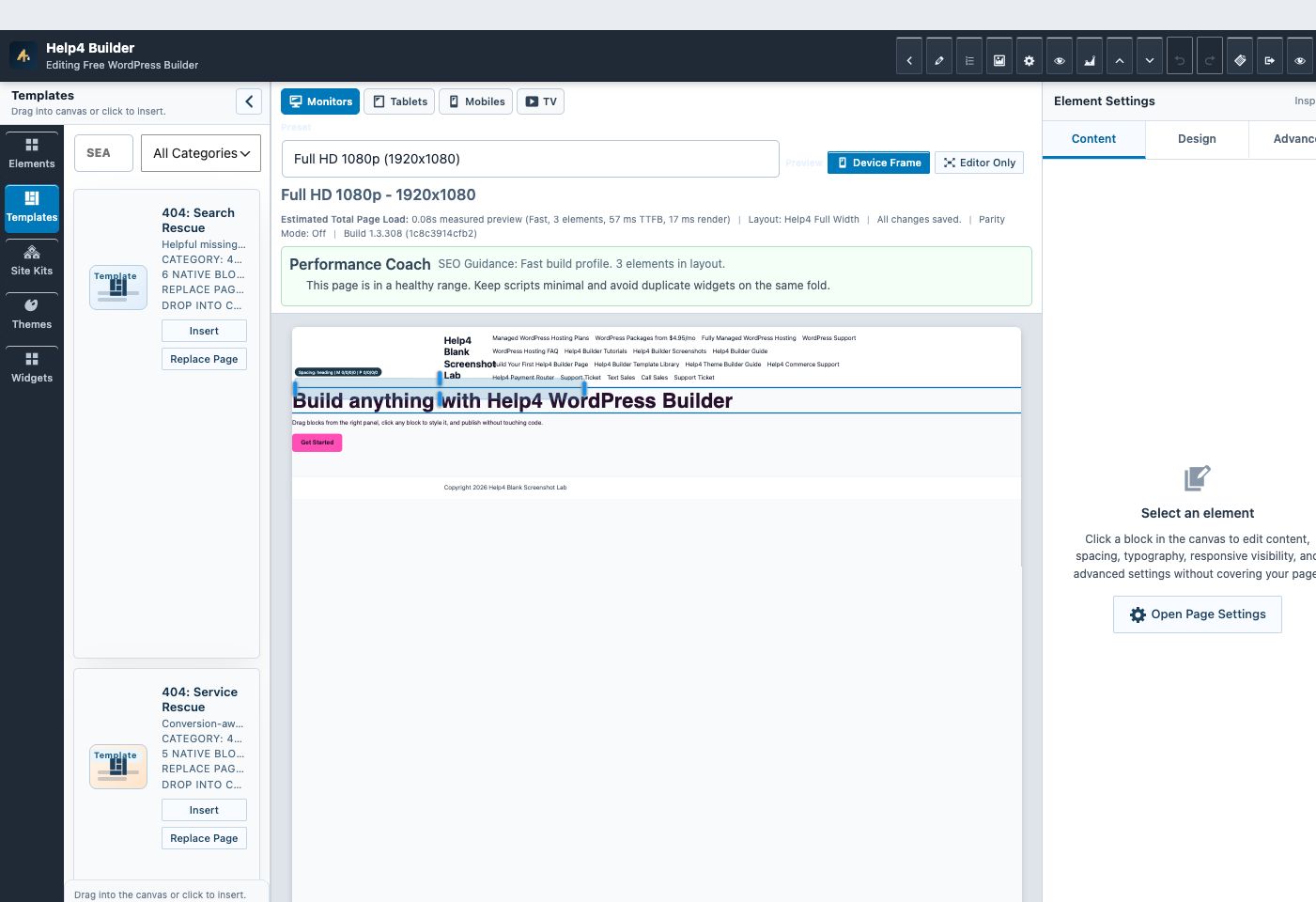
Builder Studio
Build structure, add content, check responsive spacing, then publish or hand off for polish.
Starter strategy
Pick the starter closest to the customer problem.
A service page, a product collection, a release-notes page, and a support article should not start from the same layout. Choose the starter by job first, then customize the brand, copy, images, proof, and call to action.
Builder quickstart
Use this when the customer just installed Builder Suite and needs the first useful path: setup, blank theme, starter, mobile, publish.
Module control center
Use this to explain which modules are enabled and why the site does not load every feature everywhere.
Global style system
Use this for colors, typography, spacing, buttons, forms, and responsive rules before building many pages.
Product collection
Use this for product groups, variants, filters, subscriptions, and connected checkout routing.
Checkout recovery
Use this when failed payments, webhook status, support handoff, and retry paths need clear customer-facing help.
Design handoff
Use this when the customer has a design file, screenshot, or rough sketch and needs it turned into a production page request.
Quote and intake pages
Use local quote and lead-intake starters when the page needs to collect the URL, service need, deadline, and best contact route.
Proof pages
Use review request and case-study starters to collect proof, route unhappy customers to support, and show before/after outcomes.
Rescue and docs pages
Use migration rescue and knowledge-base index starters when the site needs emergency triage or a plain support hub.
Support article
Use this for docs pages with symptoms, fix steps, screenshots, escalation, and related tutorials.
Live starter browser
Browse the full current starter set.
Search by the job the page needs to do, then copy the starter spec into a draft and replace the sample content with the real offer, proof, images, and next action.
Plain-language page starters for service sites, support pages, SEO, commerce, subscriptions, payment routing, builder onboarding, and launch work. Service page for audits, fixes, readable forms, contrast, keyboard paths, and practical remediation. Best for: urgent fixes, site care, migrations, cleanup, support routing, and operational trust pages. Use when: customers need answers, setup steps, and support paths before opening another ticket. Next step: group the top articles by customer problem, link setup tutorials, and keep the support request path obvious. Agency support page for design teams, freelancers, SEO teams, maintenance queues, and implementation overflow. Best for: blank-theme builds, reusable templates, field groups, motion sections, and builder onboarding. Use when: customers need answers, setup steps, and support paths before opening another ticket. Next step: group the top articles by customer problem, link setup tutorials, and keep the support request path obvious. Booking-first service page for consultations, repair calls, demos, estimates, and calendar-driven intake. Best for: urgent fixes, site care, migrations, cleanup, support routing, and operational trust pages. Use when: customers need answers, setup steps, and support paths before opening another ticket. Next step: group the top articles by customer problem, link setup tutorials, and keep the support request path obvious. Portfolio starter for before/after screenshots, project notes, measured improvements, testimonial, and similar-work CTA. Best for: SEO landing pages, local service pages, proof sections, lead capture, and conversion paths. Use when: you need to show the real work, the problem, the result, and why someone should trust the next project to you. Next step: drop in screenshots, timeline, outcome metrics, and the final customer-facing call to action. Homepage starter made for the Help4 blank-theme workflow with global header, footer, content bands, and safe spacing defaults. Best for: blank-theme builds, reusable templates, field groups, motion sections, and builder onboarding. Use when: you need to show the real work, the problem, the result, and why someone should trust the next project to you. Next step: drop in screenshots, timeline, outcome metrics, and the final customer-facing call to action. Hello-style blank theme launch starter for global parts, display rules, responsive QA, and publish checklists. Best for: blank-theme builds, reusable templates, field groups, motion sections, and builder onboarding. Use when: a buyer is comparing options and needs the differences, risks, and value explained without sales fog. Next step: replace the rows with real buyer objections, pricing anchors, decision criteria, and one primary consultation action. Booking starter for appointment requests, service choices, calendar expectations, deposits, and confirmation copy. Best for: checkout routing, processor rules, payment confidence, and Help4 Network checkout handoff pages. Use when: checkout needs trust, clear steps, payment routing, and a clean handoff to the account system. Next step: explain payment steps, recovery paths, account access, and where the customer lands after checkout. For customers who send Figma, screenshots, sketches, copy, or rough instructions. Best for: blank-theme builds, reusable templates, field groups, motion sections, and builder onboarding. Use when: a builder page needs structure, brand tokens, reusable sections, fields, media, or motion without bloating every page. Next step: copy the starter spec, set global styles, replace sample content, and confirm mobile spacing before launch. First-run starter for non-technical users who need a safe hero, proof, service cards, contact CTA, and publish checklist. Best for: blank-theme builds, reusable templates, field groups, motion sections, and builder onboarding. Use when: you need to show the real work, the problem, the result, and why someone should trust the next project to you. Next step: drop in screenshots, timeline, outcome metrics, and the final customer-facing call to action. First-day builder starter for setup, blank theme pairing, starter selection, responsive checks, and publish path. Best for: large product catalogs, variation choices, product imports, and store pages customers can understand. Use when: a finished job needs proof, reviews, follow-up links, and a softer path back to the business. Next step: connect review destinations, add two or three proof points, and publish it as a follow-up link after completed work. Case-study starter for problem, work performed, screenshots, measurable outcome, testimonial, and next CTA. Best for: SEO landing pages, local service pages, proof sections, lead capture, and conversion paths. Use when: a finished job needs proof, reviews, follow-up links, and a softer path back to the business. Next step: connect review destinations, add two or three proof points, and publish it as a follow-up link after completed work. Clean account/checkout bridge that sends buyers to Help4 Network without exposing internal billing labels. Best for: checkout routing, processor rules, payment confidence, and Help4 Network checkout handoff pages. Use when: customers need answers, setup steps, and support paths before opening another ticket. Next step: group the top articles by customer problem, link setup tutorials, and keep the support request path obvious. Support and trust page for failed payments, abandoned checkout, webhook status, retry flows, and customer help. Best for: checkout routing, processor rules, payment confidence, and Help4 Network checkout handoff pages. Use when: customers need answers, setup steps, and support paths before opening another ticket. Next step: group the top articles by customer problem, link setup tutorials, and keep the support request path obvious. Post-purchase onboarding page for account access, site details, assets, contacts, and first ticket steps. Best for: checkout routing, processor rules, payment confidence, and Help4 Network checkout handoff pages. Use when: customers need answers, setup steps, and support paths before opening another ticket. Next step: group the top articles by customer problem, link setup tutorials, and keep the support request path obvious. Account, invoice, ticket, and checkout bridge page that keeps billing language clean and branded. Best for: checkout routing, processor rules, payment confidence, and Help4 Network checkout handoff pages. Use when: customers need answers, setup steps, and support paths before opening another ticket. Next step: group the top articles by customer problem, link setup tutorials, and keep the support request path obvious. Security starter for checkout trust, processor fallback, suspicious order review, backups, and site health. Best for: checkout routing, processor rules, payment confidence, and Help4 Network checkout handoff pages. Use when: customers need answers, setup steps, and support paths before opening another ticket. Next step: group the top articles by customer problem, link setup tutorials, and keep the support request path obvious. Buyer-guide starter for comparing plans, managed service levels, build options, risks, and next steps. Best for: a clean first draft when a customer needs a page structure they can hand off and publish faster. Use when: a buyer is comparing options and needs the differences, risks, and value explained without sales fog. Next step: replace the rows with real buyer objections, pricing anchors, decision criteria, and one primary consultation action. Client-friendly page for gathering copy, screenshots, files, goals, approvals, and launch-ready content. Best for: blank-theme builds, reusable templates, field groups, motion sections, and builder onboarding. Use when: a builder page needs structure, brand tokens, reusable sections, fields, media, or motion without bloating every page. Next step: copy the starter spec, set global styles, replace sample content, and confirm mobile spacing before launch. Content-planning starter for blog campaigns, service updates, launch announcements, social snippets, and SEO briefs. Best for: SEO landing pages, local service pages, proof sections, lead capture, and conversion paths. Use when: a local or service page needs search intent, proof, location relevance, and a clear next action. Next step: copy the starter spec into a draft, swap the examples for real content, then run the SEO and mobile checks. Service-area, quote-first starter for contractors. Best for: a clean first draft when a customer needs a page structure they can hand off and publish faster. Use when: a visitor needs a fast way to ask for help, request pricing, or explain what they need before talking to you. Next step: add service choices, location, urgency, budget, and route the form to the person who can reply fastest. Starter for courses, memberships, private content, lessons, pricing, and student outcomes. Best for: plans, memberships, renewals, trials, setup fees, and recurring checkout pages. Use when: a buyer is comparing options and needs the differences, risks, and value explained without sales fog. Next step: replace the rows with real buyer objections, pricing anchors, decision criteria, and one primary consultation action. Field-system starter for groups, repeaters, galleries, relationships, conditional display, and dynamic templates. Best for: blank-theme builds, reusable templates, field groups, motion sections, and builder onboarding. Use when: a builder page needs structure, brand tokens, reusable sections, fields, media, or motion without bloating every page. Next step: copy the starter spec, set global styles, replace sample content, and confirm mobile spacing before launch. Intake page for customers handing over Figma, screenshots, copy docs, competitor examples, or rough ideas. Best for: large product catalogs, variation choices, product imports, and store pages customers can understand. Use when: a large catalog or product family needs structure, filters, choices, and plain-language buying help. Next step: define product groups, variation choices, filters, proof, and the checkout path before adding real inventory. Landing-page starter for turning a design file, screenshot set, or rough brief into a production page request. Best for: SEO landing pages, local service pages, proof sections, lead capture, and conversion paths. Use when: a builder page needs structure, brand tokens, reusable sections, fields, media, or motion without bloating every page. Next step: copy the starter spec, set global styles, replace sample content, and confirm mobile spacing before launch. Download-delivery starter for software, files, license notes, changelog links, support instructions, and version proof. Best for: urgent fixes, site care, migrations, cleanup, support routing, and operational trust pages. Use when: customers need answers, setup steps, and support paths before opening another ticket. Next step: group the top articles by customer problem, link setup tutorials, and keep the support request path obvious. Service page for broken forms, missing receipts, SMTP, DNS records, notifications, and follow-up flows. Best for: urgent fixes, site care, migrations, cleanup, support routing, and operational trust pages. Use when: customers need answers, setup steps, and support paths before opening another ticket. Next step: group the top articles by customer problem, link setup tutorials, and keep the support request path obvious. Urgent support page for site-down, broken checkout, failed forms, launch blockers, and plugin conflicts. Best for: urgent fixes, site care, migrations, cleanup, support routing, and operational trust pages. Use when: a buyer is comparing options and needs the differences, risks, and value explained without sales fog. Next step: replace the rows with real buyer objections, pricing anchors, decision criteria, and one primary consultation action. Large-catalog starter for imports, mappings, variations, subscriptions, processor routing, and operations review. Best for: plans, memberships, renewals, trials, setup fees, and recurring checkout pages. Use when: a finished job needs proof, reviews, follow-up links, and a softer path back to the business. Next step: connect review destinations, add two or three proof points, and publish it as a follow-up link after completed work. Event page with schedule, speakers, ticket tiers, venue details, and registration CTA. Best for: checkout routing, processor rules, payment confidence, and Help4 Network checkout handoff pages. Use when: checkout needs trust, clear steps, payment routing, and a clean handoff to the account system. Next step: explain payment steps, recovery paths, account access, and where the customer lands after checkout. FAQ hub starter for grouped questions, schema-ready answers, support routing, download links, and plain-language objections. Best for: urgent fixes, site care, migrations, cleanup, support routing, and operational trust pages. Use when: customers need answers, setup steps, and support paths before opening another ticket. Next step: group the top articles by customer problem, link setup tutorials, and keep the support request path obvious. Style-system starter for colors, typography, spacing, buttons, responsive rules, and reusable brand defaults. Best for: blank-theme builds, reusable templates, field groups, motion sections, and builder onboarding. Use when: a finished job needs proof, reviews, follow-up links, and a softer path back to the business. Next step: connect review destinations, add two or three proof points, and publish it as a follow-up link after completed work. Native commerce starter for large product catalogs, variations, subscriptions, checkout routing, and performance. Best for: large product catalogs, variation choices, product imports, and store pages customers can understand. Use when: you need to show the real work, the problem, the result, and why someone should trust the next project to you. Next step: drop in screenshots, timeline, outcome metrics, and the final customer-facing call to action. Store support template for product catalogs, variations, checkout routing, subscriptions, emails, and performance. Best for: checkout routing, processor rules, payment confidence, and Help4 Network checkout handoff pages. Use when: customers need answers, setup steps, and support paths before opening another ticket. Next step: group the top articles by customer problem, link setup tutorials, and keep the support request path obvious. Performance page for oversized media, responsive images, lazy loading, product photos, and Core Web Vitals. Best for: a clean first draft when a customer needs a page structure they can hand off and publish faster. Use when: you want a working first draft instead of starting from a blank page and guessing what sections belong there. Next step: copy the starter spec into a draft, swap the examples for real content, then run the SEO and mobile checks. Documentation index starter for grouping tutorials, setup guides, troubleshooting articles, and support escalation paths. Best for: urgent fixes, site care, migrations, cleanup, support routing, and operational trust pages. Use when: customers need answers, setup steps, and support paths before opening another ticket. Next step: group the top articles by customer problem, link setup tutorials, and keep the support request path obvious. Help center starter with categories, popular fixes, ticket routing, search, and account links. Best for: checkout routing, processor rules, payment confidence, and Help4 Network checkout handoff pages. Use when: a buyer is comparing options and needs the differences, risks, and value explained without sales fog. Next step: replace the rows with real buyer objections, pricing anchors, decision criteria, and one primary consultation action. Reusable landing page stack with offer, objection handling, proof, CTA, FAQ, and conversion checks. Best for: blank-theme builds, reusable templates, field groups, motion sections, and builder onboarding. Use when: a finished job needs proof, reviews, follow-up links, and a softer path back to the business. Next step: connect review destinations, add two or three proof points, and publish it as a follow-up link after completed work. Launch announcement starter for new sites, product releases, update notes, screenshots, signup CTA, and support links. Best for: a clean first draft when a customer needs a page structure they can hand off and publish faster. Use when: you want a working first draft instead of starting from a blank page and guessing what sections belong there. Next step: copy the starter spec into a draft, swap the examples for real content, then run the SEO and mobile checks. Prelaunch QA page for staging, DNS, SSL, mobile checks, forms, redirects, and final approval. Best for: a clean first draft when a customer needs a page structure they can hand off and publish faster. Use when: you want a working first draft instead of starting from a blank page and guessing what sections belong there. Next step: copy the starter spec into a draft, swap the examples for real content, then run the SEO and mobile checks. Focused landing page for paid traffic, offers, consultations, downloads, and urgent service requests. Best for: checkout routing, processor rules, payment confidence, and Help4 Network checkout handoff pages. Use when: checkout needs trust, clear steps, payment routing, and a clean handoff to the account system. Next step: explain payment steps, recovery paths, account access, and where the customer lands after checkout. Lead-intake starter for collecting the URL, business goal, needed pages, design assets, budget signal, and contact route. Best for: blank-theme builds, reusable templates, field groups, motion sections, and builder onboarding. Use when: a visitor needs a fast way to ask for help, request pricing, or explain what they need before talking to you. Next step: add service choices, location, urgency, budget, and route the form to the person who can reply fastest. Location-page starter with service area proof, reviews, FAQ schema, map language, and quote CTAs. Best for: SEO landing pages, local service pages, proof sections, lead capture, and conversion paths. Use when: a visitor needs a fast way to ask for help, request pricing, or explain what they need before talking to you. Next step: add service choices, location, urgency, budget, and route the form to the person who can reply fastest. Quote-request starter for service-area proof, before/after trust, package options, FAQ, and lead capture. Best for: SEO landing pages, local service pages, proof sections, lead capture, and conversion paths. Use when: a visitor needs a fast way to ask for help, request pricing, or explain what they need before talking to you. Next step: add service choices, location, urgency, budget, and route the form to the person who can reply fastest. City/service landing page with plain-language offer, trust, FAQ, service area, and lead CTA. Best for: urgent fixes, site care, migrations, cleanup, support routing, and operational trust pages. Use when: you need to show the real work, the problem, the result, and why someone should trust the next project to you. Next step: drop in screenshots, timeline, outcome metrics, and the final customer-facing call to action. Care plan sales page with updates, backups, security, edits, performance, and escalation language. Best for: urgent fixes, site care, migrations, cleanup, support routing, and operational trust pages. Use when: you want a working first draft instead of starting from a blank page and guessing what sections belong there. Next step: copy the starter spec into a draft, swap the examples for real content, then run the SEO and mobile checks. Security cleanup page for redirects, spam pages, suspicious users, restore planning, and hardening. Best for: urgent fixes, site care, migrations, cleanup, support routing, and operational trust pages. Use when: someone is nervous because a site is broken, moving, slow, infected, or too risky to leave alone. Next step: list what is broken, add intake questions, set priority contact rules, and keep expectations visible. Plain-language WordPress hosting, care, support, speed, and growth starter. Best for: large product catalogs, variation choices, product imports, and store pages customers can understand. Use when: customers need answers, setup steps, and support paths before opening another ticket. Next step: group the top articles by customer problem, link setup tutorials, and keep the support request path obvious. Lesson starter for gated content, module navigation, progress notes, downloads, and support links. Best for: plans, memberships, renewals, trials, setup fees, and recurring checkout pages. Use when: plans, renewals, service levels, or ongoing billing need to be explained before checkout. Next step: map the plans, renewal rules, included service levels, and the checkout or account handoff link. Migration checklist starter for domains, backups, content inventory, redirects, DNS, email, checkout, testing, and rollback planning. Best for: urgent fixes, site care, migrations, cleanup, support routing, and operational trust pages. Use when: a finished job needs proof, reviews, follow-up links, and a softer path back to the business. Next step: connect review destinations, add two or three proof points, and publish it as a follow-up link after completed work. Move, clean, stabilize, and relaunch a WordPress site with a visible checklist. Best for: urgent fixes, site care, migrations, cleanup, support routing, and operational trust pages. Use when: a buyer is comparing options and needs the differences, risks, and value explained without sales fog. Next step: replace the rows with real buyer objections, pricing anchors, decision criteria, and one primary consultation action. Rescue starter for broken migrations, DNS/SSL problems, plugin conflicts, rollback planning, and emergency handoff. Best for: urgent fixes, site care, migrations, cleanup, support routing, and operational trust pages. Use when: someone is nervous because a site is broken, moving, slow, infected, or too risky to leave alone. Next step: list what is broken, add intake questions, set priority contact rules, and keep expectations visible. Operational page that explains enabled modules, load rules, performance budget, and what each feature does. Best for: urgent fixes, site care, migrations, cleanup, support routing, and operational trust pages. Use when: a finished job needs proof, reviews, follow-up links, and a softer path back to the business. Next step: connect review destinations, add two or three proof points, and publish it as a follow-up link after completed work. Product page starter for Help4 Commerce catalogs with gallery, variations, subscription note, trust proof, and checkout routing. Best for: plans, memberships, renewals, trials, setup fees, and recurring checkout pages. Use when: plans, renewals, service levels, or ongoing billing need to be explained before checkout. Next step: map the plans, renewal rules, included service levels, and the checkout or account handoff link. Donation and awareness page with impact story, proof, volunteer CTA, and campaign FAQ. Best for: urgent fixes, site care, migrations, cleanup, support routing, and operational trust pages. Use when: you need to show the real work, the problem, the result, and why someone should trust the next project to you. Next step: drop in screenshots, timeline, outcome metrics, and the final customer-facing call to action. Idiot-proof plan picker that explains DIY, care, growth, priority, and custom paths in customer language. Best for: checkout routing, processor rules, payment confidence, and Help4 Network checkout handoff pages. Use when: a buyer is comparing options and needs the differences, risks, and value explained without sales fog. Next step: replace the rows with real buyer objections, pricing anchors, decision criteria, and one primary consultation action. Payment-routing explainer for processor rules, fallback paths, subscriptions, status notes, and checkout confidence. Best for: checkout routing, processor rules, payment confidence, and Help4 Network checkout handoff pages. Use when: checkout needs trust, clear steps, payment routing, and a clean handoff to the account system. Next step: explain payment steps, recovery paths, account access, and where the customer lands after checkout. Documentation hub for plugin features, install steps, update paths, support links, and changelog routing. Best for: blank-theme builds, reusable templates, field groups, motion sections, and builder onboarding. Use when: customers need answers, setup steps, and support paths before opening another ticket. Next step: group the top articles by customer problem, link setup tutorials, and keep the support request path obvious. Launch page for a WordPress plugin with features, use cases, FAQ, and download CTA. Best for: large product catalogs, variation choices, product imports, and store pages customers can understand. Use when: a large catalog or product family needs structure, filters, choices, and plain-language buying help. Next step: define product groups, variation choices, filters, proof, and the checkout path before adding real inventory. Proof page for agencies, contractors, designers, and service teams that need project story plus results. Best for: SEO landing pages, local service pages, proof sections, lead capture, and conversion paths. Use when: you need to show the real work, the problem, the result, and why someone should trust the next project to you. Next step: drop in screenshots, timeline, outcome metrics, and the final customer-facing call to action. Customer-friendly pricing page that explains plan tradeoffs, checkout routes, support paths, and fit. Best for: checkout routing, processor rules, payment confidence, and Help4 Network checkout handoff pages. Use when: a buyer is comparing options and needs the differences, risks, and value explained without sales fog. Next step: replace the rows with real buyer objections, pricing anchors, decision criteria, and one primary consultation action. Collection starter for product groups, variants, filters, comparison cues, subscriptions, and checkout routing. Best for: large product catalogs, variation choices, product imports, and store pages customers can understand. Use when: a large catalog or product family needs structure, filters, choices, and plain-language buying help. Next step: define product groups, variation choices, filters, proof, and the checkout path before adding real inventory. Comparison starter for packages, support levels, commerce features, managed services, and buyer-ready plan differences. Best for: large product catalogs, variation choices, product imports, and store pages customers can understand. Use when: a buyer is comparing options and needs the differences, risks, and value explained without sales fog. Next step: replace the rows with real buyer objections, pricing anchors, decision criteria, and one primary consultation action. Listing/search starter with map + lead capture areas. Best for: a clean first draft when a customer needs a page structure they can hand off and publish faster. Use when: you want a working first draft instead of starting from a blank page and guessing what sections belong there. Next step: copy the starter spec into a draft, swap the examples for real content, then run the SEO and mobile checks. Local restaurant starter with menu sections, order CTAs, hours, location, and mobile-first scanning. Best for: checkout routing, processor rules, payment confidence, and Help4 Network checkout handoff pages. Use when: checkout needs trust, clear steps, payment routing, and a clean handoff to the account system. Next step: explain payment steps, recovery paths, account access, and where the customer lands after checkout. Reputation starter for testimonials, reviews, trust proof, follow-up flows, and local SEO. Best for: SEO landing pages, local service pages, proof sections, lead capture, and conversion paths. Use when: a finished job needs proof, reviews, follow-up links, and a softer path back to the business. Next step: connect review destinations, add two or three proof points, and publish it as a follow-up link after completed work. Customer review starter for asking happy clients for feedback, routing complaints to support, and collecting proof. Best for: urgent fixes, site care, migrations, cleanup, support routing, and operational trust pages. Use when: a finished job needs proof, reviews, follow-up links, and a softer path back to the business. Next step: connect review destinations, add two or three proof points, and publish it as a follow-up link after completed work. Software/product page with workflow proof, feature lanes, integrations, pricing, and demo CTA. Best for: large product catalogs, variation choices, product imports, and store pages customers can understand. Use when: you need to show the real work, the problem, the result, and why someone should trust the next project to you. Next step: drop in screenshots, timeline, outcome metrics, and the final customer-facing call to action. Search-ready service page with problem, package, proof, FAQ, and next step sections. Best for: urgent fixes, site care, migrations, cleanup, support routing, and operational trust pages. Use when: a buyer is comparing options and needs the differences, risks, and value explained without sales fog. Next step: replace the rows with real buyer objections, pricing anchors, decision criteria, and one primary consultation action. Hub page for cities, neighborhoods, services, internal links, FAQs, and local search expansion. Best for: SEO landing pages, local service pages, proof sections, lead capture, and conversion paths. Use when: a local or service page needs search intent, proof, location relevance, and a clear next action. Next step: copy the starter spec into a draft, swap the examples for real content, then run the SEO and mobile checks. Local SEO starter for city pages, service-area proof, nearby work, FAQs, reviews, and quote routing. Best for: SEO landing pages, local service pages, proof sections, lead capture, and conversion paths. Use when: a finished job needs proof, reviews, follow-up links, and a softer path back to the business. Next step: connect review destinations, add two or three proof points, and publish it as a follow-up link after completed work. Quote-calculator starter that helps non-technical buyers choose scope, urgency, content help, and support level before contacting sales. Best for: client onboarding, design handoff, agency overflow, white-label operations, and first-ticket flows. Use when: a visitor needs a fast way to ask for help, request pricing, or explain what they need before talking to you. Next step: add service choices, location, urgency, budget, and route the form to the person who can reply fastest. Care-plan dashboard landing page for health checks, updates, backups, security, forms, and next actions. Best for: urgent fixes, site care, migrations, cleanup, support routing, and operational trust pages. Use when: customers need answers, setup steps, and support paths before opening another ticket. Next step: group the top articles by customer problem, link setup tutorials, and keep the support request path obvious. Migration planning starter for current-site screenshots, rebuild notes, risk items, launch steps, and support routing. Best for: urgent fixes, site care, migrations, cleanup, support routing, and operational trust pages. Use when: someone is nervous because a site is broken, moving, slow, infected, or too risky to leave alone. Next step: list what is broken, add intake questions, set priority contact rules, and keep expectations visible. Portfolio starter for live website screenshots, proof notes, project summaries, and request-work calls to action. Best for: SEO landing pages, local service pages, proof sections, lead capture, and conversion paths. Use when: a finished job needs proof, reviews, follow-up links, and a softer path back to the business. Next step: connect review destinations, add two or three proof points, and publish it as a follow-up link after completed work. Support starter for customer-reported pages, screenshot context, issue notes, recent changes, and escalation steps. Best for: urgent fixes, site care, migrations, cleanup, support routing, and operational trust pages. Use when: customers need answers, setup steps, and support paths before opening another ticket. Next step: group the top articles by customer problem, link setup tutorials, and keep the support request path obvious. Comparison starter for old site, new build, competitor examples, decision notes, and plain-English recommendations. Best for: a clean first draft when a customer needs a page structure they can hand off and publish faster. Use when: a buyer is comparing options and needs the differences, risks, and value explained without sales fog. Next step: replace the rows with real buyer objections, pricing anchors, decision criteria, and one primary consultation action. Layered slider starter for hero stories, product promos, campaign reveals, mobile controls, and reduced motion. Best for: blank-theme builds, reusable templates, field groups, motion sections, and builder onboarding. Use when: you need to show the real work, the problem, the result, and why someone should trust the next project to you. Next step: drop in screenshots, timeline, outcome metrics, and the final customer-facing call to action. Core Web Vitals and slow-site service page with audit, fix list, proof, FAQ, and support CTAs. Best for: checkout routing, processor rules, payment confidence, and Help4 Network checkout handoff pages. Use when: checkout needs trust, clear steps, payment routing, and a clean handoff to the account system. Next step: explain payment steps, recovery paths, account access, and where the customer lands after checkout. High-conversion homepage starter with hero, proof, CTA zones. Best for: SEO landing pages, local service pages, proof sections, lead capture, and conversion paths. Use when: you need to show the real work, the problem, the result, and why someone should trust the next project to you. Next step: drop in screenshots, timeline, outcome metrics, and the final customer-facing call to action. Recurring-offer starter for plans, billing expectations, support levels, cancellation notes, and payment-router handoff. Best for: plans, memberships, renewals, trials, setup fees, and recurring checkout pages. Use when: plans, renewals, service levels, or ongoing billing need to be explained before checkout. Next step: map the plans, renewal rules, included service levels, and the checkout or account handoff link. Recurring product page for plans, memberships, renewals, setup fees, trials, and account-area checkout links. Best for: plans, memberships, renewals, trials, setup fees, and recurring checkout pages. Use when: plans, renewals, service levels, or ongoing billing need to be explained before checkout. Next step: map the plans, renewal rules, included service levels, and the checkout or account handoff link. Knowledge-base article starter for symptoms, cause, fix steps, screenshots, escalation, and related tutorials. Best for: blank-theme builds, reusable templates, field groups, motion sections, and builder onboarding. Use when: customers need answers, setup steps, and support paths before opening another ticket. Next step: group the top articles by customer problem, link setup tutorials, and keep the support request path obvious. Support path starter that routes customers by emergency, update issue, billing question, content request, or build help. Best for: checkout routing, processor rules, payment confidence, and Help4 Network checkout handoff pages. Use when: someone is nervous because a site is broken, moving, slow, infected, or too risky to leave alone. Next step: list what is broken, add intake questions, set priority contact rules, and keep expectations visible. Audit/report starter for speed, SEO, security, accessibility, plugin risk, and recommended fixes. Best for: blank-theme builds, reusable templates, field groups, motion sections, and builder onboarding. Use when: a builder page needs structure, brand tokens, reusable sections, fields, media, or motion without bloating every page. Next step: copy the starter spec, set global styles, replace sample content, and confirm mobile spacing before launch. Proof-and-policy starter for warranties, process promises, support expectations, payment safety, and customer reassurance. Best for: urgent fixes, site care, migrations, cleanup, support routing, and operational trust pages. Use when: a finished job needs proof, reviews, follow-up links, and a softer path back to the business. Next step: connect review destinations, add two or three proof points, and publish it as a follow-up link after completed work. Release communication starter for beta/stable tracks, compatibility notes, upgrade steps, rollback plan, and support links. Best for: urgent fixes, site care, migrations, cleanup, support routing, and operational trust pages. Use when: customers need answers, setup steps, and support paths before opening another ticket. Next step: group the top articles by customer problem, link setup tutorials, and keep the support request path obvious. Incident/status starter for outages, emergency tickets, health checks, updates, and recovery notes. Best for: urgent fixes, site care, migrations, cleanup, support routing, and operational trust pages. Use when: someone is nervous because a site is broken, moving, slow, infected, or too risky to leave alone. Next step: list what is broken, add intake questions, set priority contact rules, and keep expectations visible. Video-led landing starter for demos, walkthroughs, product proof, testimonials, and conversion CTAs. Best for: SEO landing pages, local service pages, proof sections, lead capture, and conversion paths. Use when: a visitor needs a fast way to ask for help, request pricing, or explain what they need before talking to you. Next step: add service choices, location, urgency, budget, and route the form to the person who can reply fastest. Agency operations page for ongoing build tickets, client support overflow, QA, and maintenance queues. Best for: urgent fixes, site care, migrations, cleanup, support routing, and operational trust pages. Use when: a finished job needs proof, reviews, follow-up links, and a softer path back to the business. Next step: connect review destinations, add two or three proof points, and publish it as a follow-up link after completed work. No starter templates match that filter.Starter Template Library
Accessibility Remediation Page
Spec outline
Agency Overflow / White-Label Page
Spec outline
Appointment Booking Page
Spec outline
Before After Portfolio
Spec outline
Blank Theme Homepage
Spec outline
Blank Theme Launch Page
Spec outline
Booking Request Page
Spec outline
Build From Design Page
Spec outline
Builder First Page
Spec outline
Builder Quickstart Home Page
Spec outline
Case Study Page
Spec outline
Checkout Bridge Page
Spec outline
Checkout Recovery Page
Spec outline
Client Onboarding Checklist
Spec outline
Client Portal Bridge Page
Spec outline
Commerce Security Hardening Page
Spec outline
Comparison Buyer Guide Page
Spec outline
Content Brief Workflow Page
Spec outline
Content Calendar Page
Spec outline
Contractor Services Starter
Spec outline
Course / Membership Page
Spec outline
Custom Field System Page
Spec outline
Design Handoff Intake Page
Spec outline
Design Handoff Landing Page
Spec outline
Digital Download Page
Spec outline
Email Deliverability Fix Page
Spec outline
Emergency WordPress Fix Page
Spec outline
Enterprise Product Import Page
Spec outline
Event Registration Page
Spec outline
FAQ Hub Page
Spec outline
Global Style System Page
Spec outline
Help4 Commerce Catalog Page
Spec outline
Help4 Commerce Support Page
Spec outline
Image Optimization Page
Spec outline
Knowledge Base Index Page
Spec outline
Knowledge Base Support Hub
Spec outline
Landing Page Stack Template
Spec outline
Launch Announcement Page
Spec outline
Launch Checklist Page
Spec outline
Lead Capture Landing Page
Spec outline
Lead Intake Page
Spec outline
Local SEO Location Page
Spec outline
Local Service Quote Page
Spec outline
Local Service SEO Page
Spec outline
Maintenance Care Plan Page
Spec outline
Malware Cleanup Service Page
Spec outline
Managed WordPress Service Page
Spec outline
Membership Lesson Page
Spec outline
Migration Checklist Page
Spec outline
Migration Rescue Page
Spec outline
Migration Rescue Page
Spec outline
Module Control Center Page
Spec outline
Native Commerce Product Page
Spec outline
Nonprofit Campaign Page
Spec outline
Package Decision Guide Page
Spec outline
Payment Router Control Page
Spec outline
Plugin Docs Hub Page
Spec outline
Plugin Product Page
Spec outline
Portfolio Case Study Page
Spec outline
Pricing Comparison Page
Spec outline
Product Collection Page
Spec outline
Product Comparison Matrix
Spec outline
Realtor Listings Starter
Spec outline
Restaurant Menu Page
Spec outline
Review / Reputation Page
Spec outline
Review Request Page
Spec outline
SaaS Product Launch Page
Spec outline
SEO Authority Service Page
Spec outline
Service Area Hub Page
Spec outline
Service Area SEO Page
Spec outline
Service Calculator Page
Spec outline
Site Care Dashboard Page
Spec outline
SiteShot Migration Visual Audit
Spec outline
SiteShot Recent Work Gallery
Spec outline
SiteShot Support Context Page
Spec outline
SiteShot Website Comparison Proof
Spec outline
Slider Story Page
Spec outline
Speed Optimization Service Page
Spec outline
Starter Conversion Home
Spec outline
Subscription Offer Page
Spec outline
Subscription Product Page
Spec outline
Support Article Template
Spec outline
Support Escalation Page
Spec outline
Technical Audit Report Page
Spec outline
Trust Badges Page
Spec outline
Update Release Notes Page
Spec outline
Uptime Incident Page
Spec outline
Video Sales Page
Spec outline
White-Label Operations Page
Spec outline
Tutorial pages
Pick the next thing you need to do.
These are evergreen WordPress pages for Help4 Builder Suite users. They are written for site owners who want plain steps, not developer homework.
Install and setup
Download, upload, activate, run the wizard, and install Help4 Blank.
Build the first page
Open Builder Pages, launch Builder Studio, create layout, and publish safely.
Templates and icons
Pick starter templates, apply a theme pack, and use default icon assets.
Template library
Use the 89 starter specs by job: launch, support, commerce, service, proof, and release work.
Default icon library
Use the 117 bundled SVG icons for feature cards, service blocks, commerce, proof, and update pages.
Module controls
Turn on only the modules the site needs so features stay fast and manageable.
Fields and dynamic content
Create field groups, repeaters, galleries, relationships, and dynamic output.
Commerce and payments
Set up native catalog, variations, subscriptions, and payment routing.
Sliders and forms
Build motion sections and lead forms without loading every asset everywhere.
SEO, security, speed
Turn on metadata, schema, redirects, SSL, headers, cache, and images.
Updates and WordPress 7
Understand public release, beta-tested checks, package updates, and core upgrade checks.
Build along with the guide
Download the current Help4 Builder Suite build.
Install the plugin first, keep this guide open, then use the default screens, starter templates, fields, SiteShot tools, commerce panels, and security controls as you follow the steps.
Download Builder Suite Open the install guide See plugin features
Picture walkthrough
Pick a starter by the page job.
The template library is built for owners and builders who know the outcome they need: a product page, service page, recent-work gallery, launch note, support page, or design handoff.

Use the closest starter
Start with the template that matches the page goal, then swap copy, screenshots, proof, and calls to action.
Keep the blank theme lean
The theme stays quiet while Builder Suite brings the starter structure, reusable sections, and default icons.