
Install screenshots
What a fresh Builder Suite install looks like.
Use these screens to know where to click first: settings, setup wizard, Builder Pages, and the Builder Studio canvas.
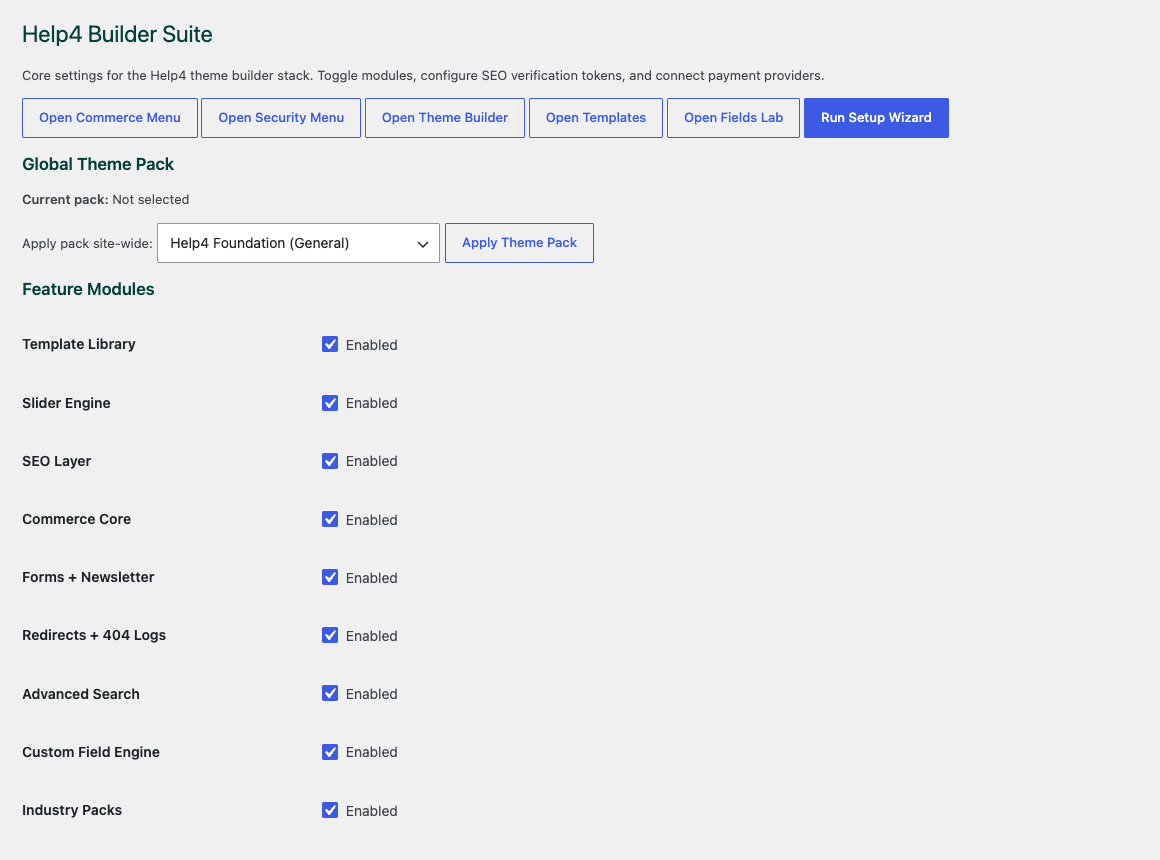
Settings dashboard
Start here after activation to confirm modules, support paths, release channel, and setup state.
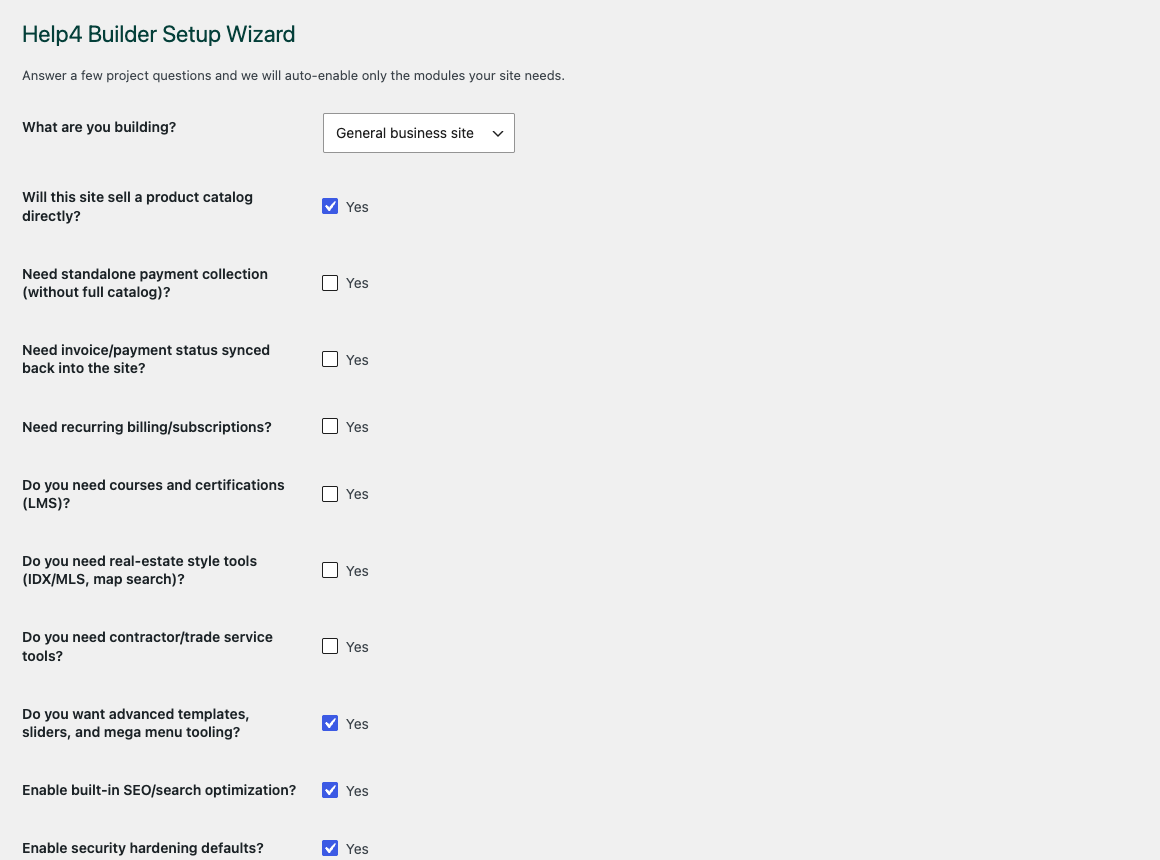
Setup wizard
Choose the modules the site actually needs before building pages or enabling heavier workflows.
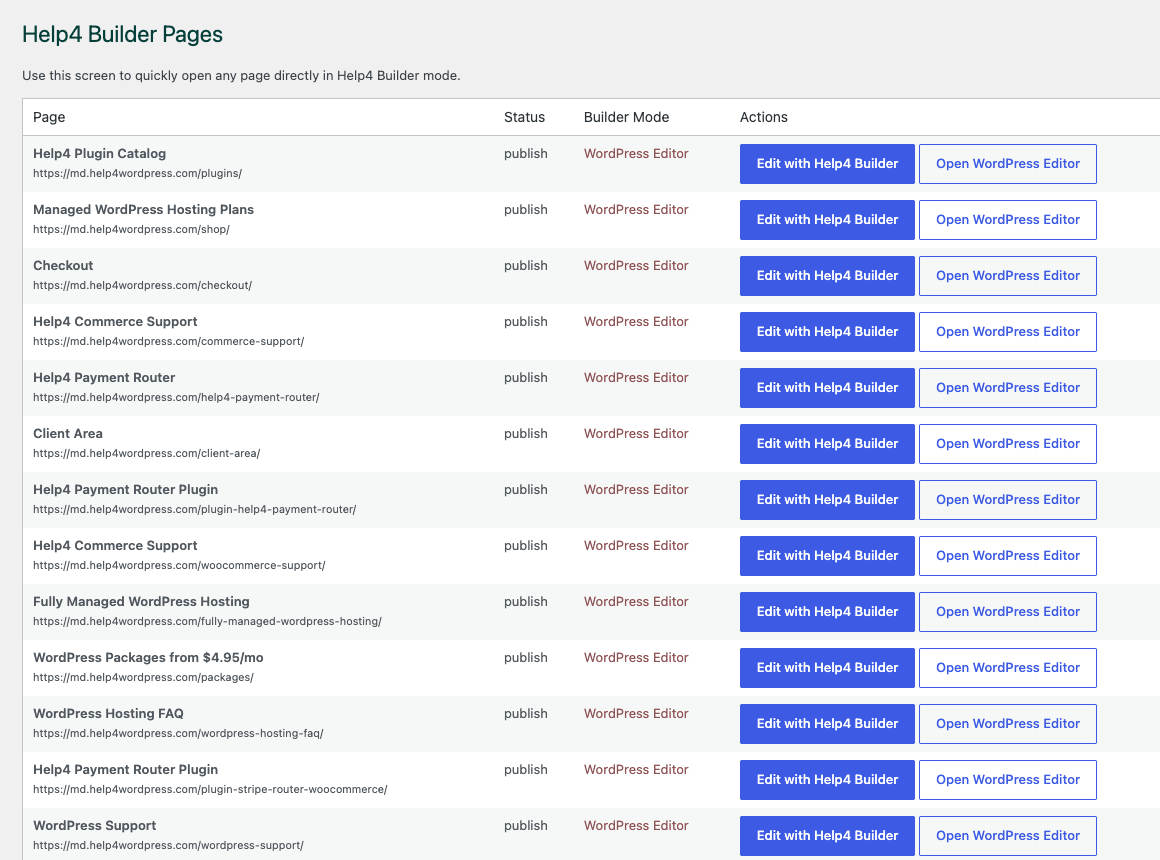
Builder Pages
Find a page, open Builder Studio, and keep editing work in a plain owner-friendly path.
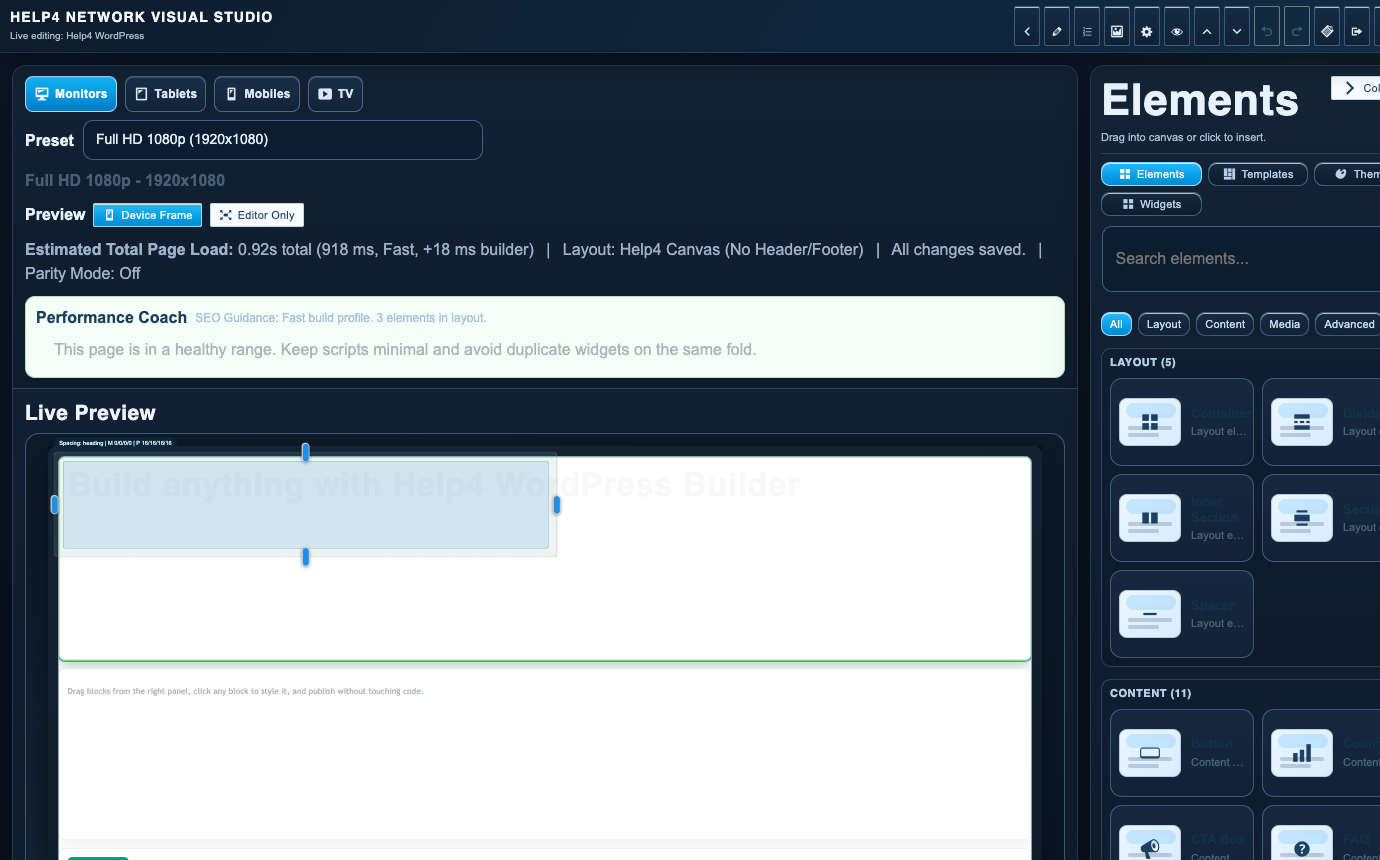
Builder Studio
Build the page layout, check responsive spacing, and move from starter structure to real content.
Free install path
Install Help4 Builder Suite without making customers decode WordPress.
Download the current Builder Suite package, upload it through the normal WordPress plugin installer, activate it, then run the setup wizard. The blank theme is the clean base when you want the builder to control layouts without fighting a heavy theme.
1. Download the plugin
Use the current Help4 Builder Suite ZIP. Keep latest.zip bookmarked if you always want the current public release.
2. Upload in WordPress
Go to Plugins, Add New, Upload Plugin, choose the ZIP, install, and activate. No command line is required for the free install path.
3. Run the wizard
The setup wizard lets a site owner choose commerce, forms, SEO, security, performance, LMS, templates, and other modules before the site gets cluttered.
4. Build the first page
Open Builder Pages, choose a page, and launch Builder Studio. Add layout first, then content blocks, then responsive cleanup.
Download Builder Suite Download Blank Theme Open Install Guide
WordPress 6 to 7 readiness
Production stays stable while md tests the WordPress 7 release-candidate track.
Live Help4 WordPress stays on production WordPress. The beta track is already running WordPress 7.0-RC2 so Builder Suite, Help4 Blank, templates, redirects, forms, commerce, SEO, and admin screens can be tested before the next core upgrade reaches customer sites.
Live is production
The public site should run stable WordPress, stable package links, and the current non-beta Builder Suite release.
md is the upgrade lab
The beta site exists to catch WordPress 7 changes early: admin UI changes, editor changes, REST behavior, PHP notices, scripts, templates, and asset loading.
Smooth upgrade plan
Before moving a customer from WordPress 6 to 7, Help4 checks plugin updates, theme output, forms, checkout paths, redirects, cache purge, rollback, and mobile rendering.
RCs belong on test sites
WordPress release candidates are for testing, not production. Help4 keeps that line clear by testing on md first and promoting only after checks pass.
Beginner FAQ
Plain answers for customers who just want the site handled.
Is Help4 Builder Suite free to install?
Yes. You can download the public ZIP and install it through WordPress. Help4 services are there when you want setup, page builds, hosting, support, or managed upgrades handled for you.
Do I need the blank theme?
Use Help4 Blank when you want a quiet base that lets Builder Suite handle templates and layout. Existing themes can work, but heavy theme styling may require cleanup.
What should I do first after activation?
Run the setup wizard, pick the modules the site actually needs, then open Builder Pages and launch Builder Studio on a draft page.
Will it help with WordPress 7?
The beta track is already testing against WordPress 7.0-RC2. The goal is smooth upgrades from WordPress 6 to 7 with fewer surprises for customers.