
WordPress SEO tools in Help4 Builder
Give search engines and people a clearer view of your website. Manage metadata, canonical URLs, social previews, sitemaps and structured-data settings alongside the pages you build, without buying a separate Help4 SEO module.
SEO tools are included in Builder Suite, not a separate download. Tools help you implement SEO; they do not guarantee rankings or rich results.
Review the page, then improve the information
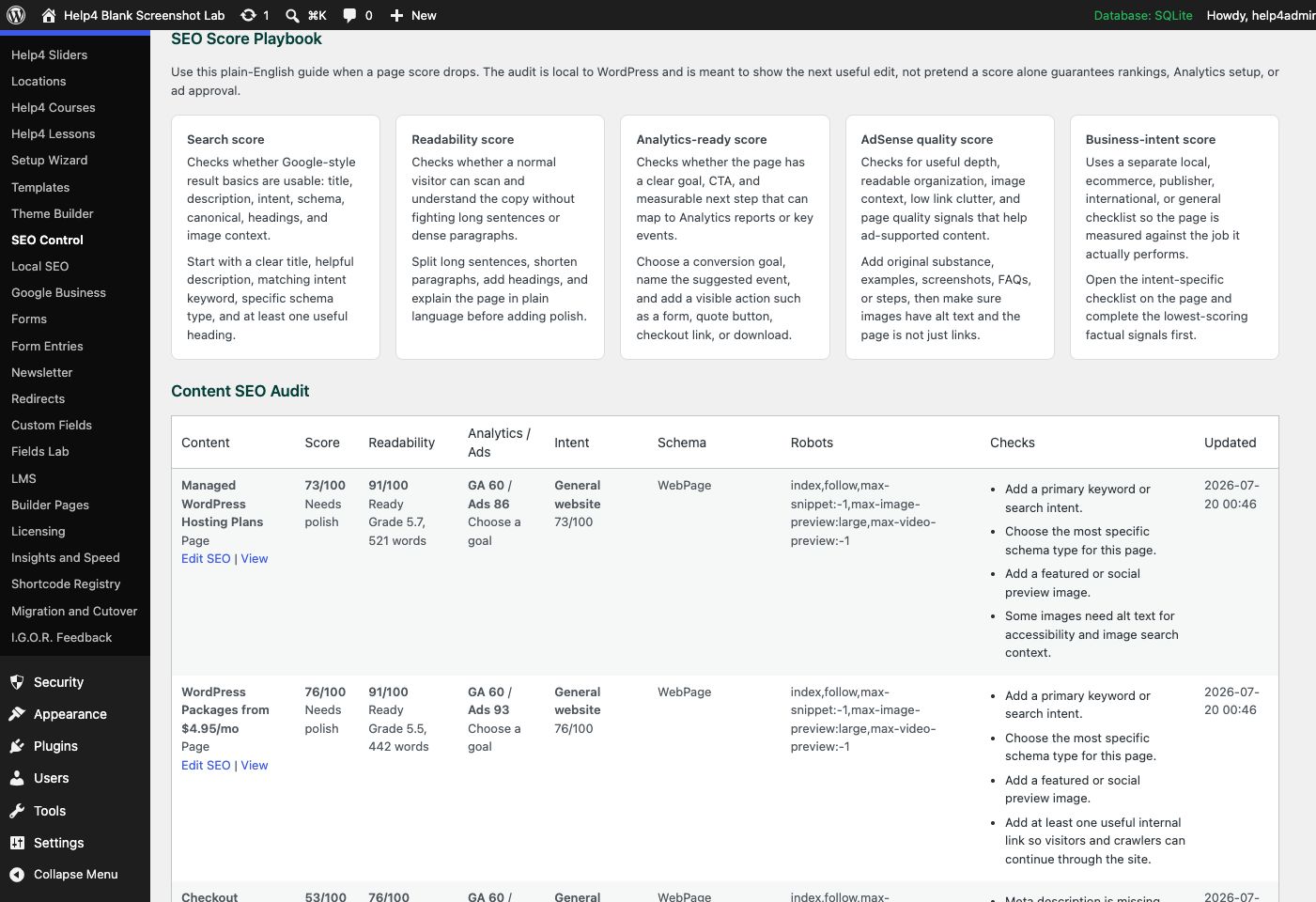
Make each page answer a specific question
Write a descriptive title, a useful summary and content that serves the visitor. Keep the metadata consistent with what the page actually says.
- Set a unique search title and meta description.
- Choose the correct canonical instead of creating competing URLs.
- Review index/noindex intentionally for private or unfinished content.
- Use clear heading hierarchy and meaningful internal links.
- Choose a relevant social image and useful alternate text.
Local business SEO starts with real business facts
Use your actual business identity, contact details and public profiles. Keep the website, business listings and structured data consistent instead of generating empty city pages.
- Use the real business name, phone and address where applicable.
- Keep opening hours and public profile links accurate.
- Choose structured-data types that describe visible factual content.
- Link services to useful supporting pages and contact information.
- Do not fabricate reviews, qualifications, locations or service areas.
Keep discovery and sharing connected
The SEO module brings sitemap, robots, verification and social metadata work into the same system. Check the rendered page after a change; another active SEO plugin may also emit tags.
- Verify sitemap URLs return usable XML and HTTP 200.
- Submit your sitemap in verified webmaster tools.
- Check canonicals and robots on staging and production separately.
- Avoid duplicate titles, canonicals and social metadata from two owners.
- Review sharing previews after image and copy changes.
Watch the setup walkthroughs
Recorded Help4 walkthroughs from the tutorial library. Controls may look different in the latest download; use the linked written guides for the current setup steps.
Local, International SEO, and IndexNow
Review business identity, locations, languages and discovery settings.
SEO, Social Sharing, and Readability
Review page metadata, sharing information and a people-first content checklist.
Questions before you start
Is this a standalone SEO plugin?
No. These are the SEO tools in Help4 Builder Suite. Download the Builder package and enable the SEO module for the site.
Can I keep my existing SEO plugin?
Choose which system owns public metadata, sitemaps and schema. Test before switching; two active owners can emit duplicate or conflicting tags.
Does a high SEO score guarantee page one?
No. A checklist score can identify implementation gaps, but search visibility depends on content quality, competition, relevance and other signals.
Will FAQ markup guarantee a Google rich result?
No. Search engines decide rich-result eligibility and presentation. Write FAQs to help visitors; do not add them only to chase a display feature.
What should a new business do first?
Create useful service and contact pages, use accurate business details, set readable titles and descriptions, check indexing, and verify Search Console or other webmaster tools.
Want the SEO work handled, not another dashboard?
Use the free tools yourself or ask Help4 to review the pages, content structure and technical gaps. Managed SEO services are separate from the plugin.