
Help4 Gallery: Commerce + Payments
Builder release gallery
Help4 Commerce and Payment Builder Gallery
Examples for native commerce pages, product calls to action, subscriptions, product variations, account links, and secure payment routing without leaning on an oversized store plugin.
Product cards
Readable price, feature, and action blocks for services, digital products, subscriptions, and large catalogs.
Checkout routing
Send buyers into the secure Help4 account and billing flow while keeping the WordPress page clean.
Payment logic
Plan for processor routing, subscriptions, renewals, add-ons, and follow-up support.
Product workflow screenshots
Commerce and payment examples should point back to the real Builder Suite screens.
Screenshots keep the gallery grounded in the actual setup and page-building workflow customers will use.
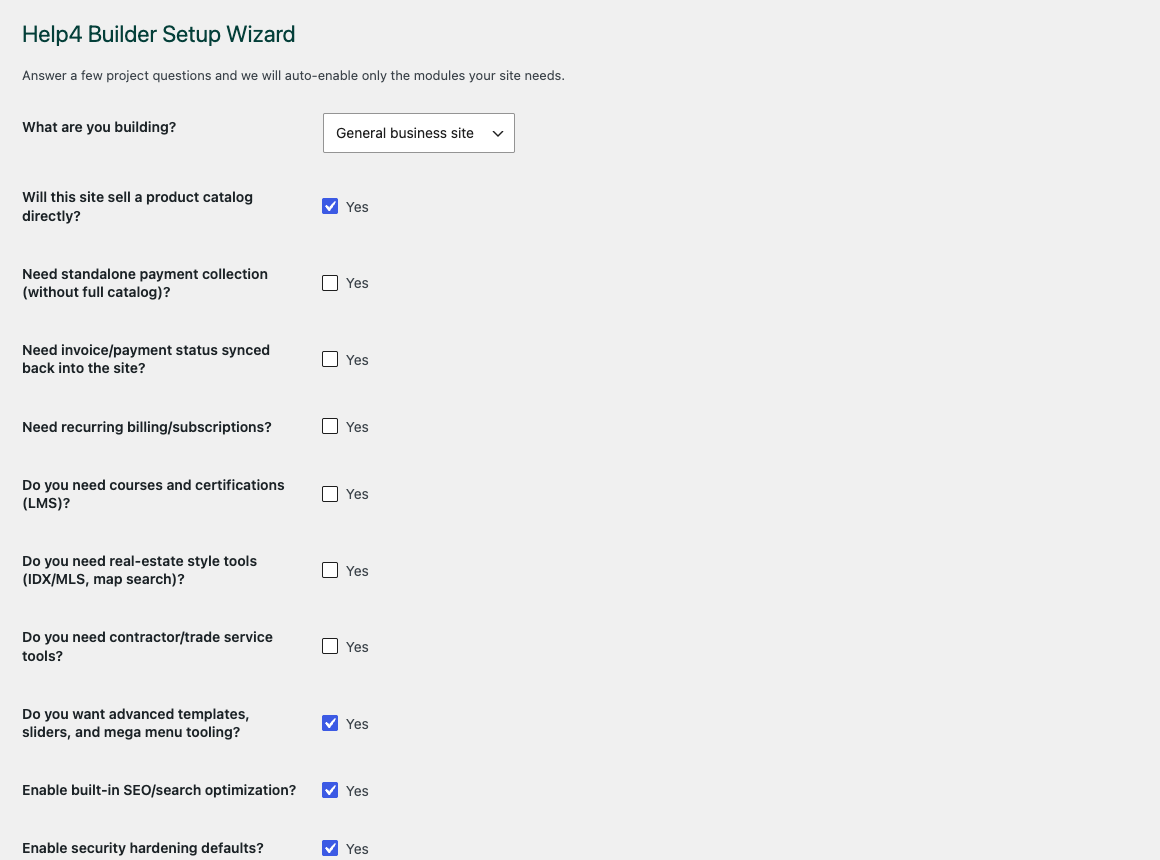
Setup wizard
The wizard keeps a new site from turning on every feature before the build actually needs it.
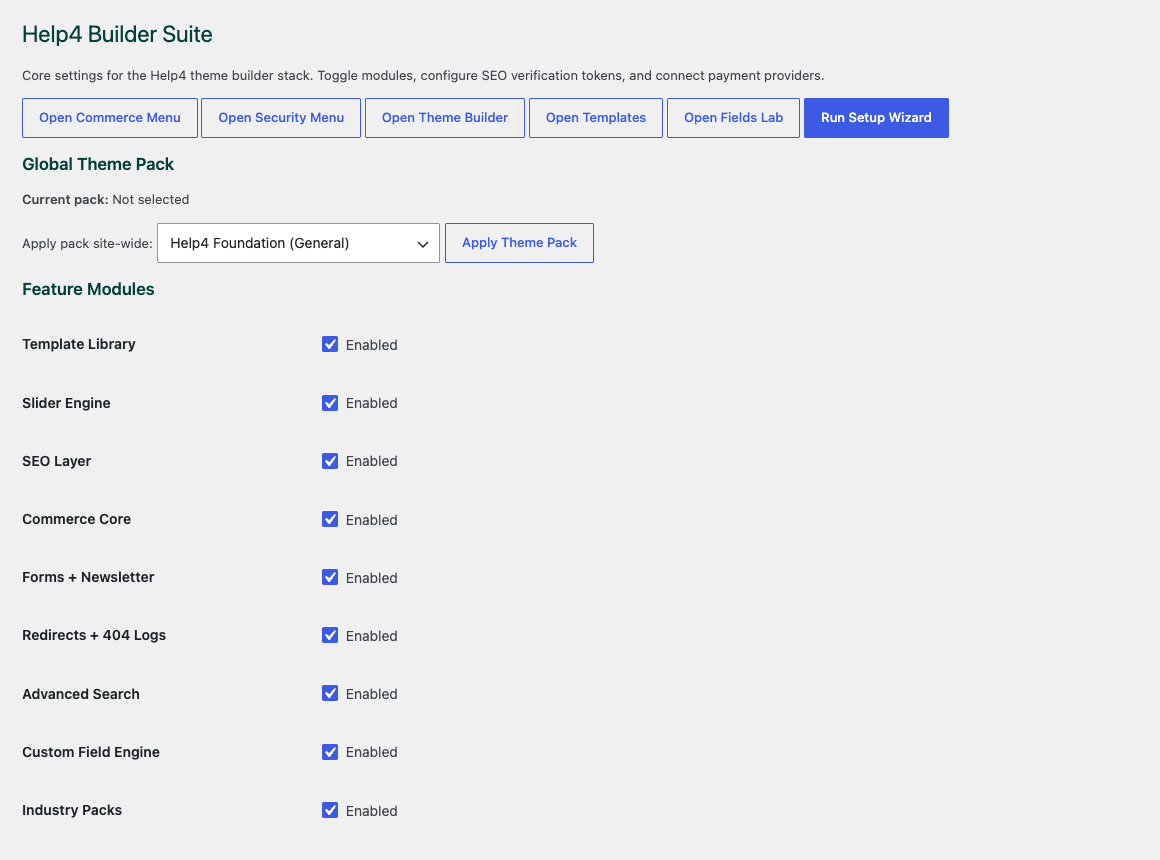
Settings dashboard
The product stack starts with modules, support routes, release channel, and setup status in one control room.
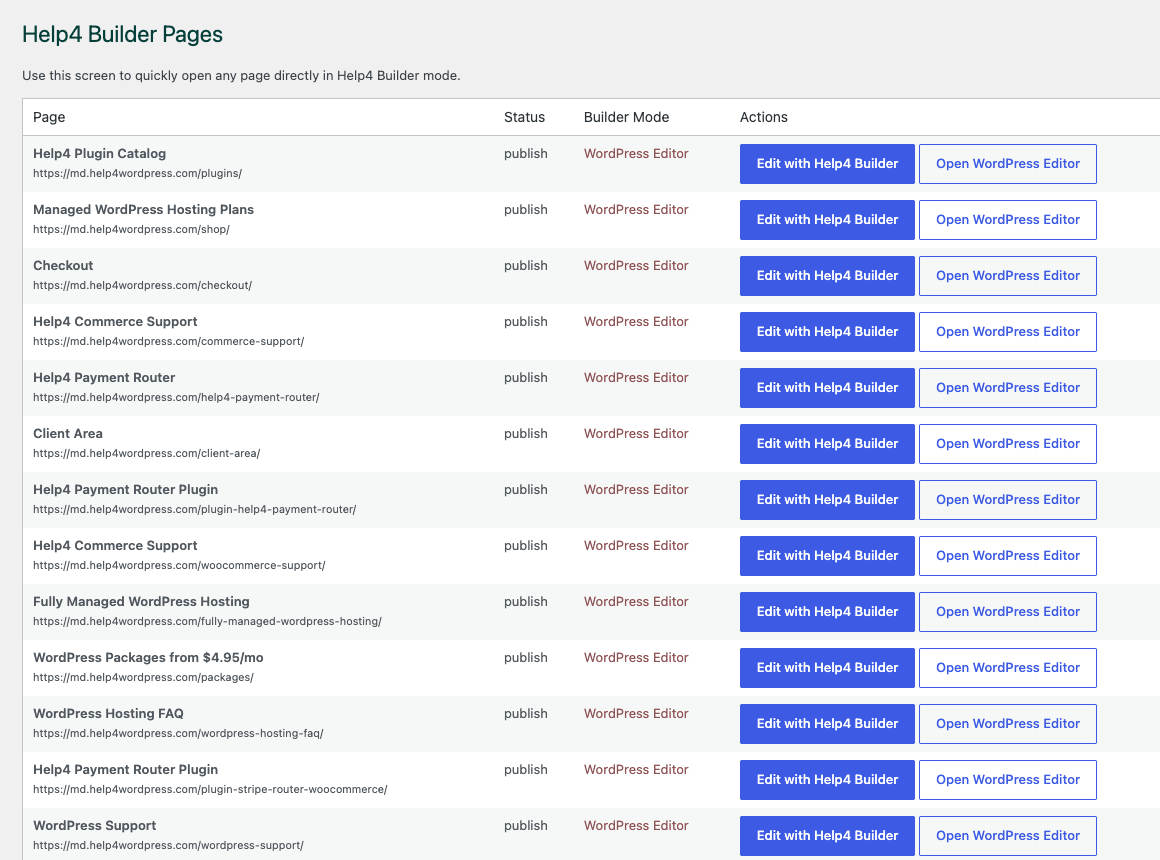
Builder Pages
Builder Pages gives the customer a clear place to open, organize, and hand off page work.
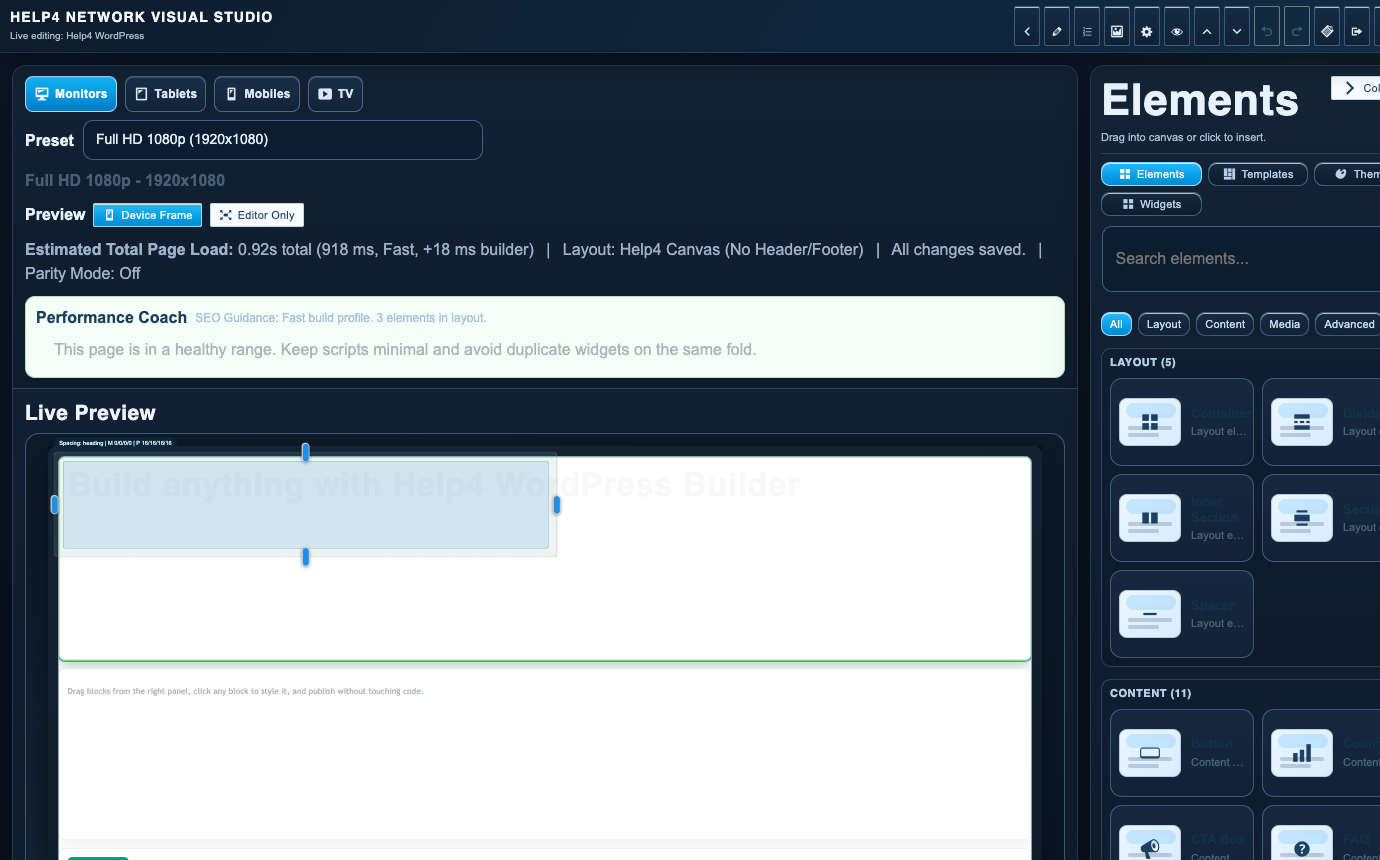
Builder Studio
Builder Studio is where templates, sections, content, responsive checks, and final page work come together.
Plain-English guide
Commerce pages need clear buying logic before checkout.
The commerce and payment examples show how product cards, subscriptions, variations, payment routes, checkout handoff, and post-purchase support can fit into a page a customer actually understands.
Why this matters
Buying paths fail when products, billing terms, fulfillment, processor rules, and support expectations are scattered across disconnected plugins.
What Help4 handles
Help4 can organize product collections, variation notes, subscription language, checkout routing, confirmation steps, and support context for order troubleshooting.
What to prepare
Bring product names, prices, variation rules, billing terms, refund notes, delivery rules, processor accounts, and the reporting view the business needs.
Best next step
Build the product path first, test checkout second, then publish once emails, receipts, support handoff, and fallback behavior are clear.
Good commerce content reduces hesitation before payment and reduces tickets after payment because the buyer knows what they bought, what happens next, and where to ask for help.
Native catalog and checkout workflows
Plan a WordPress commerce builder around products, customers, and payment rules
Help4 Commerce is the native catalog and order layer inside Builder Suite. It is designed for simple products, large indexed catalogs, variations, subscriptions, customer records, imports, and checkout experiences without requiring a separate store plugin to define the entire site architecture.
Payment Router separates the storefront from processor decisions. Route transactions by product, subscription, region, processor availability, or custom business rules, then test webhooks and failure paths before enabling live credentials. The gallery demonstrates presentation blocks; the setup guides explain the operational sequence behind them.
- Model products and variations before styling product cards or category pages.
- Test checkout, email, tax, shipping, subscription, and refund paths with non-production data.
- Keep processor keys and webhook secrets outside page content and template exports.