
Help4 Redirects and 404 Monitoring
Before changing settings
Confirm the site, user state, current version, and recovery path.
Open the exact site and feature named in the request, record its current behavior, and keep a bounded recovery option. Change one setting group at a time so the verification can identify what actually changed.
Target
Record the domain, URL or admin screen, user role, viewport, and specific outcome before changing configuration.
Current state
Capture the relevant version, enabled module, existing value, and a fresh public or runtime check.
Recovery
Keep the previous immutable package, WordPress revision, export, or narrow data snapshot needed for this feature.
Privacy
Keep credentials, private customer data, payment secrets, nonces, and protected files out of screenshots and support reports.
Visual orientation
Match the screen before following the steps.
Open each image at full size. The numbered notes explain what the screen controls and what to confirm before changing customer content.
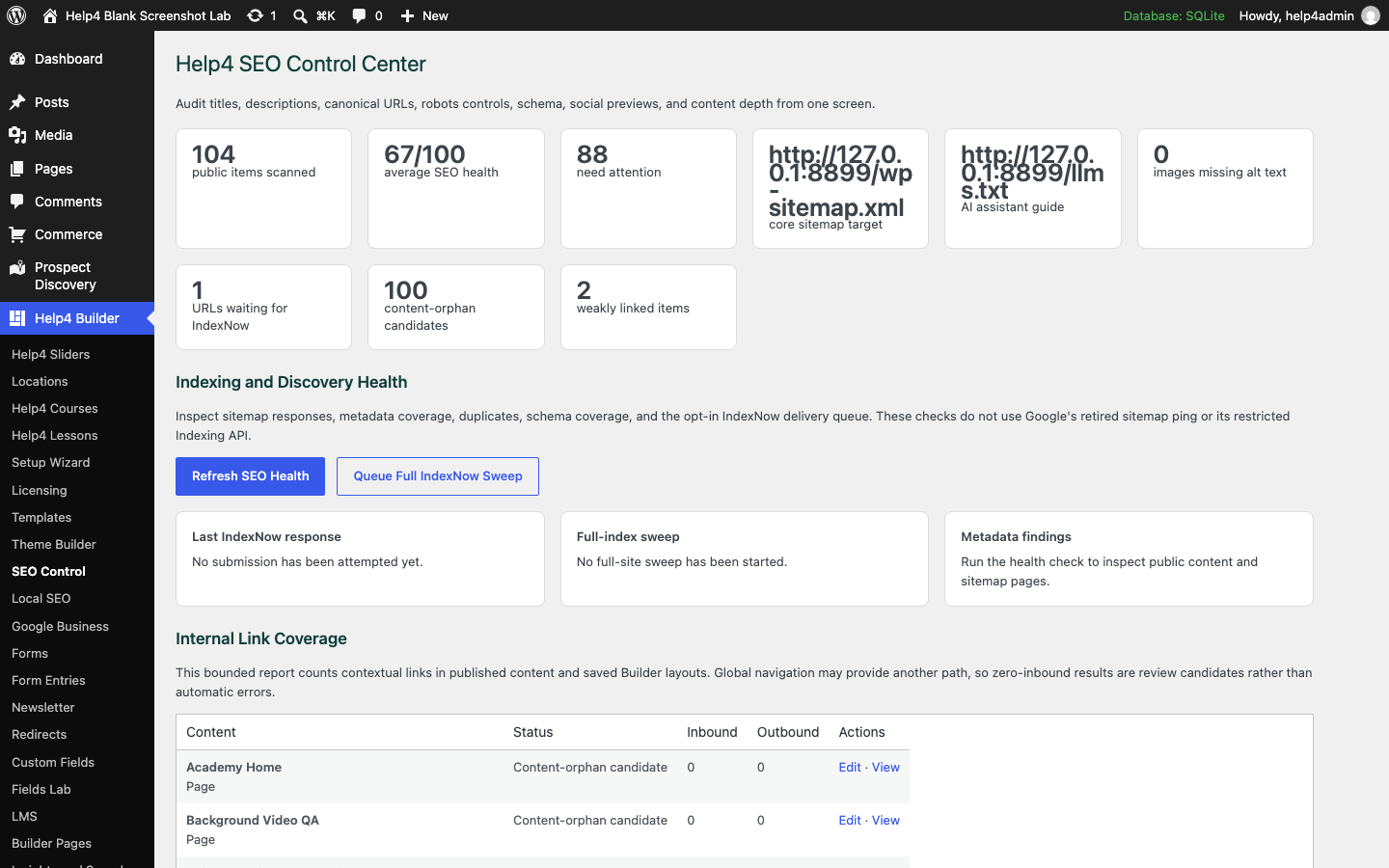
Screen 1
SEO Control
Review metadata, social sharing, schema, readability, indexing, and site-level discovery signals.
Confirm: the page title, selected item, plugin version, and intended responsive view match the task.
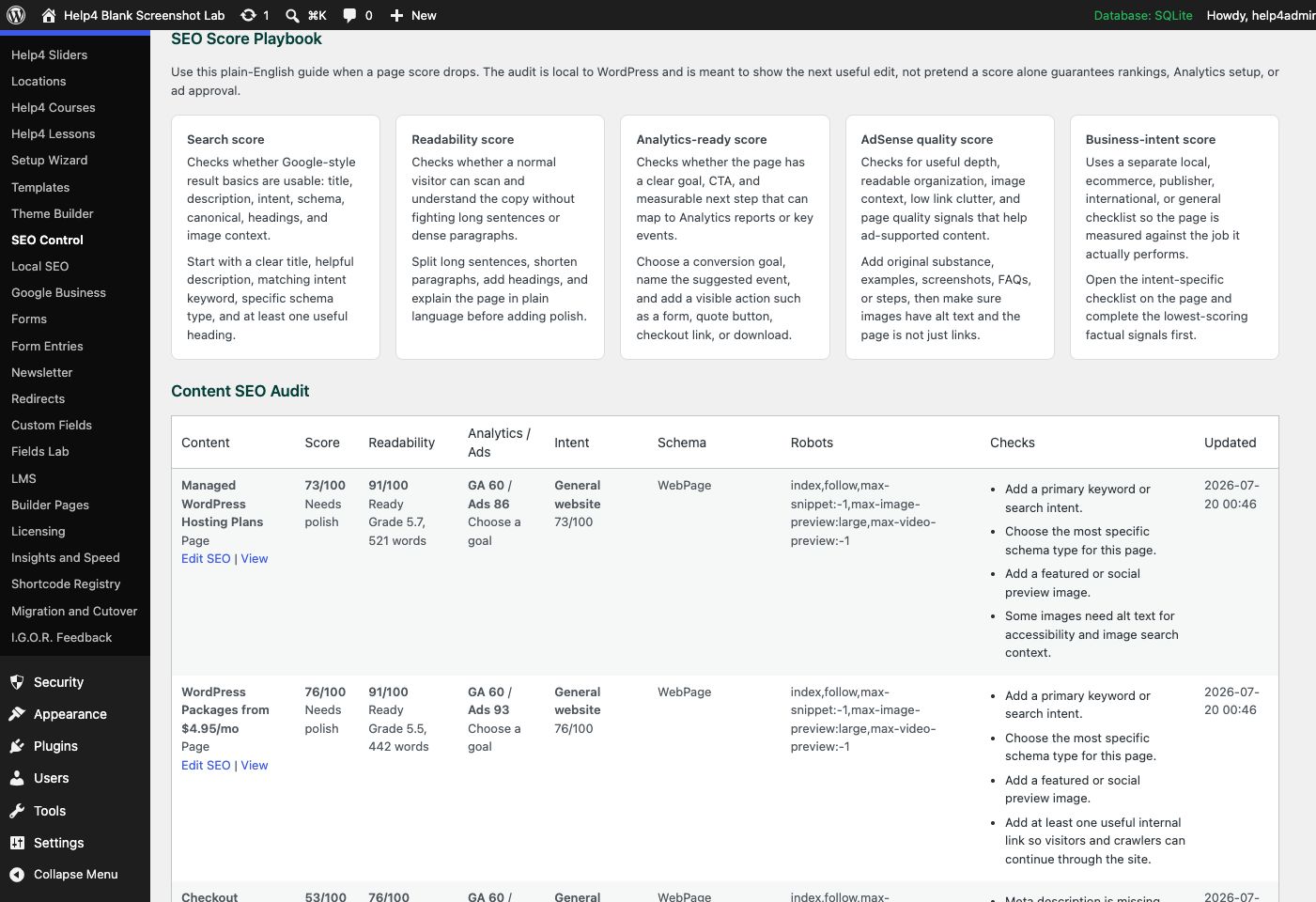
Screen 2
SEO score playbook
Understand search, readability, analytics-readiness, content-quality, and business-intent scores, then act on page-specific checks.
Confirm: the page title, selected item, plugin version, and intended responsive view match the task.
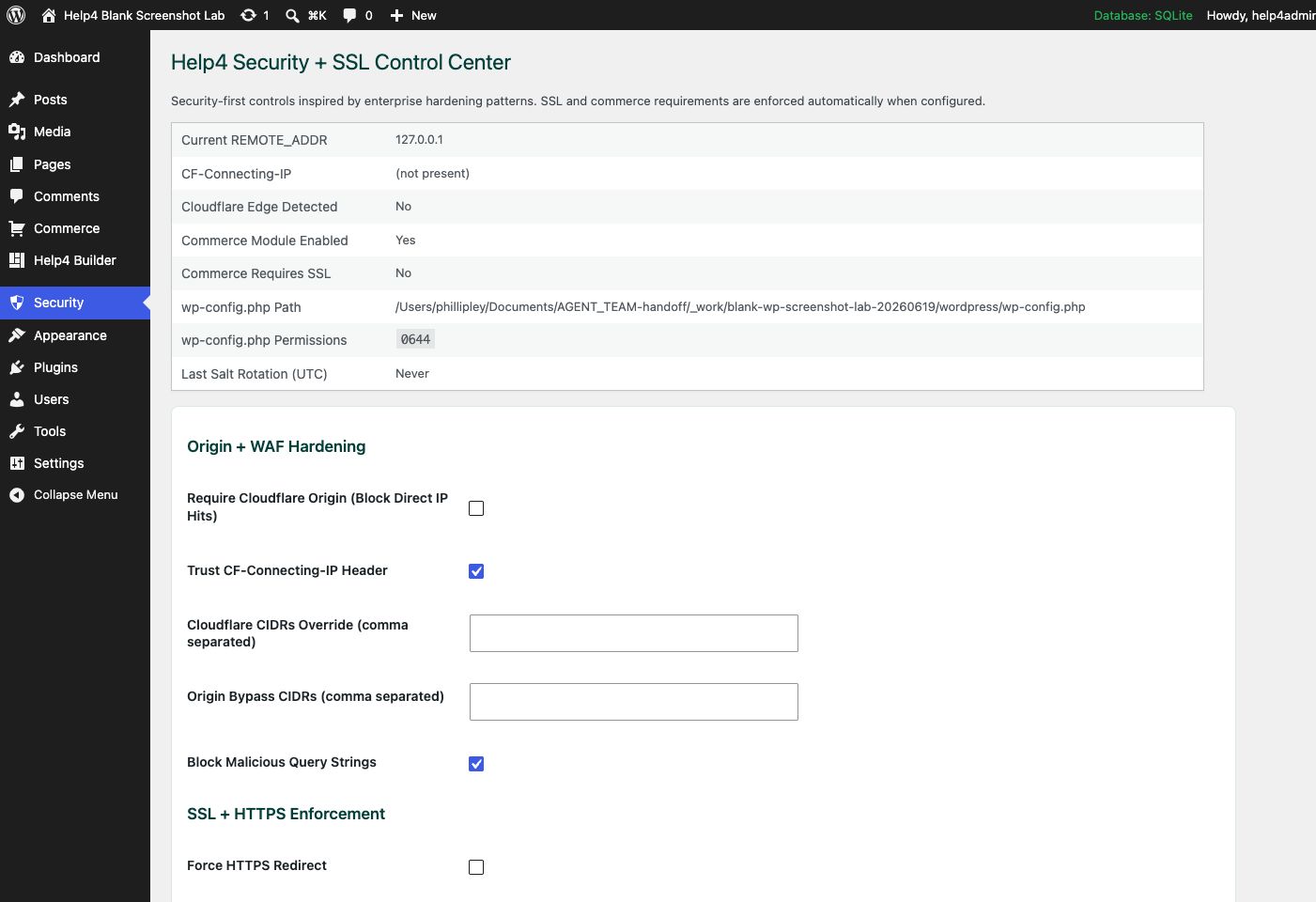
Screen 3
Security
Review SSL, headers, login hardening, XML-RPC controls, checkout safety, and production hardening settings.
Confirm: the page title, selected item, plugin version, and intended responsive view match the task.
Watch the real workflow
Watch the clicks before making the change.
Use the narrated walkthrough first, then follow the written steps and verification checks on this page.
Lesson 28
Redirects and 404 Monitoring
Repair moved URLs with narrow redirects, review 404 evidence, and keep canonicals, links, and sitemaps aligned.
Read the complete transcript
- Review the Missing Path
Open Redirects and review the exact missing path, request count, referrer, and most recent occurrence. A 404 is evidence, not an automatic instruction to send every missing URL to the home page. Decide whether the content moved, was replaced, should remain gone, or is simply a bad automated request.
- Create a Narrow Rule
Use an exact path redirect for a known moved page. Choose a permanent response only when the change is intended to last, and point to the closest useful replacement. Avoid broad regular expressions until they have been tested against a list of paths, because one loose rule can capture valid pages.
- Align Search Signals
Update internal links, canonical URLs, navigation, structured data, and sitemap entries so they use the final destination directly. A redirect can preserve a moved route, but repeated chains waste time and create confusing search signals. Remove the old URL from generated discovery surfaces after the replacement is verified.
- Test Both Outcomes
Request the old path and confirm one redirect reaches the correct final page. Then request the destination directly and confirm a normal successful response. Check query behavior, loops, cache state, mobile rendering, and fresh logs. Keep a true 404 response for unknown paths that have no appropriate replacement.
Redirect discipline
Map intent first, then create the smallest rule that solves it.
A redirect is correct only when the old URL, destination, status, canonical, sitemap, and internal links agree.
Closest replacement
Send an old URL to the page that best satisfies the same visitor intent, not automatically to the home page.
Narrow match
Use exact paths by default and reserve prefix, wildcard, or regex rules for reviewed patterns.
One hop
The source should reach its final HTTPS canonical in one redirect without loops or host drift.
Discovery cleanup
Update internal links and keep retired URLs out of canonical tags and XML sitemaps.
Guided walkthrough
Make one verified change at a time.
Each step includes the action, why it belongs in this order, and the checkpoint to verify before moving forward.
-
Collect the failing URL
Copy the full public URL, response status, referrer, and intended replacement before creating a rule.
Why nowStarting from a confirmed target prevents a correct edit from being applied to the wrong page, template, product, or responsive view.
Done whenThe collect the failing url result is visible, remains after reselecting the item, and has not changed unrelated content or styling.
-
Review the 404 log
Confirm the path is a real visitor or crawler request and not scanner noise or a mistyped admin route.
Why nowCompleting and checking this step creates a known-good checkpoint before the next control changes the page state again.
Done whenThe review the 404 log result is visible, remains after reselecting the item, and has not changed unrelated content or styling.
-
Choose the match type
Use exact for one path; use broader patterns only after listing every URL the rule could capture.
Why nowCompleting and checking this step creates a known-good checkpoint before the next control changes the page state again.
Done whenThe choose the match type result is visible, remains after reselecting the item, and has not changed unrelated content or styling.
-
Choose the response code
Use a permanent code for a completed move and a temporary code only when the old URL may return.
Why nowCompleting and checking this step creates a known-good checkpoint before the next control changes the page state again.
Done whenThe choose the response code result is visible, remains after reselecting the item, and has not changed unrelated content or styling.
-
Save and test anonymously
Request the old URL without an admin session and follow the response chain to its final destination.
Why nowCompleting and checking this step creates a known-good checkpoint before the next control changes the page state again.
Done whenThe save and test anonymously result is visible, remains after reselecting the item, and has not changed unrelated content or styling.
-
Repair discovery signals
Update internal links, canonical tags, menus, feeds, and sitemaps so crawlers stop learning the retired path.
Why nowCompleting and checking this step creates a known-good checkpoint before the next control changes the page state again.
Done whenThe repair discovery signals result is visible, remains after reselecting the item, and has not changed unrelated content or styling.
-
Monitor hits and regressions
Watch rule hits and new 404s after launch, then remove accidental chains instead of layering more redirects.
Why nowThe final verification separates an editor preview from a result that is actually saved, responsive, interactive, and ready for visitors.
Done whenThe monitor hits and regressions result is visible, remains after reselecting the item, and has not changed unrelated content or styling.
Release check
Test the real public or member outcome, not only the settings screen.
Reopen the saved setting, run the intended workflow in the correct visitor state, test desktop and phone behavior where a frontend surface exists, and inspect fresh browser or PHP errors from the same attempt.
Persistence
The saved values remain correct after reload and do not overwrite newer settings from another session.
Public behavior
The intended visitor can complete the workflow and an unintended visitor cannot access protected output.
Responsive behavior
Controls, text, tables, media, dialogs, and focus stay visible and usable at 768px, 390px, and 360px.
Fresh evidence
The final request has the expected status, output, cache state, and no new related console or PHP error.
Common questions
Answers for the decisions that block this setup most often.
Should every 404 redirect to the home page?
No. Redirect only when a close replacement exists; otherwise a useful 404 response is more accurate than a misleading home-page redirect.
When should an exact redirect be used?
Use an exact redirect for a known old path when only that path should move to the selected destination.
Why should internal links be updated after adding a redirect?
Direct internal links reduce unnecessary requests and keep navigation, canonical signals, and crawl paths aligned with the final URL.
Continue learning
Use the next guide that matches the work in front of you.
The full tutorial hub remains available without repeating dozens of unrelated cards on this page.
Start here
Install and setup
Download the ZIP, activate Builder Suite, understand the blank-theme path, and run the first clean check.
First page
Build a page safely
Open Builder Pages, launch Studio, build structure first, check mobile, then publish or hand it to Help4.
Editor controls
Know which tab changes what
Use Content for information, Design for appearance and responsive values, and Advanced for identity, attributes, visibility, and motion.
Recovery
Edit without losing work
Replace media safely, recognize stale drafts, and restore a known-good page snapshot from Page Settings History.
Responsive
Control every viewport
Set spacing, widths, columns, alignment, and typography independently for desktop, tablet, and mobile.
Templates
Choose a starter
Pick a starter spec by page job: service, product, support, recent work, local SEO, launch, or checkout recovery.
Need a second set of eyes?
Send one complete, privacy-safe support record.
Include the affected URL or admin screen, current Builder version, user state, exact steps, expected result, actual result, and one screenshot or fresh error when available.