
Template workflow screenshots
Starter templates are easier to trust when customers can see the setup path.
These screenshots show how a starter moves from module setup into pages and Builder Studio, whether Help4 finishes the site or the customer keeps editing after launch.
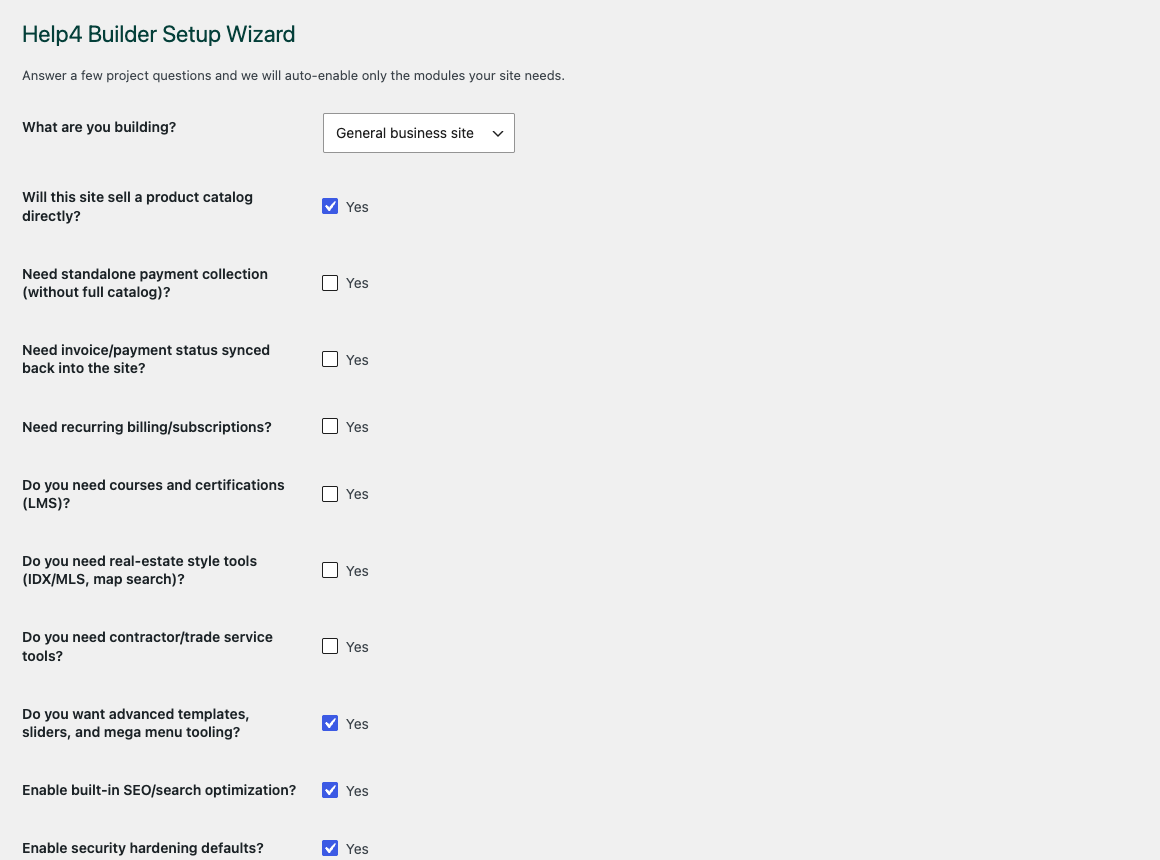
Setup wizard
Use the setup wizard to move a new site from blank WordPress into a builder-ready workflow without guessing what to open first.
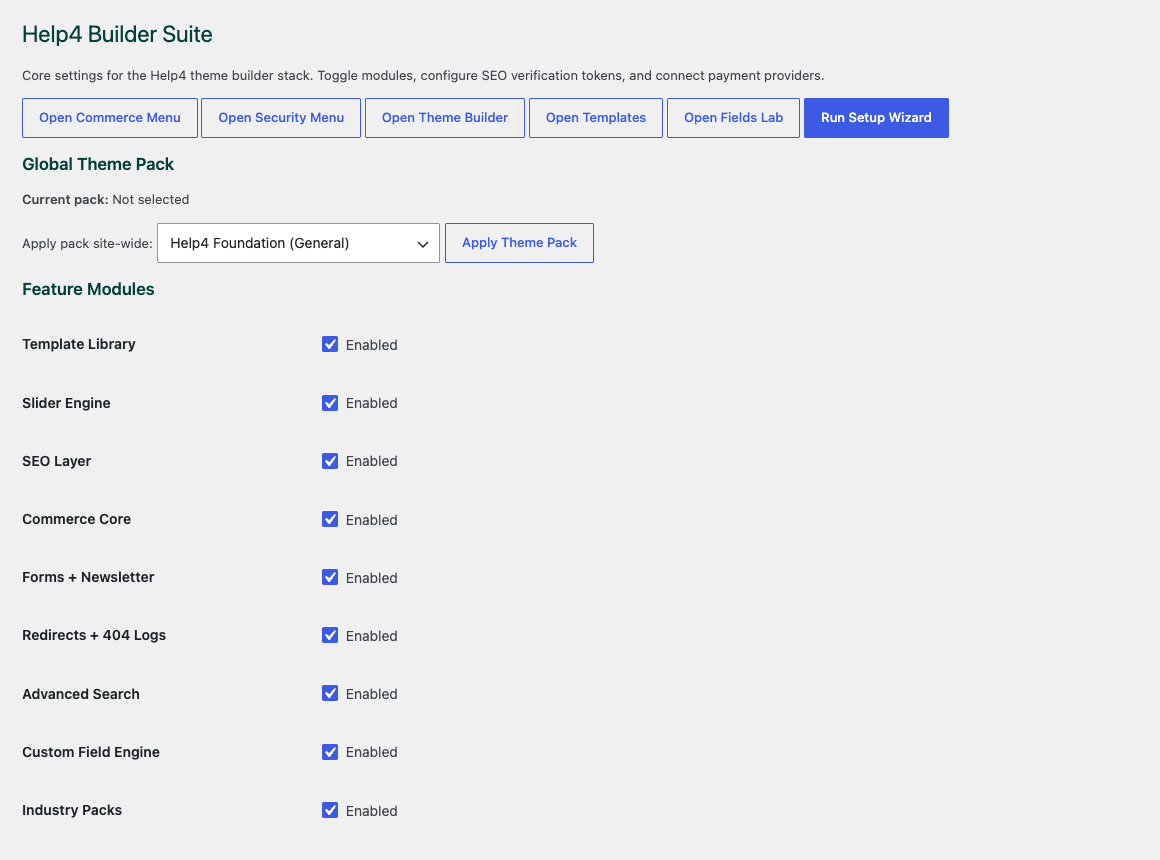
Settings dashboard
Start by choosing only the modules the site needs, so the build stays lean instead of loading every feature everywhere.
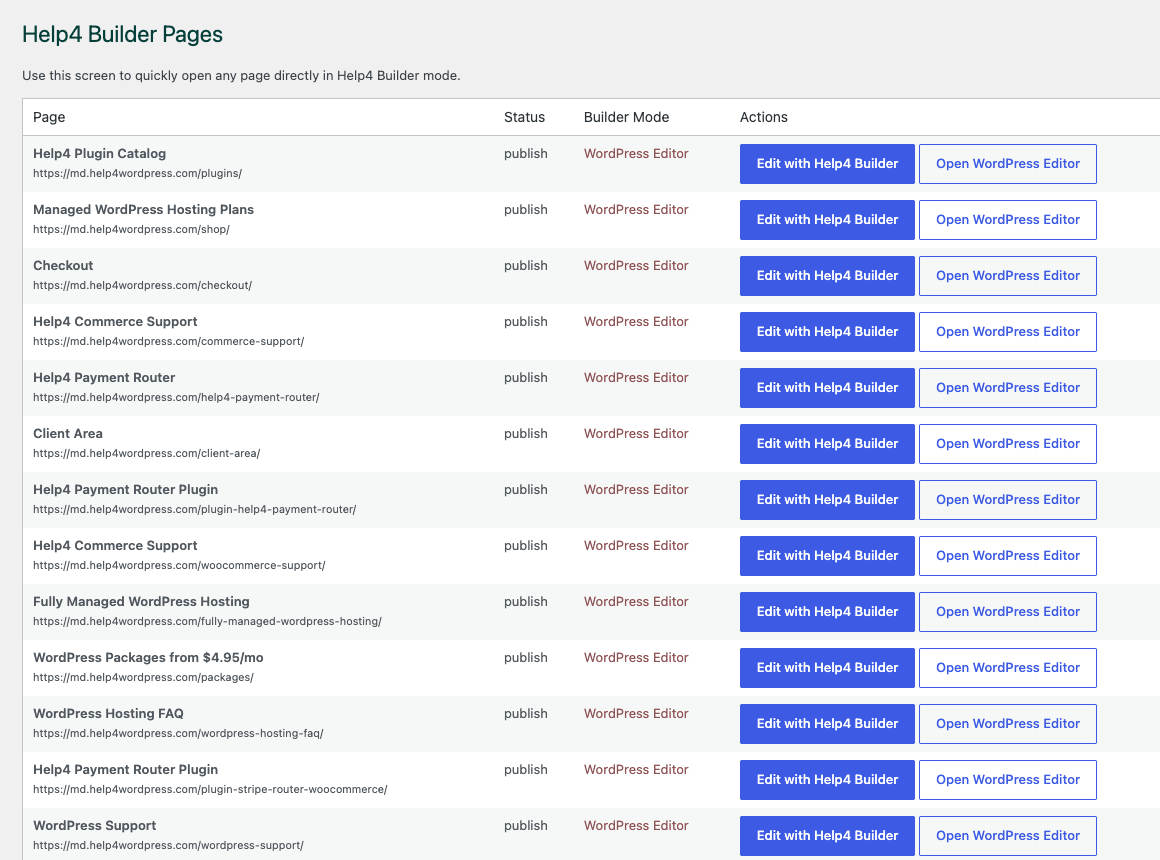
Builder Pages
Keep pages, landing screens, support content, product pages, and template work organized in one place.
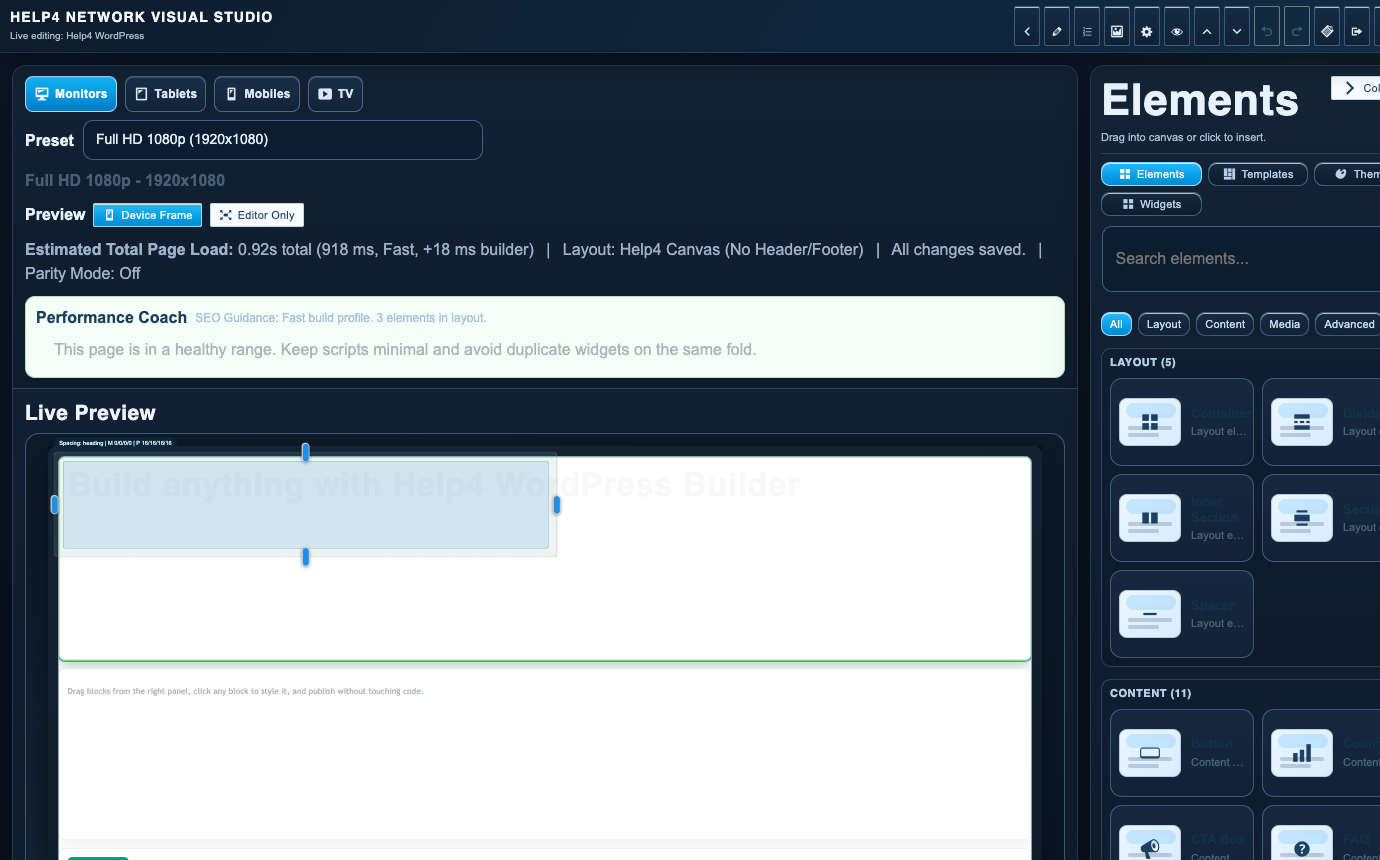
Builder Studio
Build the real page with sections, copy, visual checks, reusable structure, and a path back to support when needed.
Template catalog
Choose the closest fit, then let Help4 tune it to the business.
Doctor and Clinic WordPress Website Template
Use this starter when patients need services, locations, insurance notes, intake forms, and fast contact without digging through a messy medical site.
Law Firm WordPress Website Template
Use this starter for practice areas, attorney bios, trust signals, intake forms, and local SEO pages that help visitors understand when to call.
Realtor WordPress Website Template
Use this starter for agent profiles, featured listings, market pages, seller guides, buyer funnels, and clean form paths.
Roofer WordPress Website Template
Use this starter for service areas, storm damage pages, financing CTAs, quote requests, and photo-heavy proof sections.
Plumber WordPress Website Template
Use this starter for emergency plumbing, drain cleaning, water heaters, service areas, pricing notes, and quote forms.
Electrician WordPress Website Template
Use this starter to explain residential, commercial, emergency, lighting, panel, and inspection work with fast quote paths.
HVAC WordPress Website Template
Use this starter for heating, cooling, air quality, seasonal tune-ups, rebates, quote forms, and service-area SEO.
Restaurant WordPress Website Template
Use this starter when customers need the menu, hours, address, photos, catering, events, and order buttons without fighting the page.
Commerce WordPress Website Template
Use this starter for Help4 Commerce projects that need product pages, variation logic, subscription offers, account paths, and payment routing without bolting on a bloated store stack.
Course and LMS WordPress Website Template
Use this starter for education sites, private content, onboarding tracks, certificate programs, and course sales pages.
Nonprofit WordPress Website Template
Use this starter to explain the mission, collect leads, route donations, publish updates, and make impact easy to understand.
Agency WordPress Website Template
Use this starter for agencies that need clearer service pages, lead capture, project proof, and a production bench behind the scenes.
Membership WordPress Website Template
Use this starter for communities, coaching, private content, paid resources, and recurring-access offers.
Recent work
Real site screenshots make the builder promise easier to believe.
Help4 is not only selling tools. These examples show the kind of finished pages, service positioning, and visual handoff work the Builder Suite is meant to support.
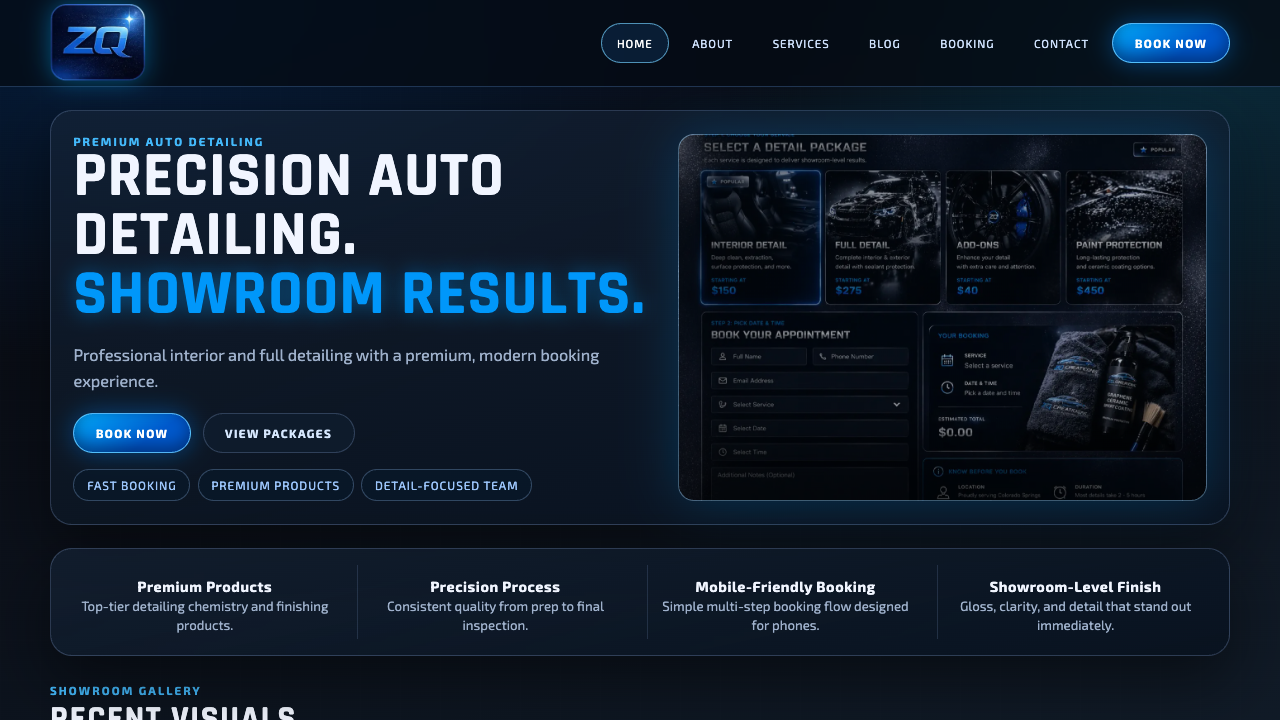
ZQ Creations
Auto detailing site with immediate service positioning, strong visual trust, and fast contact paths.

Mission-led site work
A content-heavy organization surface shaped around trust, clarity, and a visitor path that does not feel generic.
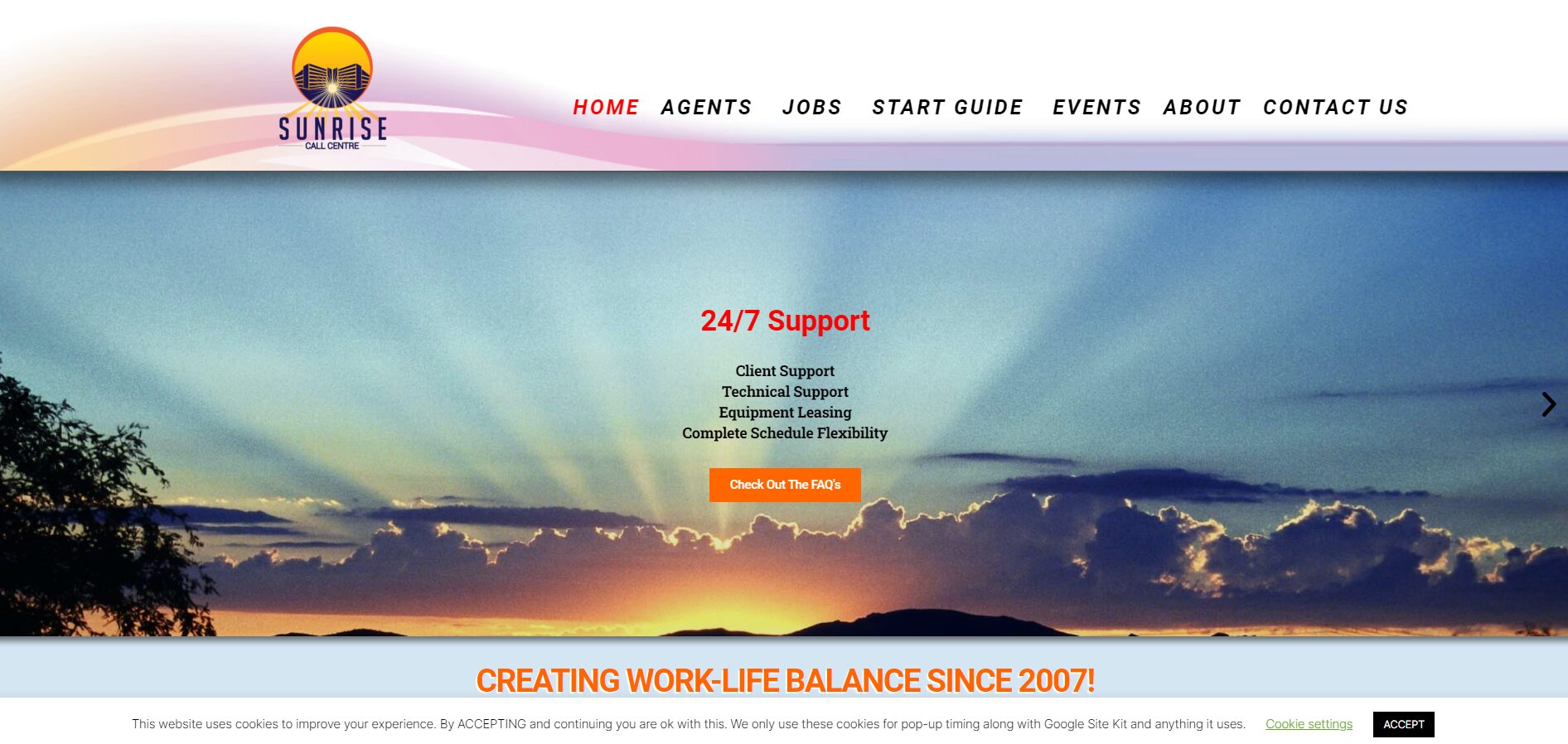
Service operations page
A service-business layout using direct offers, human support cues, and a page structure that can be reused in Builder Suite.
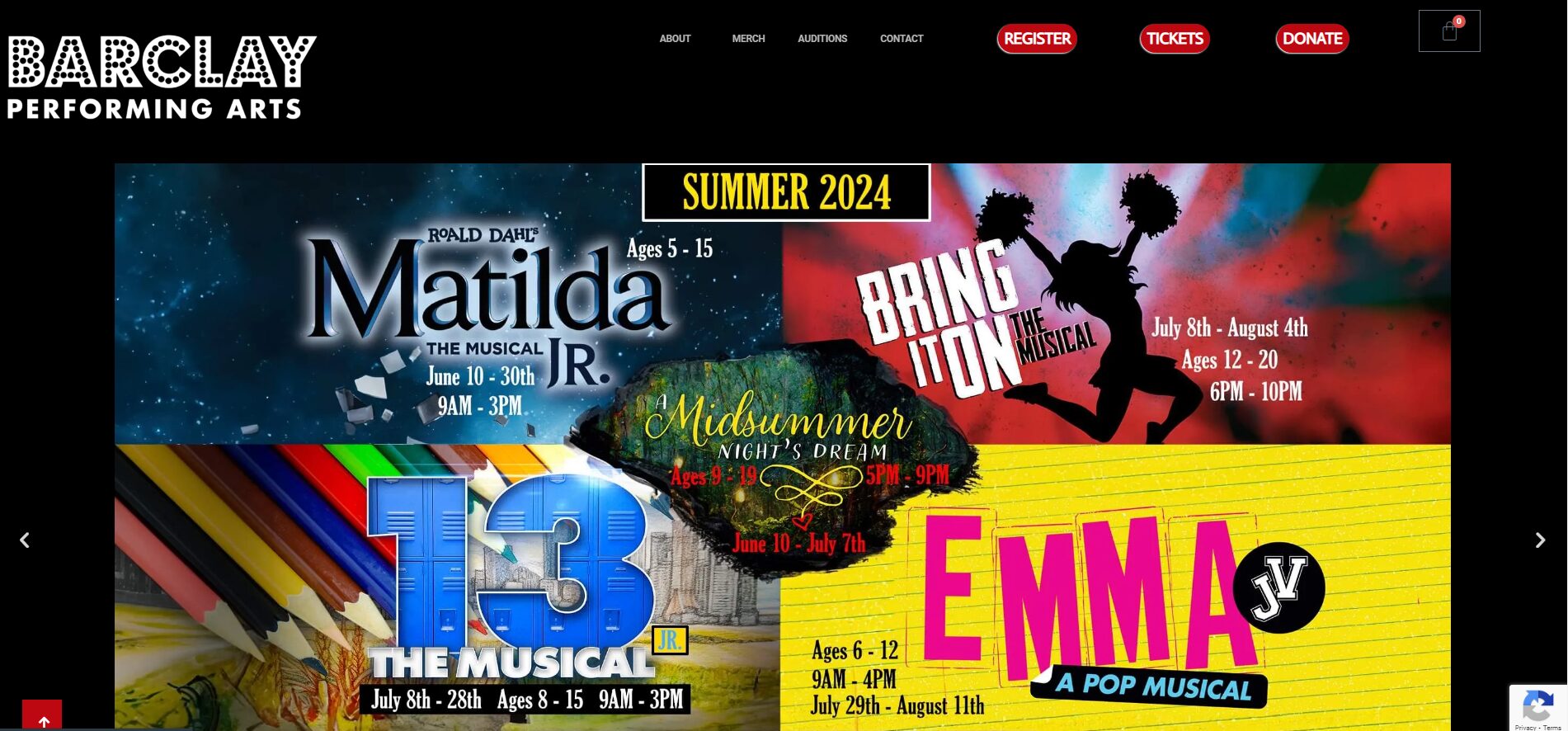
Professional services refresh
A cleaner presentation for a business that needs proof, explanation, and lead capture without making visitors decode the site.