Skip to content

Help4 Builder SiteShot Website Screenshots

Builder Suite SiteShot

Turn website URLs into screenshot proof blocks.

SiteShot is the Help4 Builder Suite website screenshot feature. Paste a public URL, choose safe dimensions, and Builder Suite turns it into a responsive screenshot block for recent work, migrations, support notes, launch recaps, and comparison pages.

See Recent Work Builder Suite Request Page Build

Live examples

Website screenshots inside the page, not manually cropped assets.

These examples render through the Builder Suite SiteShot shortcode. The page still links to the live site, while the screenshot gives visitors immediate visual proof.

Creative business proof

Website ScreenshotZQ Creations website screenshot
ZQ Creations website screenshot

ZQ Creations

Use a public URL as a visual proof block inside a builder page, tutorial, recent-work gallery, support page, or launch recap.

Migration service proof

Website ScreenshotMigration Monkey website screenshot
Migration Monkey website screenshot

Migration Monkey

Show the source site, migration target, or launch result so customers can understand the before-and-after without reading a wall of text.

Commerce and content proof

Website ScreenshotLive & Signed website screenshot
Live & Signed website screenshot

Live & Signed

Use SiteShot on service pages when the proof matters more than a generic icon or stock image.

Alternate domain proof

Website ScreenshotLive & Signed US website screenshot
Live & Signed US website screenshot

Live & Signed US

Use additional domains when a launch, redirect, or brand split needs a separate visual reference.

Organization proof

Website ScreenshotBADPD website screenshot
BADPD website screenshot

BADPD

Attach a visual reference to support notes, launch notes, and customer reports so the conversation starts with the same screen.

Events proof

Website ScreenshotBarclay Performing Arts website screenshot
Barclay Performing Arts website screenshot

Barclay Performing Arts

Use screenshots on recent-work pages where the customer needs to see the finished site quickly.

Publisher proof

Website ScreenshotAK Vape News website screenshot
AK Vape News website screenshot

AK Vape News

SiteShot is useful for content-heavy examples because the screenshot explains layout and density faster than a paragraph.

Step-by-step

Use SiteShot when the customer needs to see the thing you are talking about.

The plain version: paste the public URL, pick a sane screenshot size, add a caption, and place it beside the service, migration, support, or recent-work explanation.

1. Start with a public URL

Use a normal public website URL. Do not use login, checkout, admin, cart, billing, payment, or private customer paths.

2. Choose the screenshot size

Use `960` by `540` for normal cards. Use a taller height only when the page needs more vertical context.

3. Add the caption

Write the caption for humans and search engines. Name the site and the reason the screenshot is on the page.

4. Put it near the explanation

Place the screenshot next to the recent-work note, migration plan, support issue, or launch proof instead of leaving it as decoration.

Shortcode pattern

Copy the simple pattern and change the URL.

[h4_siteshot url="https://example.com/" width="960" height="540" refresh="21600" link="true" caption="Example website screenshot"]

`refresh` controls how long the screenshot can be reused before it is requested again. Use a longer refresh window for recent work and a shorter one during launch QA.

Where it fits

Use screenshot proof where plain copy gets ignored.

A non-technical customer understands a screenshot faster than a feature list. Use SiteShot to make the page easier to trust.

Recent work galleries

Show finished sites without manually rebuilding a screenshot library every time the portfolio changes.

Migration planning

Put the current website and the target build notes on the same page so customers understand what is being rebuilt.

Support context

Attach a visual reference to a page issue, launch note, or client request so the support path starts with the same screen.

Sales proof

Use screenshots beside service offers so visitors can see what a build, repair, or managed plan actually affects.

Troubleshooting

If the screenshot does not look right, check the boring stuff first.

Most SiteShot problems are URL, cache, privacy, or target-site rendering issues.

The screenshot is old

Lower the refresh window while testing, then raise it again once the page is stable.

The screenshot is blank

Check that the target page is public, returns a normal 200 response, and does not block screenshot requests.

The image looks squeezed

Use a 16:9 size such as 960 by 540 and keep card media dimensions consistent across the grid.

The URL is blocked

Builder Suite intentionally blocks unsafe private paths like checkout, login, admin, payment, cart, account, and billing pages.

Want this on your pages?

Use the screenshot feature as proof, not decoration.

Help4 can add SiteShot blocks to recent-work pages, support pages, migration offers, launch notes, and product explanation pages.

Build along with the guide

Download the current Help4 Builder Suite build.

Install the plugin first, keep this guide open, then use the default screens, starter templates, fields, SiteShot tools, commerce panels, and security controls as you follow the steps.

Download Builder Suite Open the install guide See plugin features

Picture walkthrough

Use SiteShot when proof needs a real screen.

Paste a public URL, choose the screenshot dimensions, add a caption, and place the image near the recent-work note, migration plan, support issue, or launch explanation.

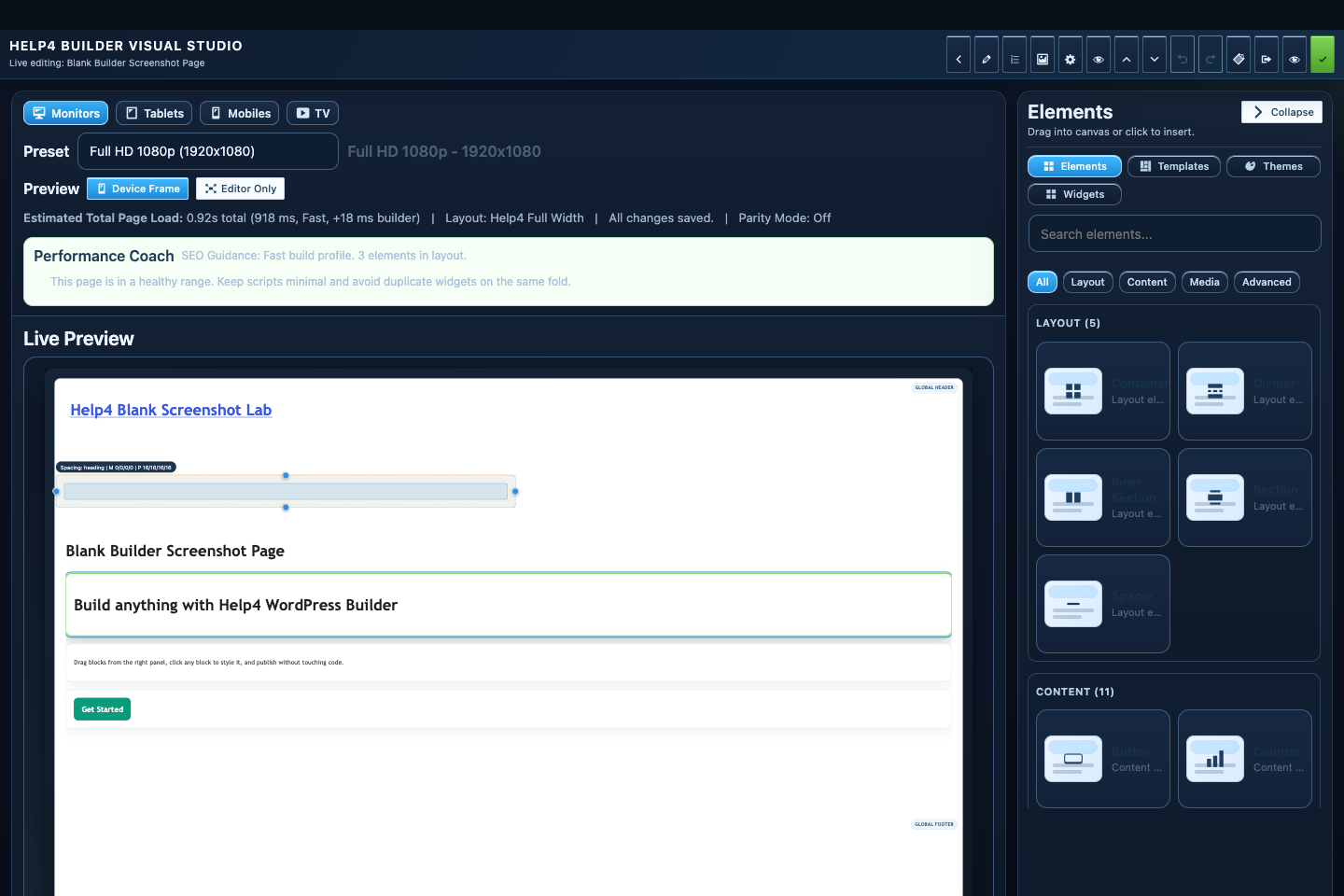
Help4 Builder Suite SiteShot workflow default screen
SiteShot workflow: paste a public URL and turn it into a proof screenshot block.

Public pages only

Use normal public URLs. Builder Suite blocks private paths like login, admin, checkout, cart, billing, account, and payment pages.

Caption for context

Name the site and explain why the screenshot appears on the page so visitors and search engines understand the proof.